Hello friends, I hope you all are doing great. Today, I am going to share the new Arduino Pro Mini Library for Proteus V4.0 . The Arduino Pro Mini is the tiny red board from SparkFun: an ATmega328P, a resonator, a voltage regulator and a reset button on a board of 0.7 x 1.3 inches, with no USB connector at all. You program it through a six-pin FTDI header on one end. With this Arduino Pro Mini Library for Proteus , you place the board on your sheet, load the HEX file of your sketch and press Run: the PWR LED lights, the 13 LED follows pin 13, the RESET button works with the bootloader, and a serial monitor built into the board shows everything your sketch prints. Updates Arduino Pro Mini Library for Proteus Latest version: V4.0 (October 2026, this tutorial) Earlier versions: V3.0 (2023) · ...
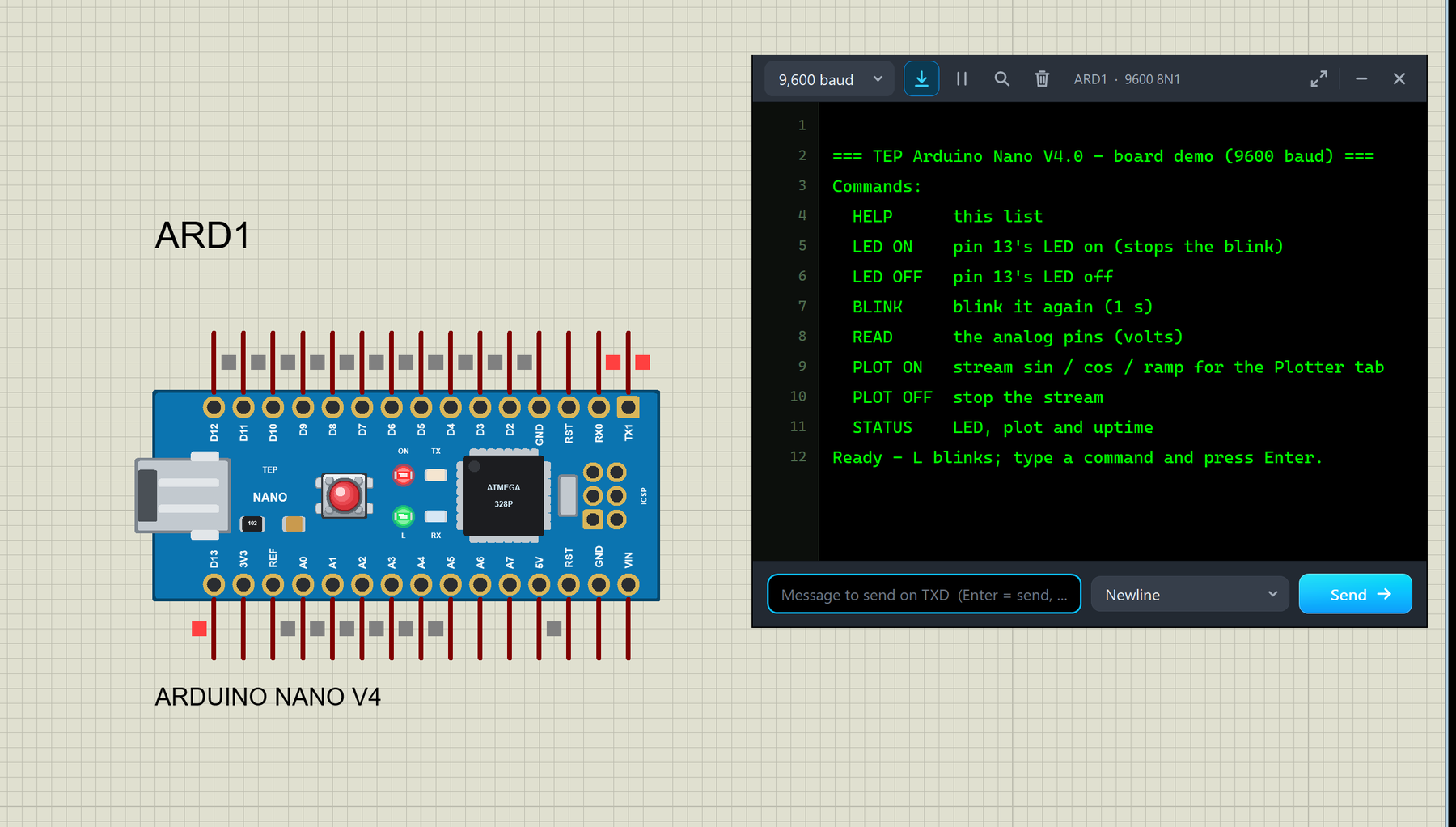
Hello friends, I hope you all are doing great. Today, I am going to share the new Arduino Nano Library for Proteus V4.0 . The Arduino Nano is the small, breadboard-friendly Arduino: the same ATmega328P microcontroller as the Arduino UNO on a board of only about 18 x 45 mm, with a mini-USB socket and two rows of pins. With this Arduino Nano Library for Proteus V4.0 , the Nano in your Proteus simulation looks like the real blue board and behaves like one: its ON, L, TX and RX LEDs work , the RESET button works with the bootloader, the 5V and 3V3 pins really supply power, and a serial monitor is built into the board , so you do not need to wire a Virtual Terminal any more. Updates Arduino Nano Library for Proteus Latest version: V4.0 (October 2026, this tutorial) Earlier versions: V3.0 (2023) ...
Hello friends, I hope you all are doing great. Today, I am going to share the new Arduino UNO Library for Proteus V4.0 . The Arduino UNO is the board most of us learned with, and it is the heart of most of our Proteus simulations. With this Arduino UNO Library for Proteus , the UNO on your Proteus sheet behaves much more like the one on your desk: its LEDs work , the RESET button runs the bootloader, the 5V and 3.3V pins really power your parts, and a serial monitor is built into the board , so you no longer have to wire a Virtual Terminal to see what your sketch prints. Updates Arduino UNO Library for Proteus Latest version: V4.0 (October 2026, this tutorial) Earlier versions: V3.0 (2023) · V2.0 (2021) · V1.0 (2015) Other boards: Mega 2560 · Mega 1280 · Nano · Pro Mini · Mini (V4.0) All s ...
Hello friends, I hope you all are doing great. Today, I am going to share our new Arduino Library for Proteus V4.0 . It brings six Arduino boards to Proteus 8 in one library: the Arduino UNO , the Arduino Mega 2560 , the Arduino Mega 1280 , the Arduino Nano , the Arduino Pro Mini and the Arduino Mini . Every board is drawn as the real one, and its LEDs work like the real ones: ON lights with power, L follows pin 13, TX and RX flash with the serial traffic, and the RESET button really holds the chip in reset and then runs the bootloader. Updates Arduino Library for Proteus Latest version: V4.0 (October 2026, this tutorial) Earlier versions: V3.0 (2023) · V2.0 (2021) · V1.0 (2015) One board only? UNO · Mega 2560 · Mega 1280 · Nano · Pro Mini · Mini (V4.0) Helping Tools Serial Monitor Advance ...
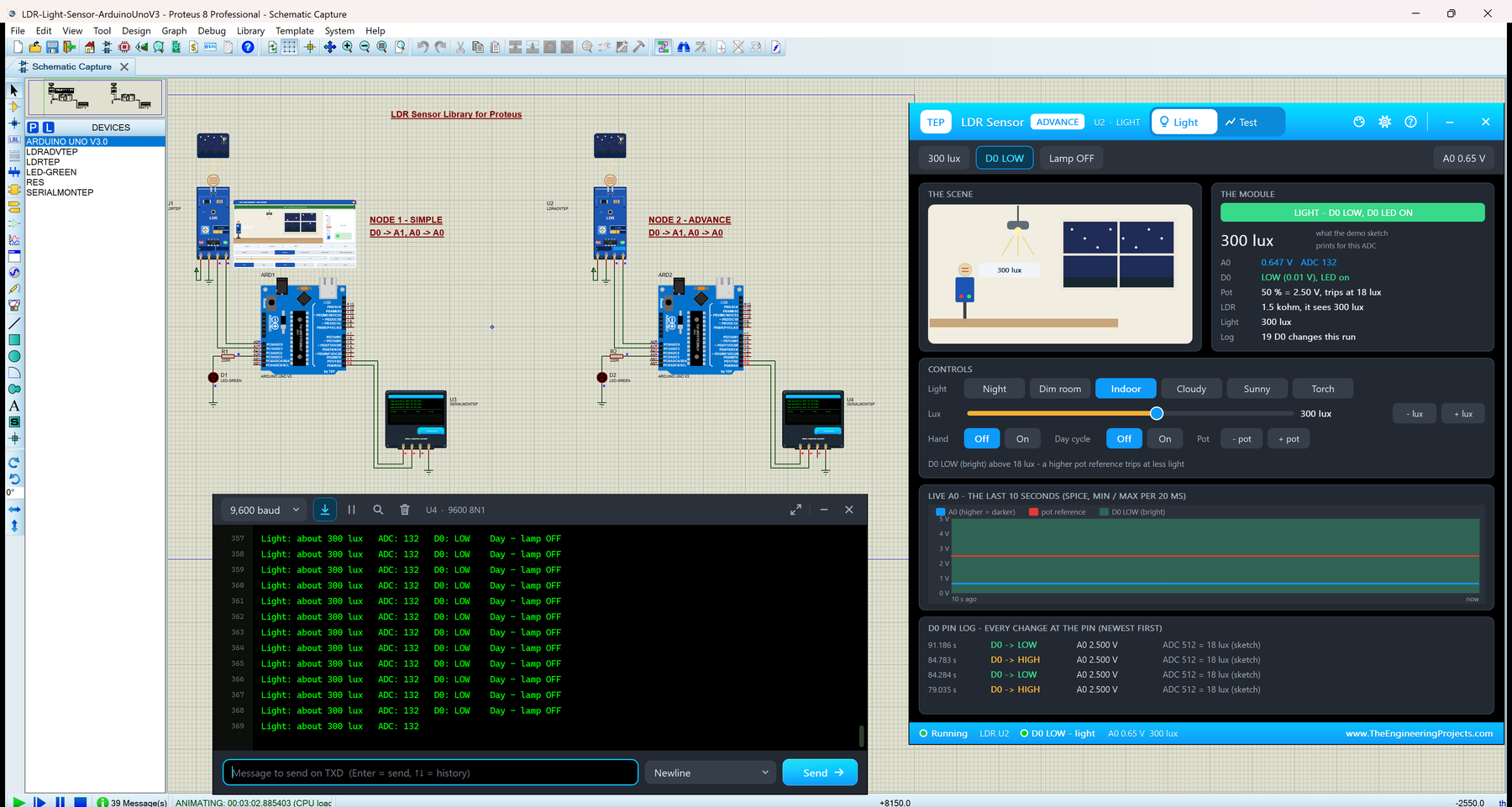
Hello friends, I hope you all are doing great. Today, I am going to share our new LDR Sensor Library for Proteus . An LDR (light dependent resistor, also called a photoresistor) is the simplest light sensor there is: its resistance drops when more light falls on it. Most makers know it from the small blue LDR light sensor module with an LM393 comparator, a blue pot and two outputs, A0 and D0. With this LDR Sensor Library for Proteus , you set the light on the sensor, from a moonlit night to direct sunlight, and your Arduino reads A0 with analogRead() and D0 with digitalRead() , exactly as on a real board. Updates LDR Sensor Library for Proteus Latest version: V1.0 (October 2026, this tutorial) Other light sensors: BH1750 · TCS34725 Helping Tools Serial Monitor Advance : a serial terminal w ...
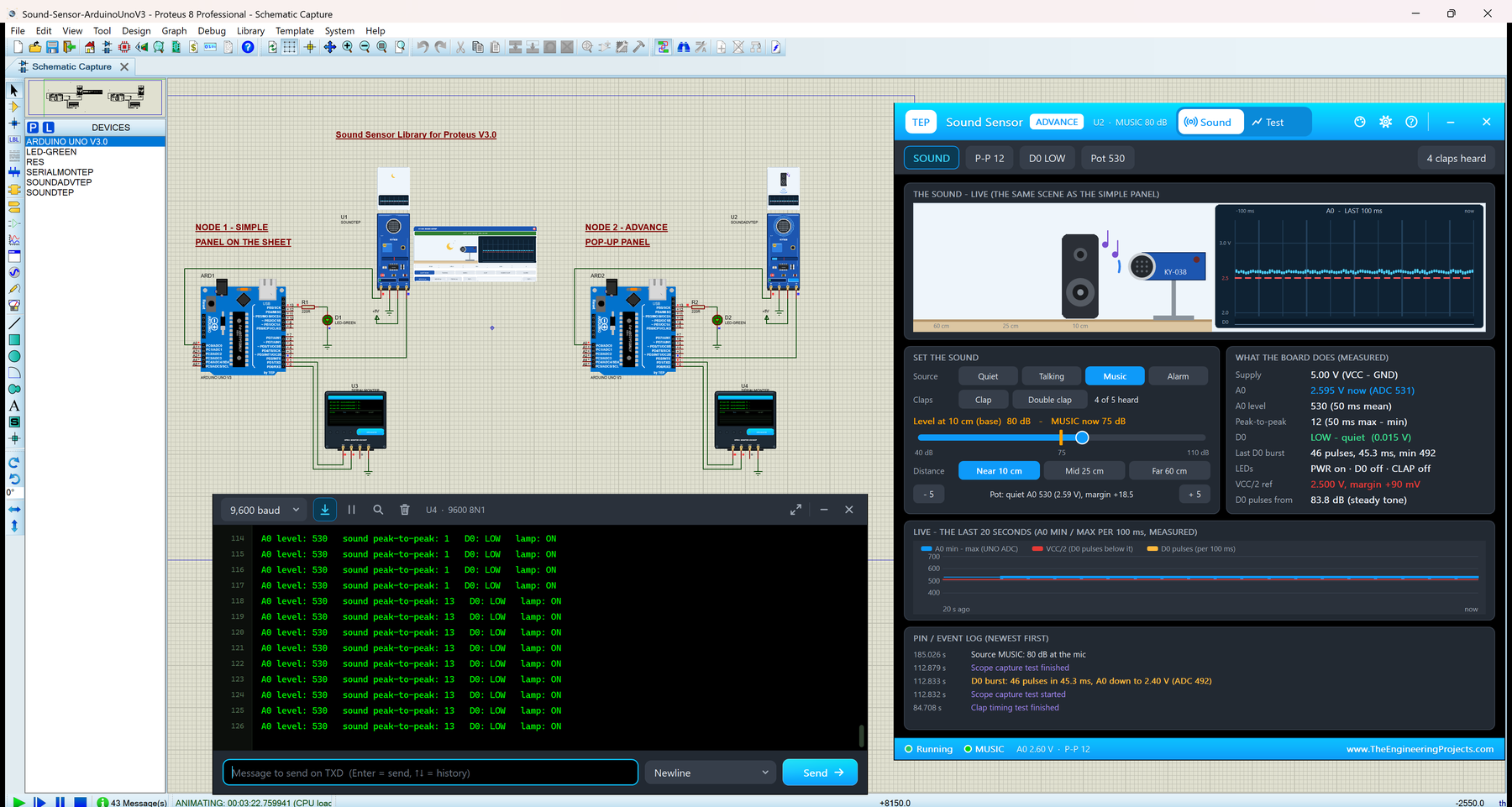
Hello friends, I hope you all are doing great. Today, I am going to share the new Sound Sensor Library for Proteus V3.0 . The KY-038 is the small blue sound sensor module with a microphone, a sensitivity pot and an LM393 comparator. Its A0 output carries the microphone's sound wave, and its D0 output pulses when a sound is loud enough. With this Sound Sensor Library for Proteus , you pick the sound, its distance and the pot, and your Arduino reads A0 and D0 exactly as it would on a real board. Updates Sound Sensor Library for Proteus Latest version: V3.0 (October 2026, this tutorial) Earlier versions: V2.0 (2021) · V1.0 (2018) Other sound and vibration sensors: Vibration Sensor · Analog Vibration Helping Tools Serial Monitor Advance : a serial terminal window for the UART of your board Ser ...
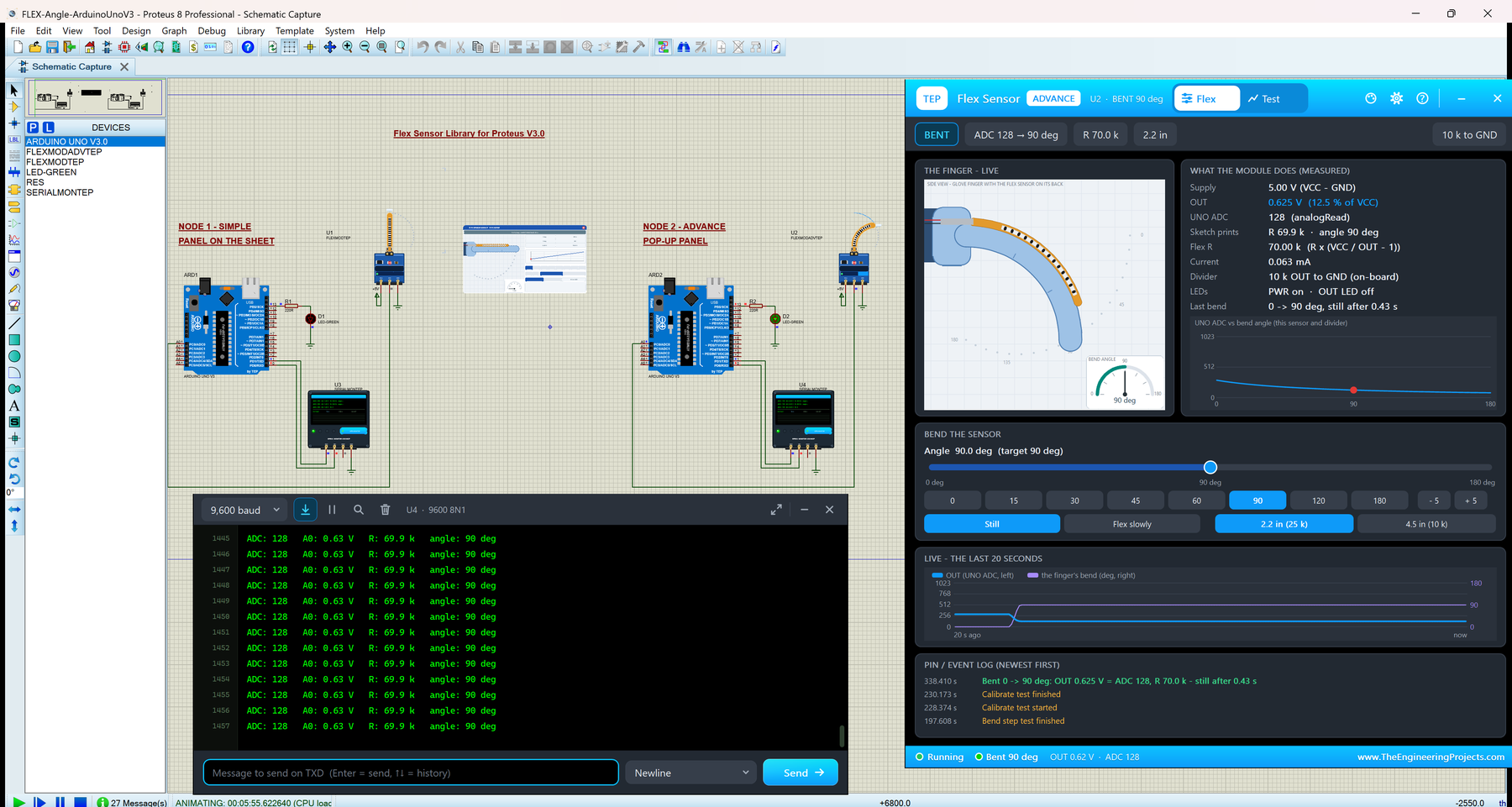
Hello friends, I hope you all are doing great. Today, I am going to share the new Flex Sensor Library for Proteus V3.0 . A flex sensor is a thin plastic strip whose resistance rises when you bend it. You find it in data gloves, robot hands and game controllers, because it turns the bend of a finger into a number. With this Flex Sensor Library for Proteus , the sensor looks like the amber strip you buy, it bends right on your Proteus sheet while the simulation runs, and your Arduino reads it on A0 with analogRead() , exactly as on real hardware. Updates Flex Sensor Library for Proteus Latest version: V3.0 (October 2026, this tutorial) Earlier versions: V2.0 (2020) · V1.0 (2017) Other health sensors: Heart Beat · MAX30102 · MLX90614 Helping Tools Serial Monitor Advance : a serial terminal wi ...
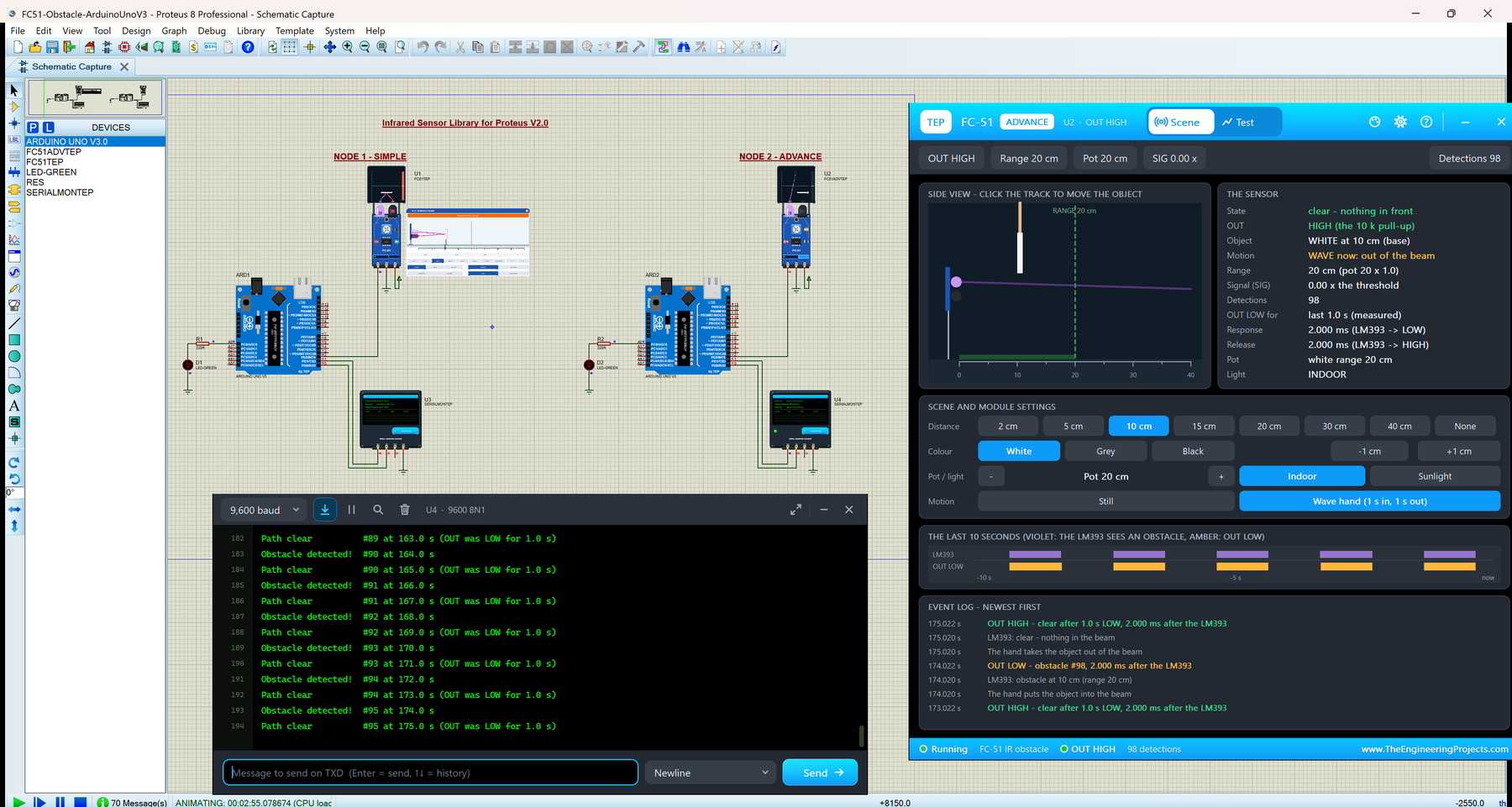
Hello friends, I hope you all are doing great. Today, I am going to share the new Infrared Sensor Library for Proteus V2.0 . It simulates the FC-51 IR obstacle sensor , the small blue board with a clear IR LED and a dark photodiode at one end, which tells your Arduino with a single pin whether something is in front of it. With this Infrared Sensor Library for Proteus , you place the object yourself (its distance, its colour, indoor light or sunlight, even a waving hand), and your Arduino reads the OUT pin exactly as it reads the real module. Updates Infrared Sensor Library for Proteus Latest version: V2.0 (October 2026, this tutorial) Earlier versions: V1.0 (2018) Other infrared sensors: IR Proximity · IR Tracker · Sharp IR · IR Remote Other distance and motion sensors: Ultrasonic HC-SR04 ...
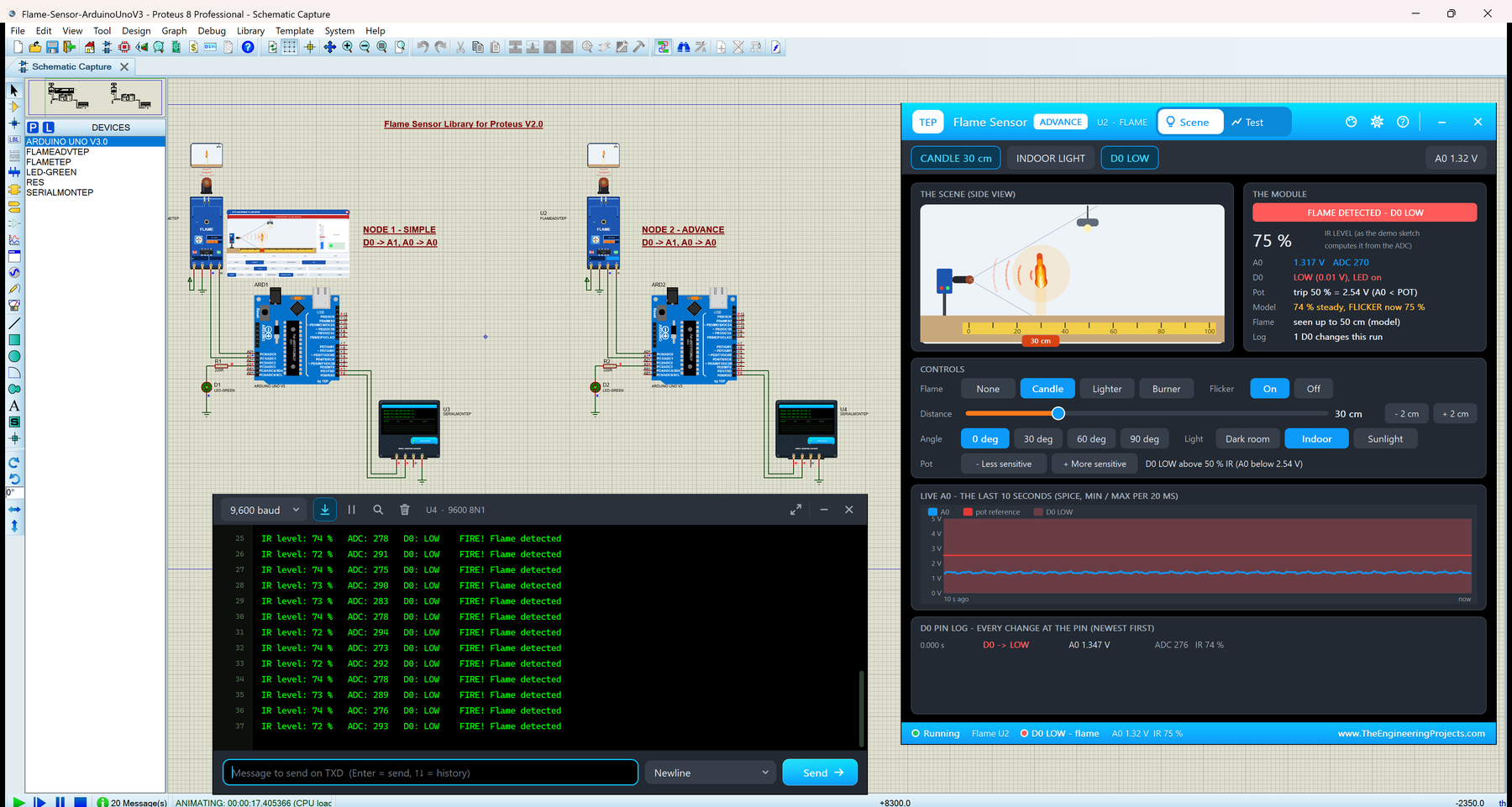
Hello friends, I hope you all are doing great. Today, I am going to share the new Flame Sensor Library for Proteus V2.0 . The flame sensor is the small blue module with a black infrared receiver on long legs: it sees the infrared light of a flame and tells your Arduino about it through an analog output (A0) and a digital output (D0). With this Flame Sensor Library for Proteus , you light a candle, a lighter or a gas burner in the simulation, move it closer or turn the sensor away, switch on the sun, and your Arduino reads the module just as it reads a real one, with analogRead() and digitalRead() . Updates Flame Sensor Library for Proteus Latest version: V2.0 (October 2026, this tutorial) Earlier versions: V1.0 (2016) Other gas and fire sensors: Gas MQ-2 · MQ-3 / MQ-7 / MQ-135 · MH-Z19B CO ...
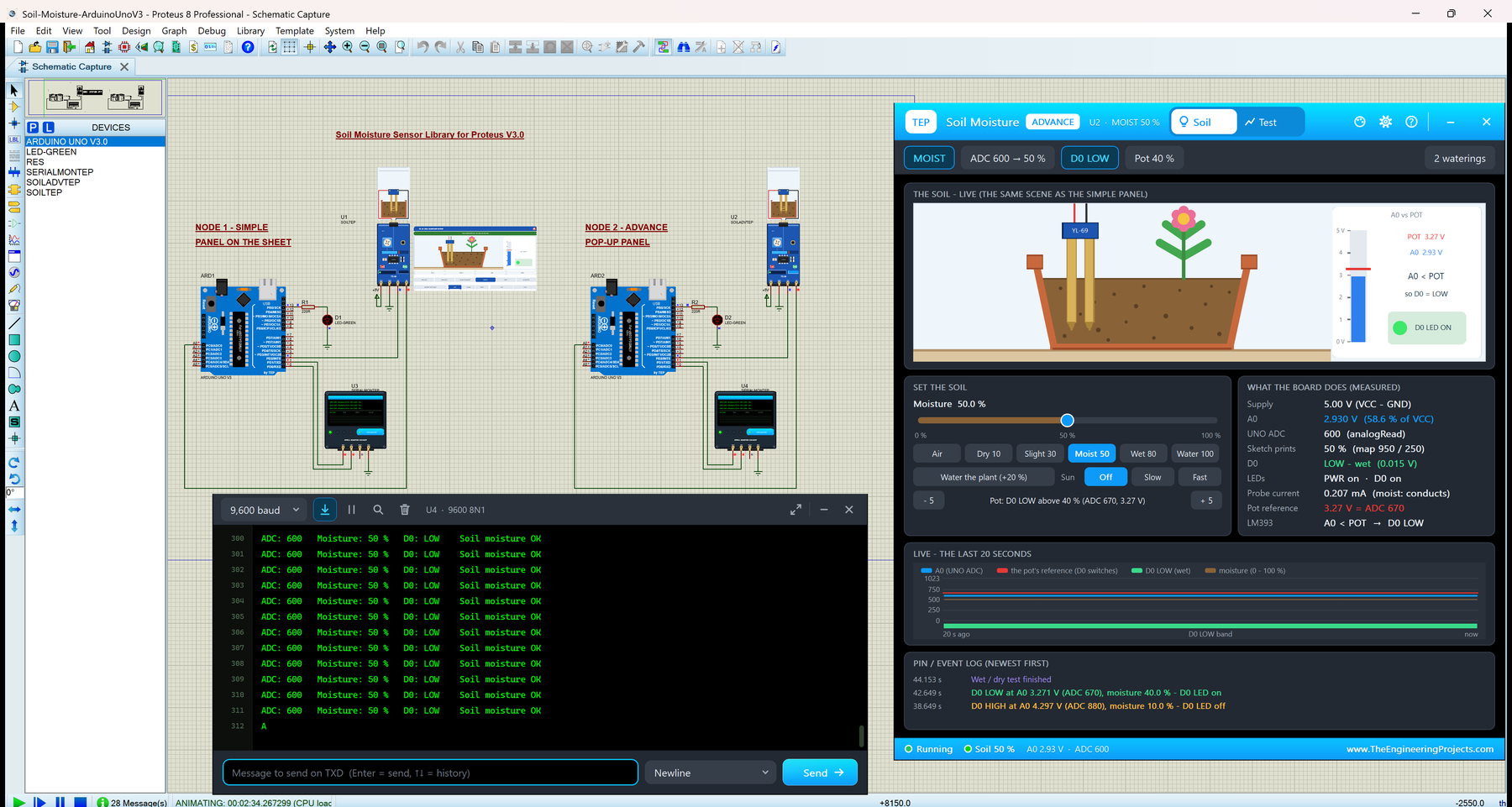
Hello friends, I hope you all are doing great. Today, I am going to share the new Soil Moisture Sensor Library for Proteus V3.0 . The soil moisture sensor is one of the first sensors students use in a garden or agriculture project: a YL-69 fork probe that you push into the soil, and the blue FC-28 board with an LM393 comparator that gives an analog output (A0) and a digital output (D0). With this Soil Moisture Sensor Library for Proteus , you set the soil with a click, water the plant, let the sun dry it, and your Arduino reads A0 with analogRead() and D0 with digitalRead(), just like on a real board. Updates Soil Moisture Sensor Library for Proteus Latest version: V3.0 (October 2026, this tutorial) Earlier versions: V2.0 (2021) · V1.0 (2020) Other water and soil sensors: Capacitive Soil · ...