Hello friends, I hope you all are doing great. Today, I am going to share the Nordic Thingy:91 X Library for Proteus, so you can run a cellular IoT simulation of Nordic Semiconductor's newest prototyping platform. The Thingy:91 X carries the nRF9151, a system-in-package with an Arm Cortex-M33 and a complete LTE-M / NB-IoT modem with GNSS, plus environment and motion sensors, an RGB LED and a big button, all in a small battery-powered case. With this library it runs your Arduino sketch in Proteus 8.5, registers on a mobile network, sends and receives SMS, gets a GNSS position and reads its sensors.
Nordic Thingy:91 X Library for Proteus
Latest version: V1.0 (November 2026, this tutorial)
Other new Arduino boards: UNO R4 WiFi · Nano ESP32 · UNO WiFi Rev2 · Nano 33 IoT · UNO Q · UNO R4 Minima · Nano Every · MKR WiFi 1010 · Nano RP2040 Connect · STM32 Black Pill · Nucleo-F401RE · STM32 Blue Pill · Teensy 4.1 · Arduino Due · Arduino Leonardo · Arduino Micro · BBC micro:bit V2 · GIGA R1 WiFi · MKR WAN 1310 · Nano 33 BLE Sense · XIAO nRF52840 Sense · RAK4631 WisBlock · Nano Matter · nRF52840 DK · nRF5340 DK · nRF9151 DK · nRF7002 DK · Nordic Thingy:53 · xG24 Dev Kit · xG24 Explorer Kit · Thunderboard BG22 · SiWx917 Dev Kit · B-L475E-IOT01A · NUCLEO-WB55RG · NUCLEO-WL55JC1 · NUCLEO-H743ZI2 · SAM R21 Xplained Pro · FRDM-MCXN947 · Portenta H7 · LP-CC2652R7 · PSoC 6 WiFi-BT · Feather nRF52840
RF modules: nRF24L01 · nRF24L01 PA LNA · CC1101 · RFM69HCW · HC-12 · 433MHz RF · XBee
Temperature and weather sensors: DHT11 / DHT22 · DS18B20 · BME280 · BMP280 · SHT31 · AHT20 · BME680 · MLX90614 · MAX6675
Helping Tools
- Laptop WiFi Monitor: a laptop on the Wi-Fi of your design: a browser, a TCP / UDP terminal and ping
- Mobile WiFi Monitor: a smartphone that opens the pages of your board and sends it commands
- Serial Monitor Advance: a serial terminal window for the UART of your board
For the demo we built a cellular bike alarm. The Thingy hides under the saddle: press its button to arm it, and when someone moves the bike it sends an SMS with a map link to the owner's phone, then follows the bike until the owner disarms it by SMS.
NOTICE: Proteus has no nRF9151 model, so our team has put a lot of effort into building this device ourselves: the modem, the sensors, the RGB LED and the button are all our own model, and your sketch compiles with our free TEP Boards for Proteus add-on. Your feedback is the fuel that keeps us going, so please tell us what you think in the comments below. And if our free libraries help you, you can buy us a coffee. So, let's get started with the Nordic Thingy:91 X Library for Proteus:
What is the Nordic Thingy:91 X?
The Thingy:91 X is Nordic Semiconductor's prototyping platform for cellular IoT, the successor of the Thingy:91. At its heart is the nRF9151 system-in-package: the application processor, an LTE-M and NB-IoT modem, a GNSS receiver and DECT NR+ under one shield. Around it Nordic placed an nRF5340 as the board controller (it connects the USB port to the nRF9151 and adds Bluetooth LE), an nRF7002 Wi-Fi companion used to find the device's location from nearby Wi-Fi networks, and an nPM1300 power management chip that charges the 1350 mAh battery and measures its level.
| Part | The real Thingy:91 X | In the library |
|---|---|---|
| Cellular SiP | nRF9151: Cortex-M33, LTE-M / NB-IoT / DECT NR+, GNSS | your sketch and SerialModem |
| Board controller | nRF5340: USB bridge, Bluetooth LE | the serial monitor |
| Wi-Fi | nRF7002: Wi-Fi locating | drawn |
| Power | nPM1300, 1350 mAh battery | drawn |
| Sensors | BME680, ADXL367, BMI270, BMM350 | HS300x, BARO and IMU calls, the Sensors window |
| User interface | RGB LED, two buttons | LEDR / LEDG / LEDB, BUTTON1 |
| Memory | 1 MB flash, 256 KB RAM in the nRF9151 | about 256 KB of flash, 8 KB of RAM |
LTE-M and NB-IoT
Cellular IoT does not use the same network as a smartphone streaming video. LTE-M and NB-IoT are two low-power flavours of LTE made for small devices: they send little data, reach deep inside buildings and let a device sleep for long periods. LTE-M is faster and supports moving devices and voice; NB-IoT goes further into basements and uses even less power. Both work with ordinary SIM cards and the operators' existing towers, so a tracker can report from almost anywhere without a gateway of its own.
GNSS in the Same Package
The nRF9151 also contains a GNSS receiver, the general name for GPS and the other satellite systems. The modem and the receiver share the same antenna system, so the Thingy can find its position and send it over the network without any extra module. For asset trackers, bike locks and pet collars this combination is the whole product: where it is, and a way to tell someone.
The Sensors
Inside the case the Thingy:91 X has a BME680 for temperature, humidity, air pressure and gas, a low-power ADXL367 accelerometer that can wake the system on movement, a BMI270 motion sensor and a BMM350 magnetometer. A bike alarm needs exactly the motion part: the device sleeps until someone moves it. In our simulation the sketch reads them through the familiar Arduino sensor calls, and the Sensors window sets the air and the movement.
Where Is It Used?
The Thingy:91 X is used to try asset tracking, smart metering, environmental monitoring and cellular wearables before a custom board exists. Its battery, case and sensors make it a ready prototype that can go out into the field. For the development kit with the same nRF9151 and Arduino headers, see our nRF9151 DK Library for Proteus; for the Bluetooth sister of this device, see our Nordic Thingy:53 Library for Proteus.
A simulation lets you build the logic - the AT commands, the SMS, the GNSS position and the sensors - before a SIM card and a network are involved. When the sketch works in the Proteus simulation, the real device only has to confirm it.
Features of the Nordic Thingy:91 X Library for Proteus
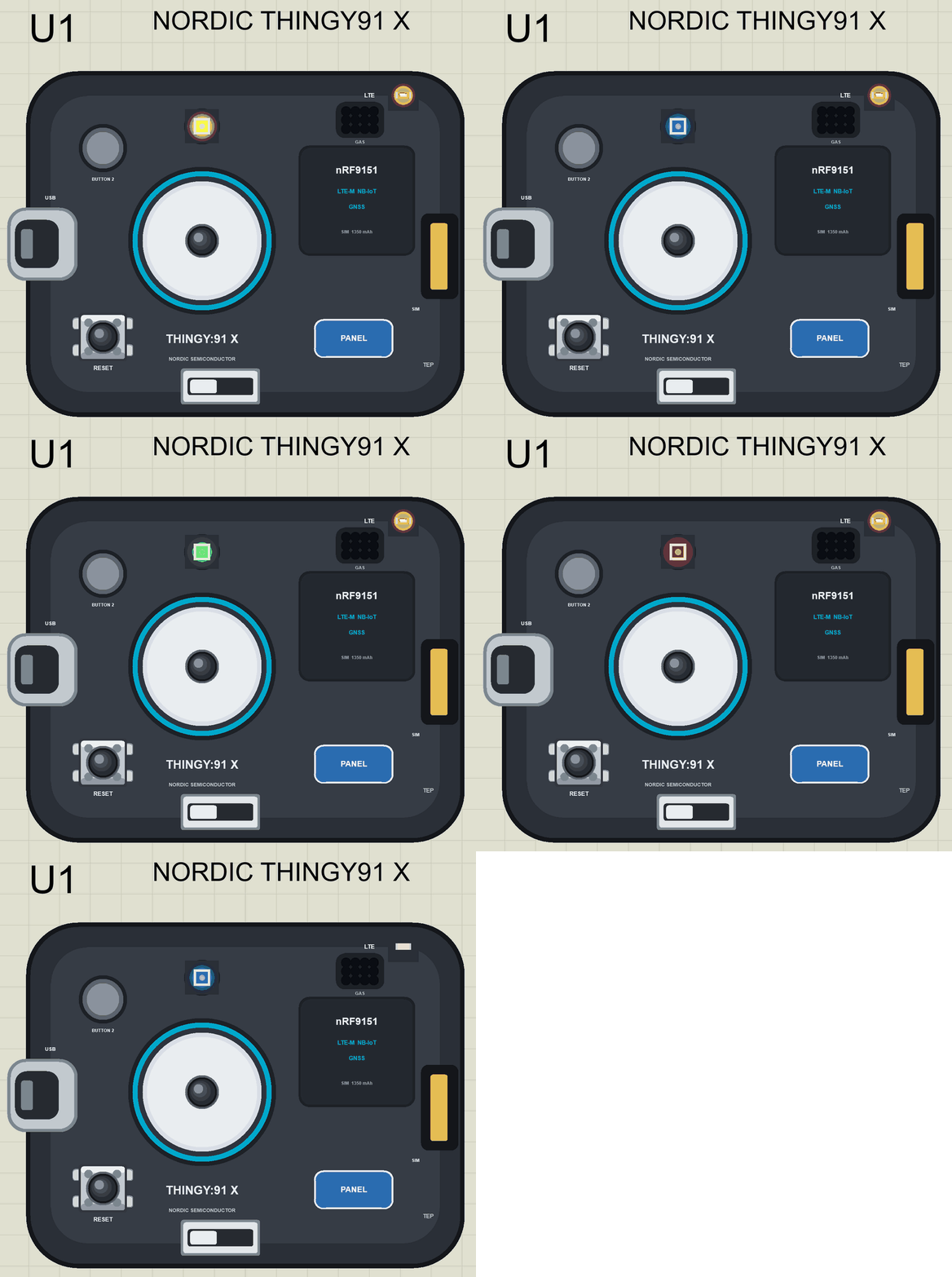
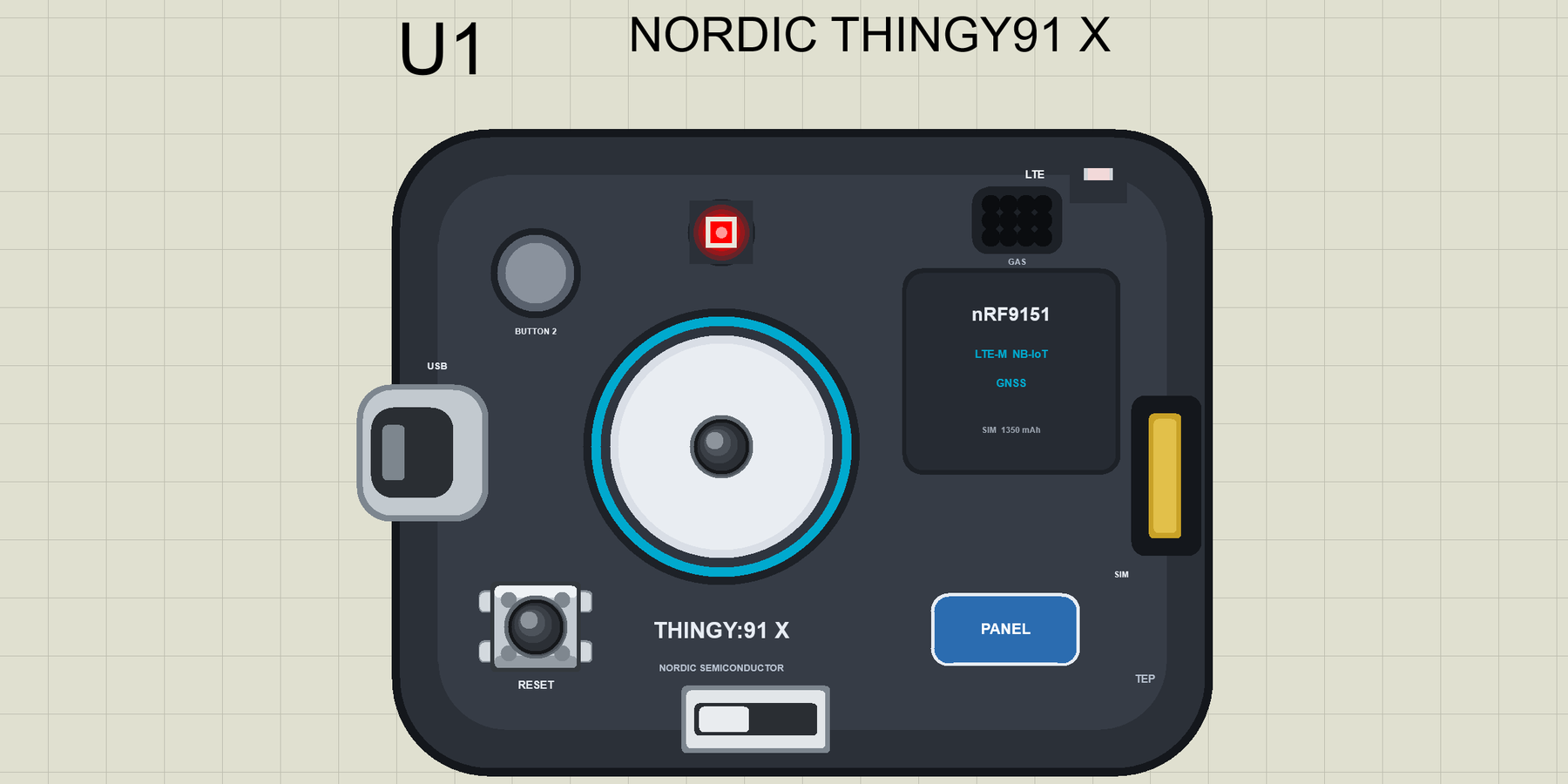
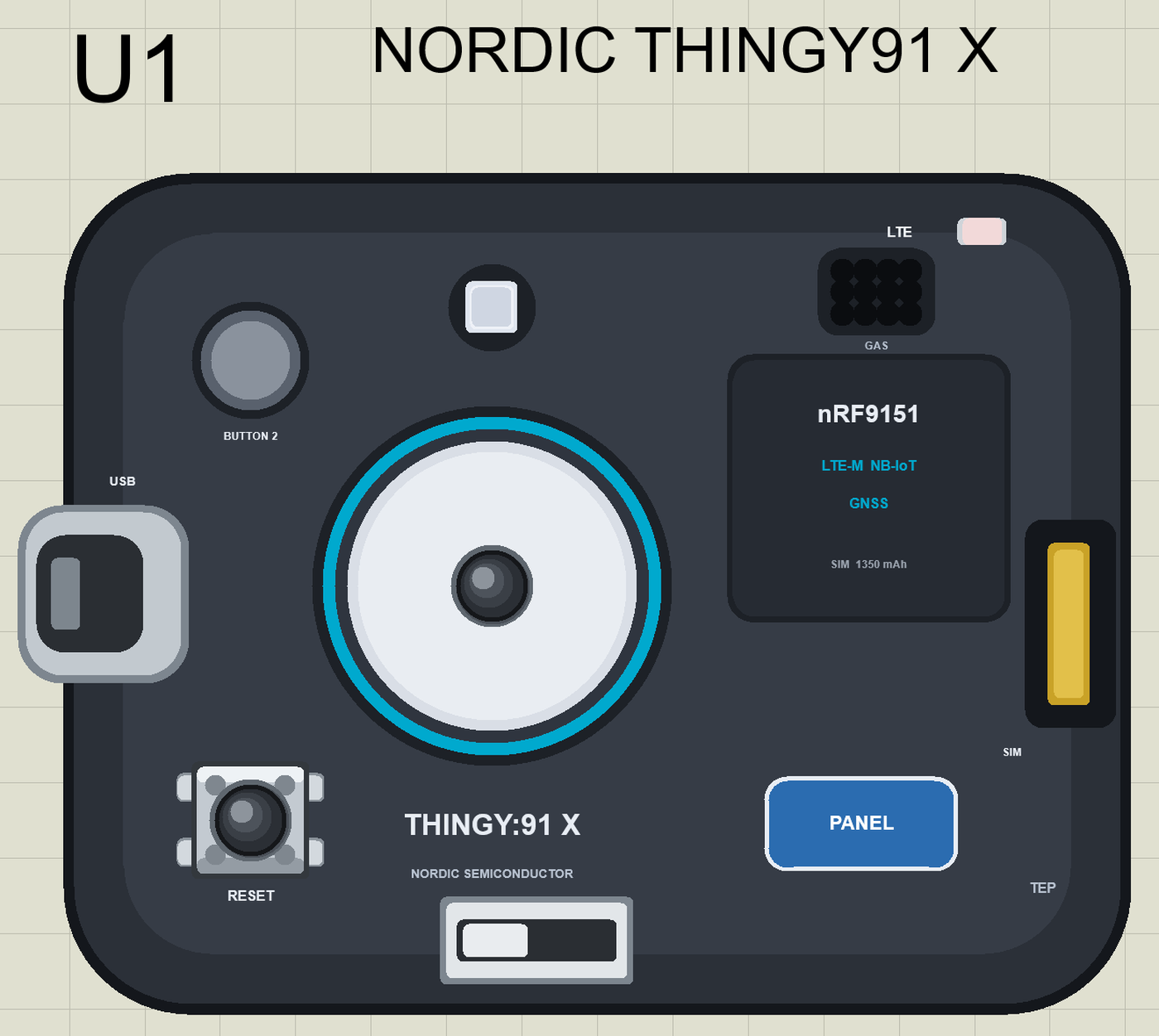
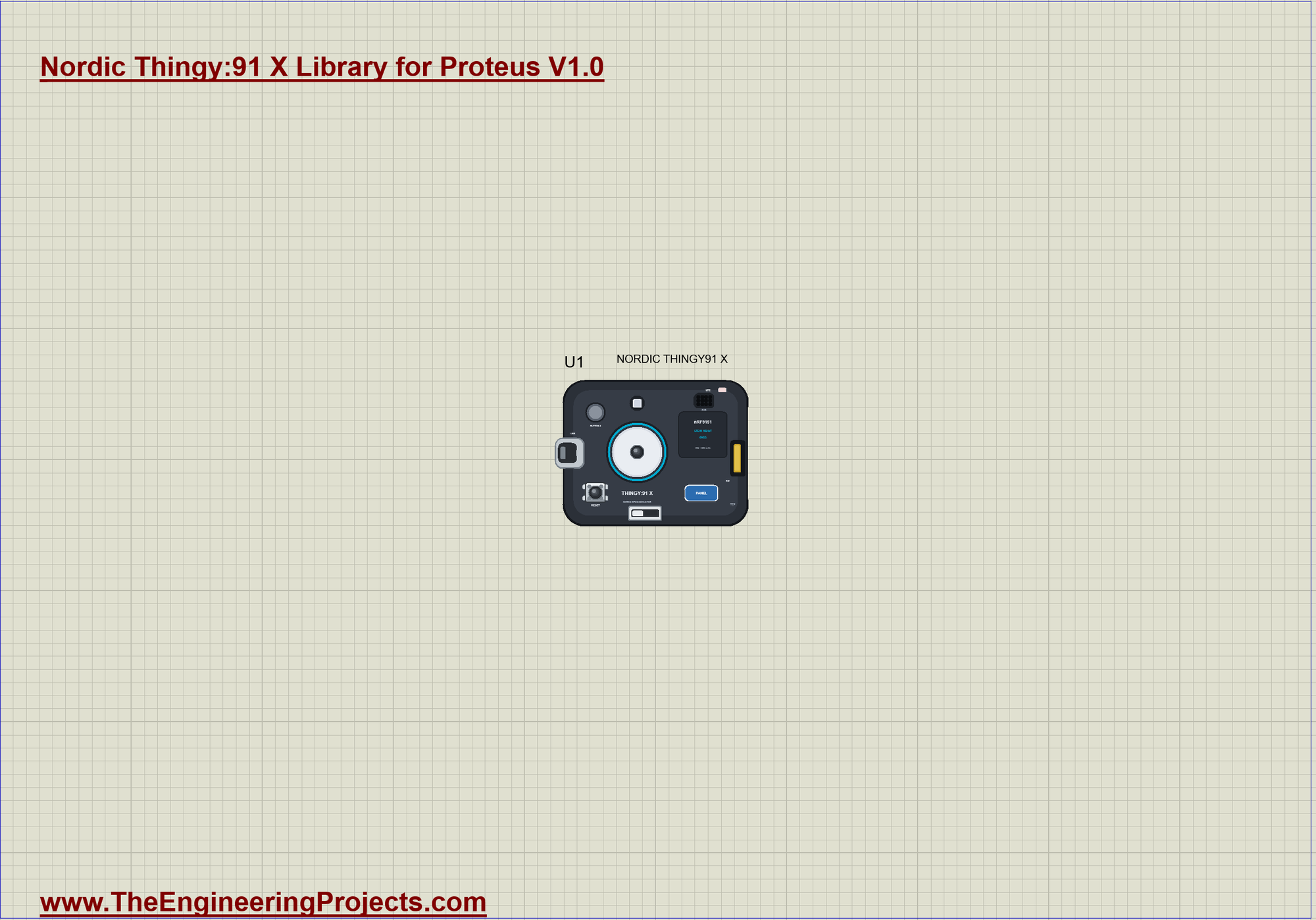
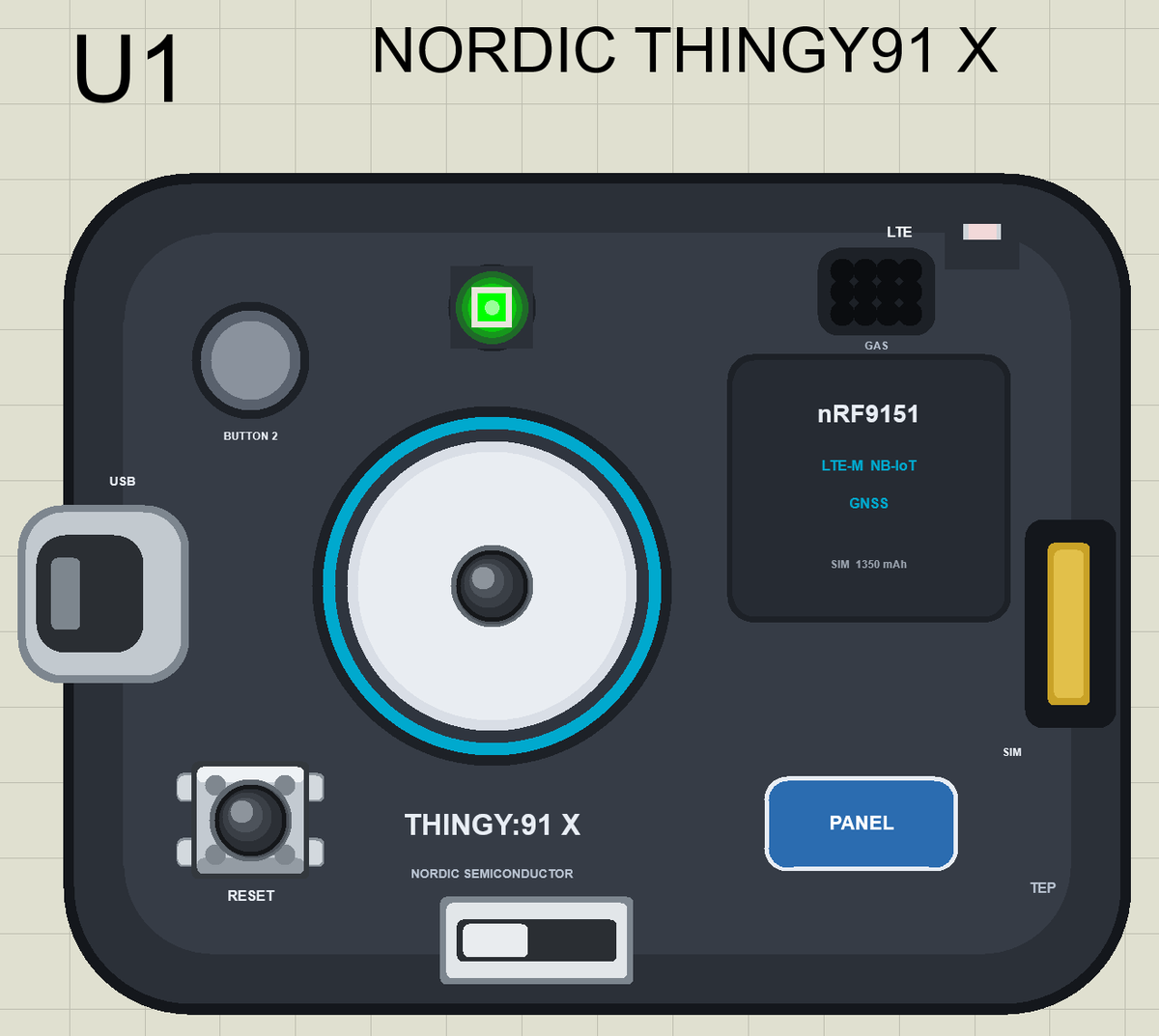
- The device as it looks: the dark rubber case with BUTTON 1 and its blue ring, BUTTON 2, the RGB LED behind its light pipe, the USB port, the nano-SIM slot, the power switch, the gas vent, the cellular plate and our PANEL pad, drawn compact, with our small TEP signature.
- Your sketch: a .hex for "Nordic Thingy:91 X (TEP Proteus)" with LEDR, LEDG, LEDB, BUTTON1, SerialModem and MODEM_ON.
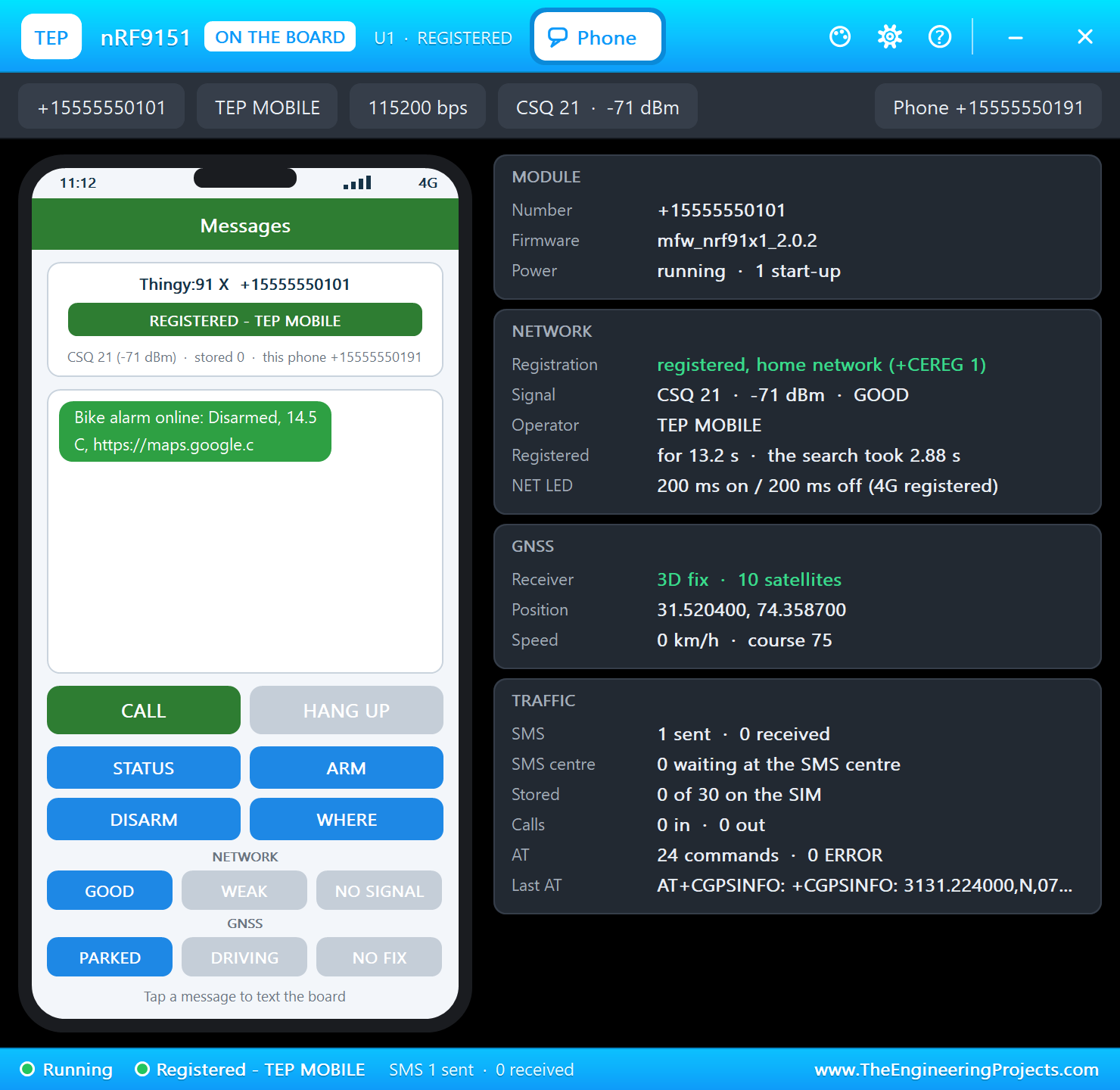
- The modem: AT commands on SerialModem - registration, SMS in text mode and GNSS - with a Phone window that receives and sends SMS and sets the network and the GNSS scene.
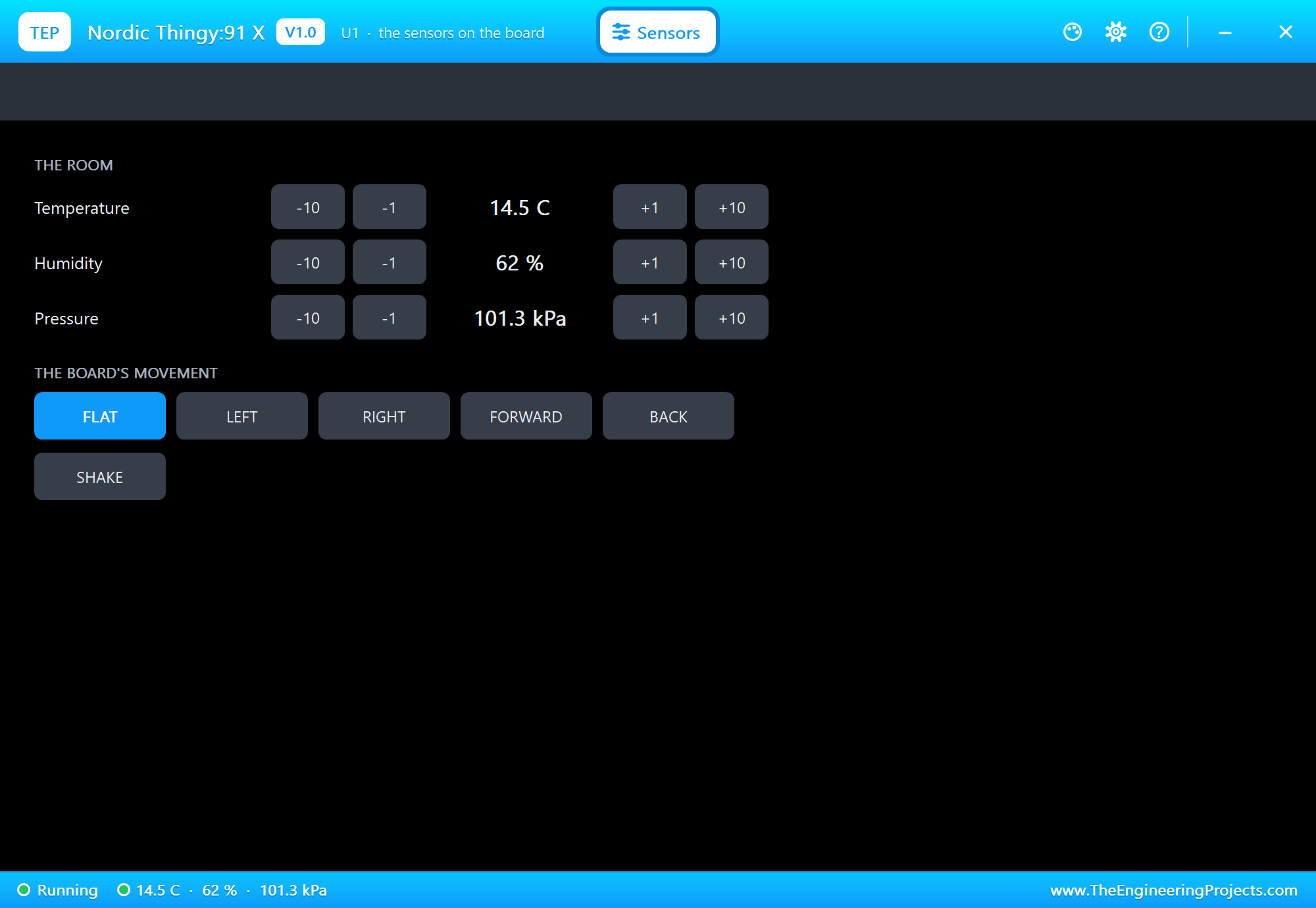
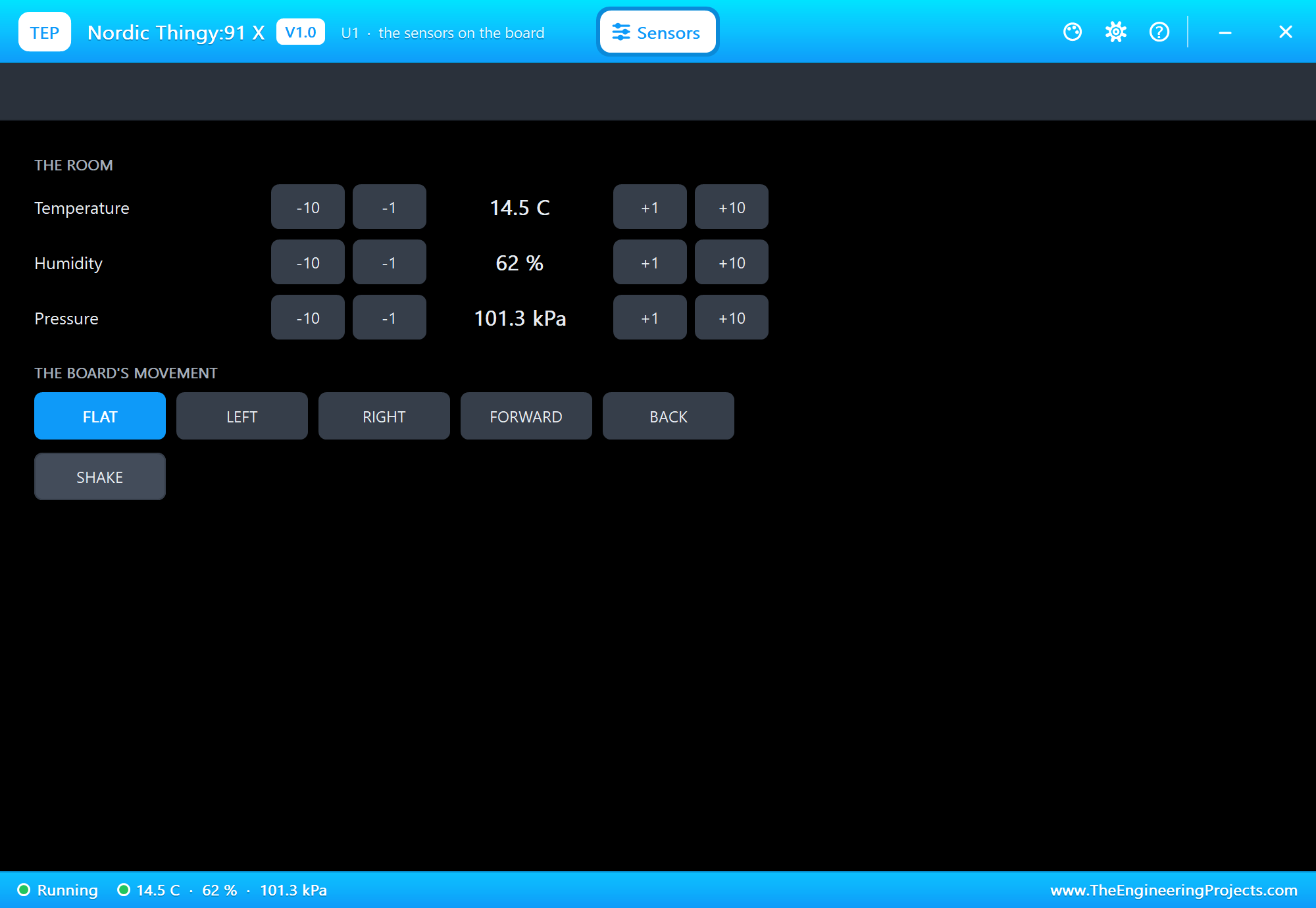
- The sensors: temperature, humidity, pressure and motion through Arduino_HS300x, Arduino_LPS22HB and Arduino_BMI270_BMM150, set from the Sensors window (with a SHAKE).
- A real RGB LED and button: each colour lights when its pin is HIGH, and BUTTON 1 reads LOW while you click it.
- A complete package: about 3.4 MB with the part, the add-on and the demo, without the source code of the models.
The Thingy:91 X in Proteus Simulation
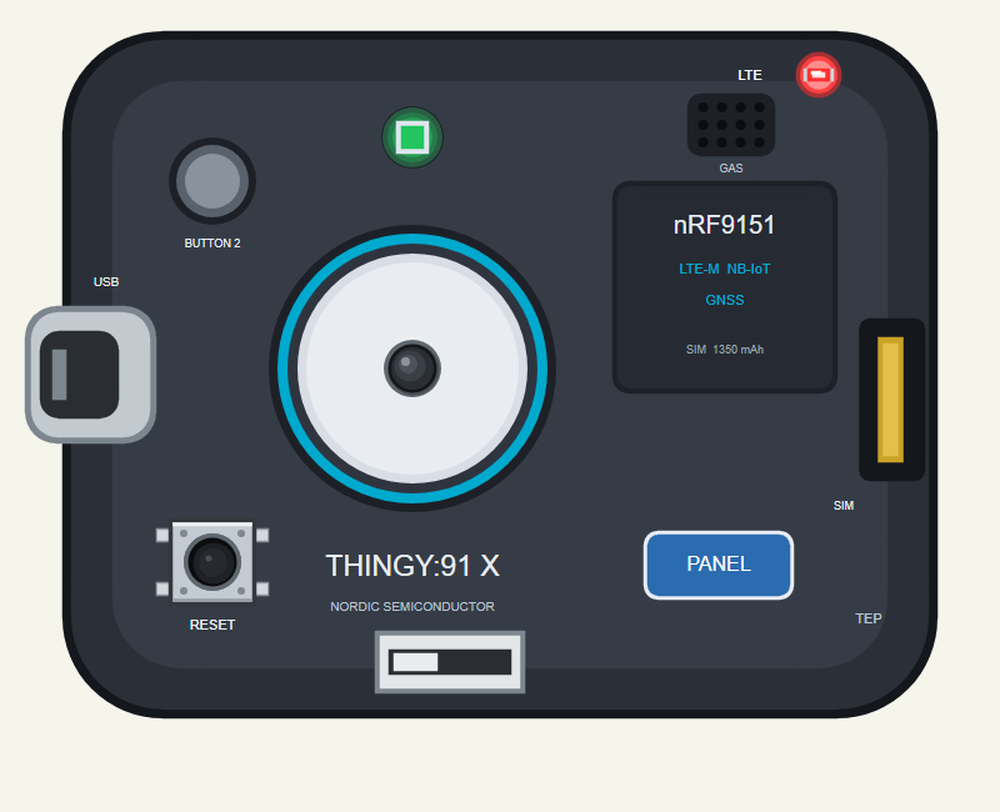
Search THINGY in Pick Devices; the device NORDIC THINGY91 X is in TEPTHNG91X.LIB (Microprocessor ICs, Cellular Boards), with the prefix U. It has no pin headers. The USB port opens the serial monitor, the PANEL pad the Sensors window, and the cellular plate the Phone window.
Its Parts in the Sketch
| Name | What it is |
|---|---|
| LEDR, LEDG, LEDB (0, 1, 2) | the RGB LED, each colour lit when HIGH (LED_BUILTIN is LEDR) |
| BUTTON1 (3) | the big button, LOW while pressed |
| SerialModem | Serial1: the modem's AT interface, 115200 baud |
| MODEM_ON (6) | HIGH starts the modem |
| HS300x, BARO, IMU | the sensors, through the Arduino sensor libraries |
| Serial | the USB port: the serial monitor |
Download Nordic Thingy:91 X Library for Proteus
Click the button below to download Nordic-Thingy91-X-Library-for-Proteus-v1.0.zip (about 3.4 MB, without the source code of the models):
Nordic Thingy:91 X Library for Proteus V1.0- README.txt: installation, the demo, the parts, the properties, troubleshooting and the limits.
- Proteus Library Files:
TEPTHNG91X.LIB, and our phone and laptop for your own designs. - Proteus Model Files:
TEPNET.DLL, the model of the Thingy with its modem. - Arduino Code: the demo sketch and the TEP Boards for Proteus add-on 1.79.0, with the sensor libraries.
- Proteus Simulation: the demo project, its HEX file and a copy of the DLL.
No Proteus yet? Read How to Download and Install Proteus 7 and 8. New to libraries? Follow How to Install a New Library in Proteus.
How to Install Nordic Thingy:91 X Library for Proteus
- Close Proteus and extract the whole zip file, for example to your Desktop.
- Copy the files from Proteus Library Files into the LIBRARY folder of Proteus.
- Copy
TEPNET.DLLfrom Proteus Model Files into the MODELS folder, replacing an older one. - Delete
TEPTHNG91X.IDXfrom the LIBRARY folder if it is there. - For your own sketches, copy Arduino Code\TEP Boards for Proteus\hardware into your Arduino sketchbook (Documents\Arduino) and restart the Arduino IDE; the board is Nordic Thingy:91 X (TEP Proteus).
- Start Proteus, press P and search for THINGY.
Demo: a Cellular Bike Alarm in Simulation
Bike locks can be cut. A cellular alarm adds a second line of defence: it notices the theft, tells the owner at once and keeps reporting where the bike goes. Because it uses the mobile network, it works anywhere in the city, not only within Bluetooth range of the owner's phone.
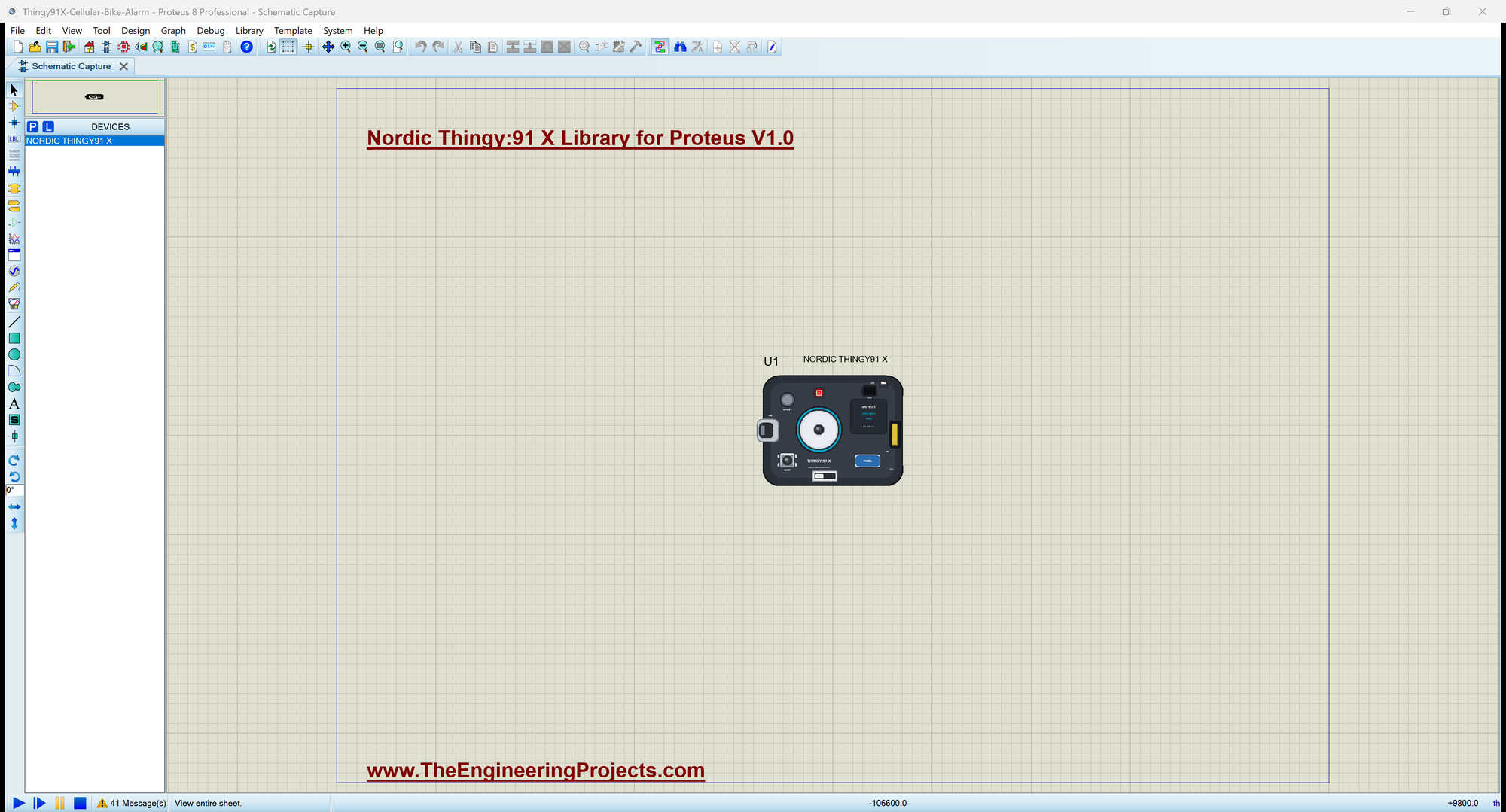
Open Thingy91X-Cellular-Bike-Alarm.pdsprj. U1 runs Thingy91X_Bike_Alarm.hex. There are no other parts: the modem, the GNSS, the motion sensor, the LED and the button are inside the Thingy, and the owner's phone is the Thingy's own Phone window.
| RGB LED | Meaning |
|---|---|
| yellow | no network yet |
| blue | on the network, disarmed |
| green | armed: the bike is watched |
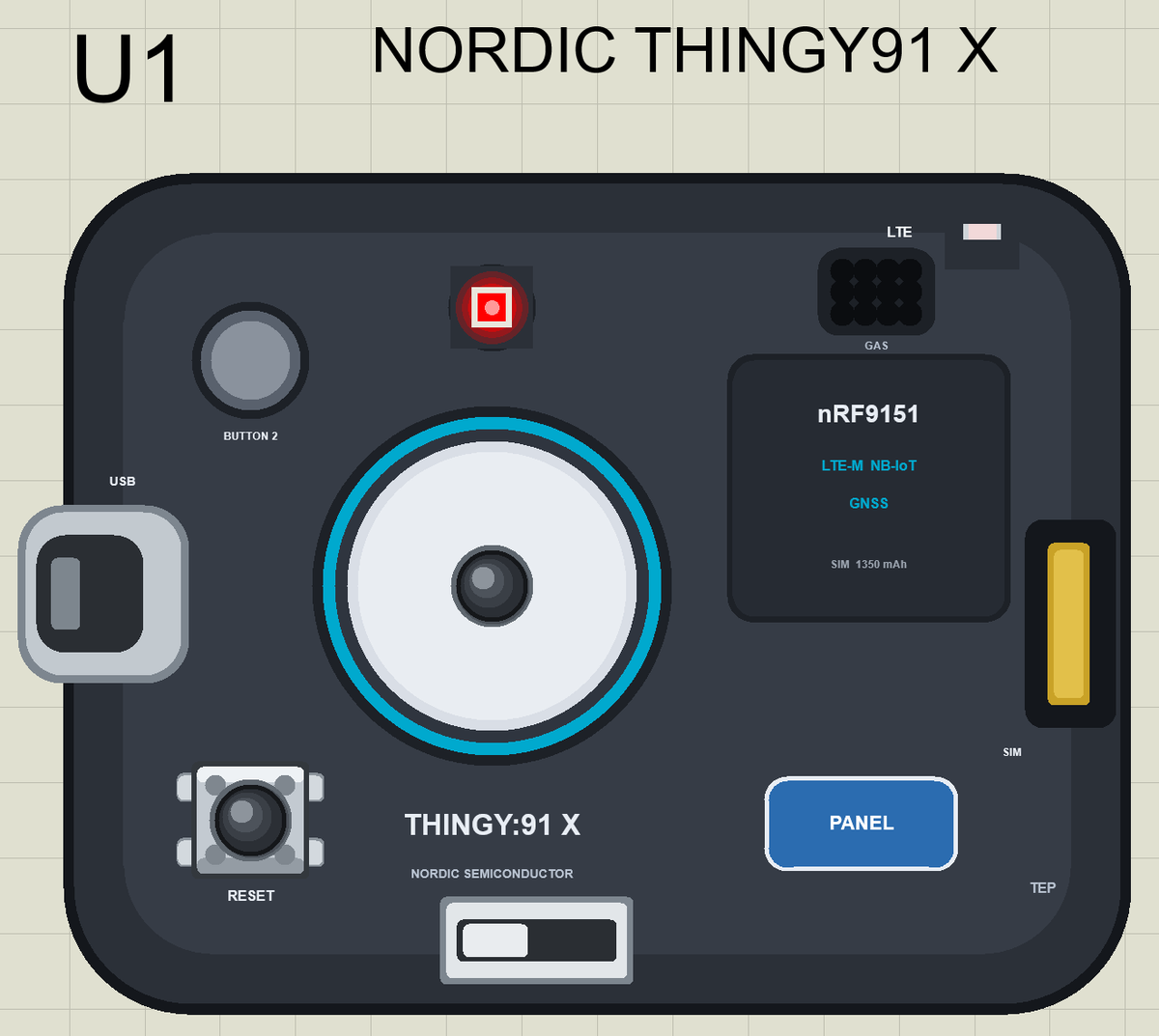
| red | ALARM: the bike moved while armed |
Starting the Modem
startModem() raises MODEM_ON, waits until the modem answers AT, switches SMS to text mode, asks for new messages to come straight to the sketch and turns GNSS on:
void startModem() {
  pinMode(MODEM_ON, OUTPUT);
  digitalWrite(MODEM_ON, HIGH);                             // the modem starts (on the real chip: nrf_modem_lib_init())
  SerialModem.begin(115200);
  Serial.println(F("Starting the nRF9151 modem"));
  while (!sendAT("AT", 1000)) { }                           // it answers once it has started
  sendAT("ATE0", 500);
  sendAT("AT+CMGF=1", 500);                                 // SMS as text
  sendAT("AT+CNMI=2,2,0,0,0", 500);                         // a new SMS comes straight to the AT interface
  sendAT("AT+CGPS=1,1", 500);                               // GNSS on
  Serial.println(F("Modem ready: SMS and GNSS on, waiting for the network"));
}
Watching the Bike
While the alarm is disarmed, checkMotion() keeps remembering the acceleration of the bike at rest. Once it is armed, it compares every new reading with that rest value; a change of more than 0.35 g means someone is moving the bike:
void checkMotion() {                                        // armed: does someone move the bike?
  float x, y, z;
  if (!IMU.accelerationAvailable() || !IMU.readAcceleration(x, y, z)) return;
  if (!armed) { bx = x; by = y; bz = z; return; }           // disarmed: remember the bike at rest
  const float change = fabs(x - bx) + fabs(y - by) + fabs(z - bz);
  if (alarm || change < MOVE_G) return;
  alarm = true;
  showState();
  nextTrack = millis() + TRACK_MS;
  Serial.print(F(">> ALARM: the bike moves (")); Serial.print(change, 2); Serial.println(F(" g)"));
  if (registered) sendSms(owner, "ALARM: your bike is moving! " + where());
}
The Colours
showState() turns the four states into four colours, so a glance at the Thingy tells you everything:
void showState() {
  if (alarm) colour(1, 0, 0);                               // red: ALARM
  else if (!registered) colour(1, 1, 0);                    // yellow: no network yet
  else if (armed) colour(0, 1, 0);                          // green: armed
  else colour(0, 0, 1);                                     // blue: disarmed
}
Commands by SMS
Each incoming SMS arrives as a +CMT line followed by the text. command() understands four words, and answers anything else with the list:
void command(const String &from, String text) {
  text.trim(); text.toUpperCase();
  Serial.print(F("SMS from ")); Serial.print(from); Serial.print(F(": ")); Serial.println(text);
  if (text == "STATUS") sendSms(from, status());
  else if (text == "ARM") { setArmed(true, F(">> SMS")); sendSms(from, "Armed: " + status()); }
  else if (text == "DISARM") { setArmed(false, F(">> SMS")); sendSms(from, "Disarmed: " + status()); }
  else if (text == "WHERE") sendSms(from, where());
  else sendSms(from, "Commands: STATUS ARM DISARM WHERE");
}
Run the Simulation
Press Run. The monitor, the same window as our TEP Serial Monitor Advance for Proteus, shows the modem starting; the LED is yellow until the Thingy registers on the network, then blue:
Thingy:91 X Cellular Bike Alarm - The Engineering Projects
Starting the nRF9151 modem
Modem ready: SMS and GNSS on, waiting for the network
BUTTON 1 = arm / disarm   SMS: STATUS, ARM, DISARM, WHERE
Status: LTE searching, Disarmed, 14.5 C, No GNSS fix yet, SMS sent 0
GNSS fix: 31.520400, 74.358700
LTE: registered on the network
SMS to +15555550191: Bike alarm online: Disarmed, 14.5 C, https://maps.google.com/?q=31.520400,74.358700 0 km/h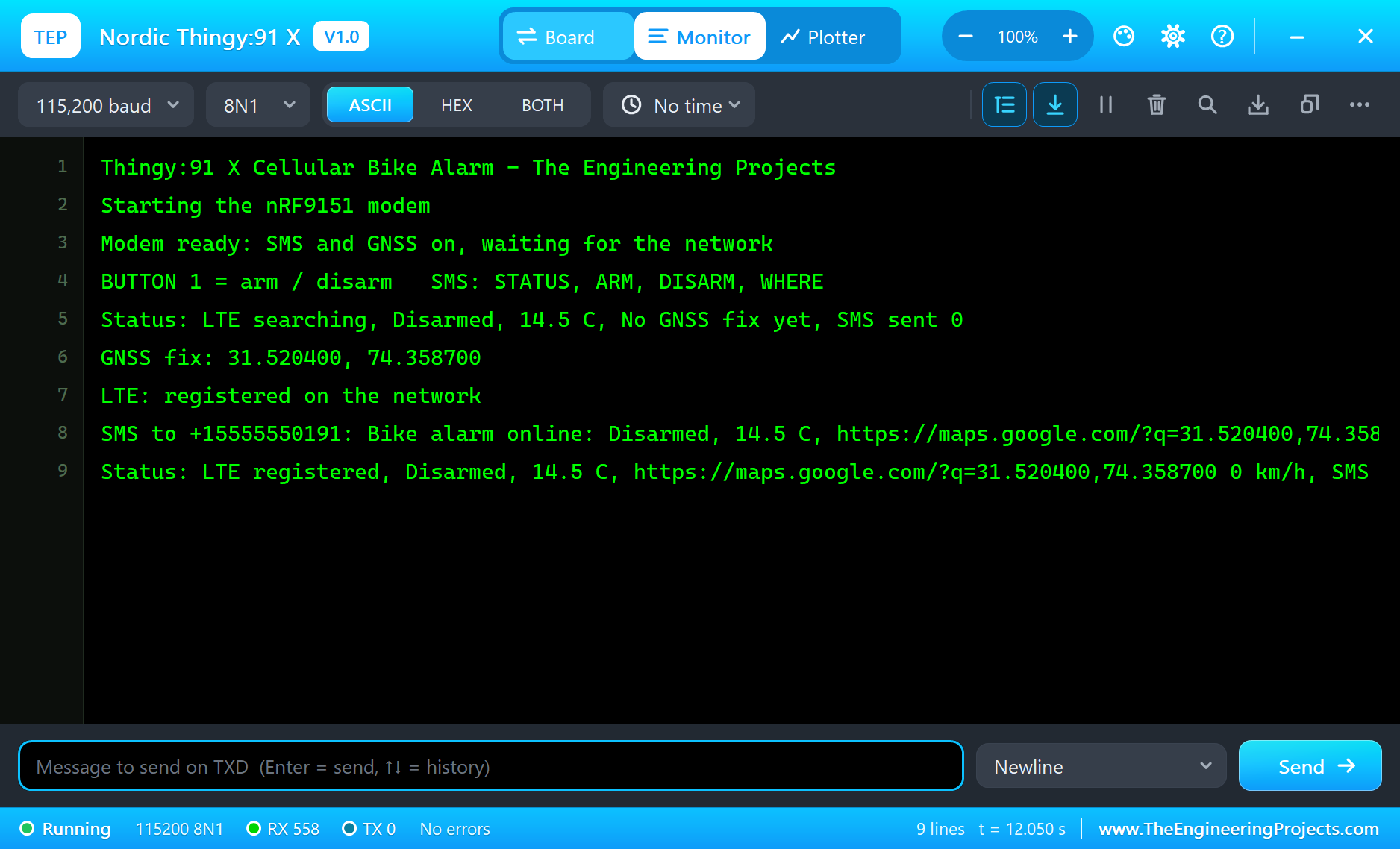
Online
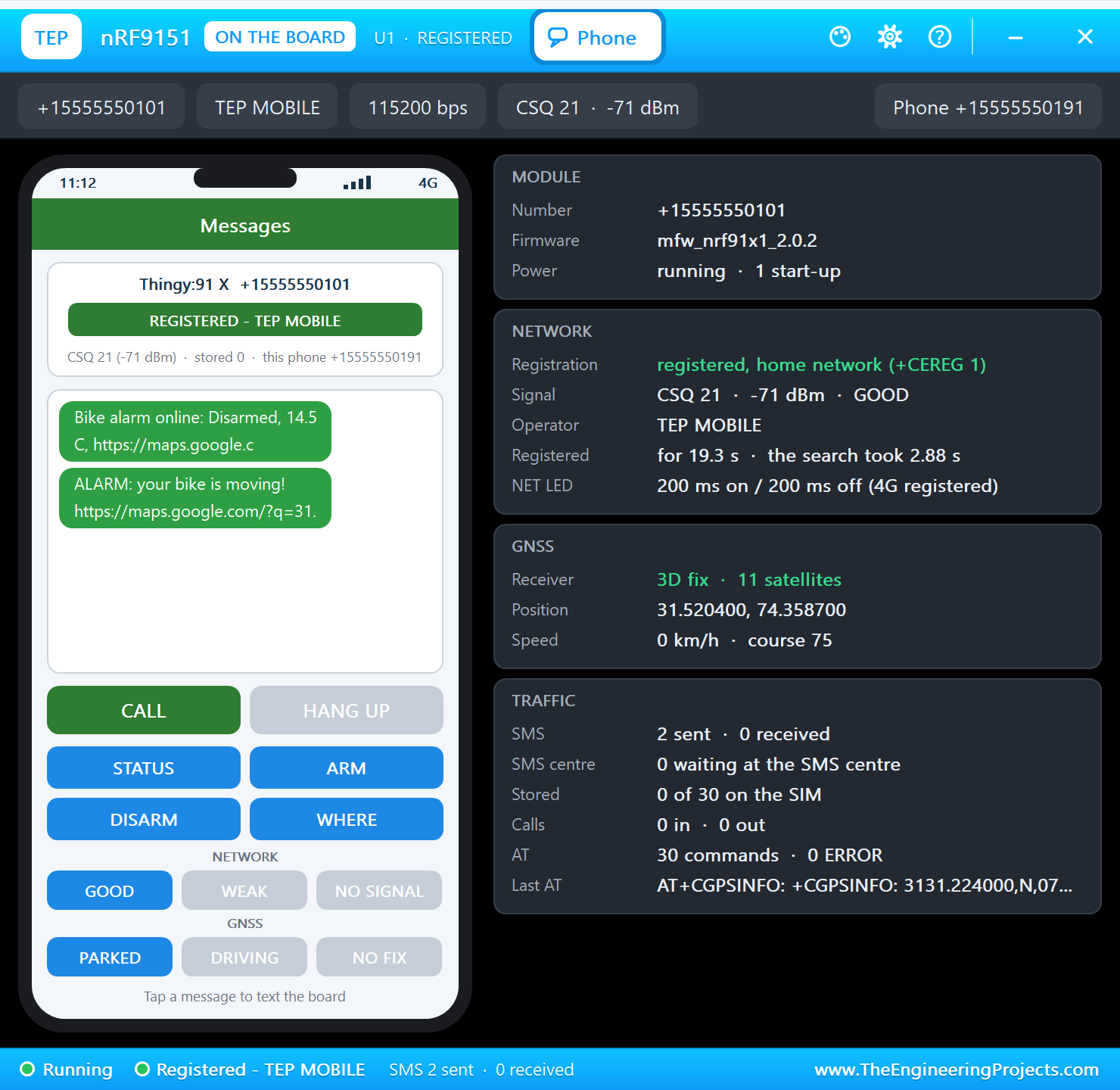
In the Phone window set the GNSS scene to PARKED. The Thingy gets a fix and sends "Bike alarm online" with a map link to the owner:
Arm It
Click BUTTON 1 on the Thingy: "ARMED", and the LED turns green.
Someone Moves the Bike
In the Sensors window press SHAKE. The motion sensor sees the change, the LED turns red and the owner gets the alarm with a map link:
Here is the complete circuit while the simulation runs:
Follow the Bike
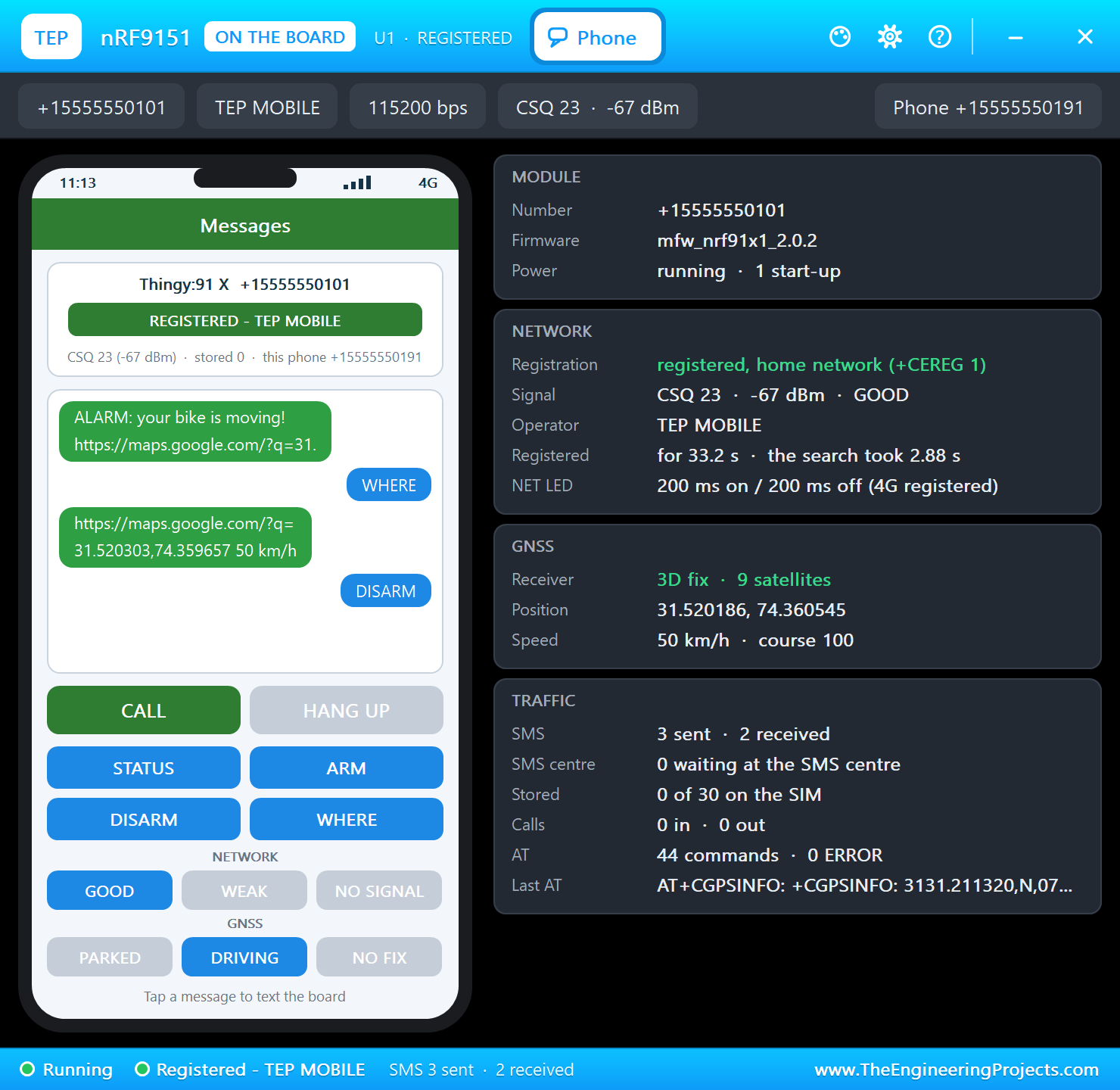
Set the GNSS scene to DRIVING - the thief rides away - and press WHERE. The answer carries the new position and the speed:
Disarm
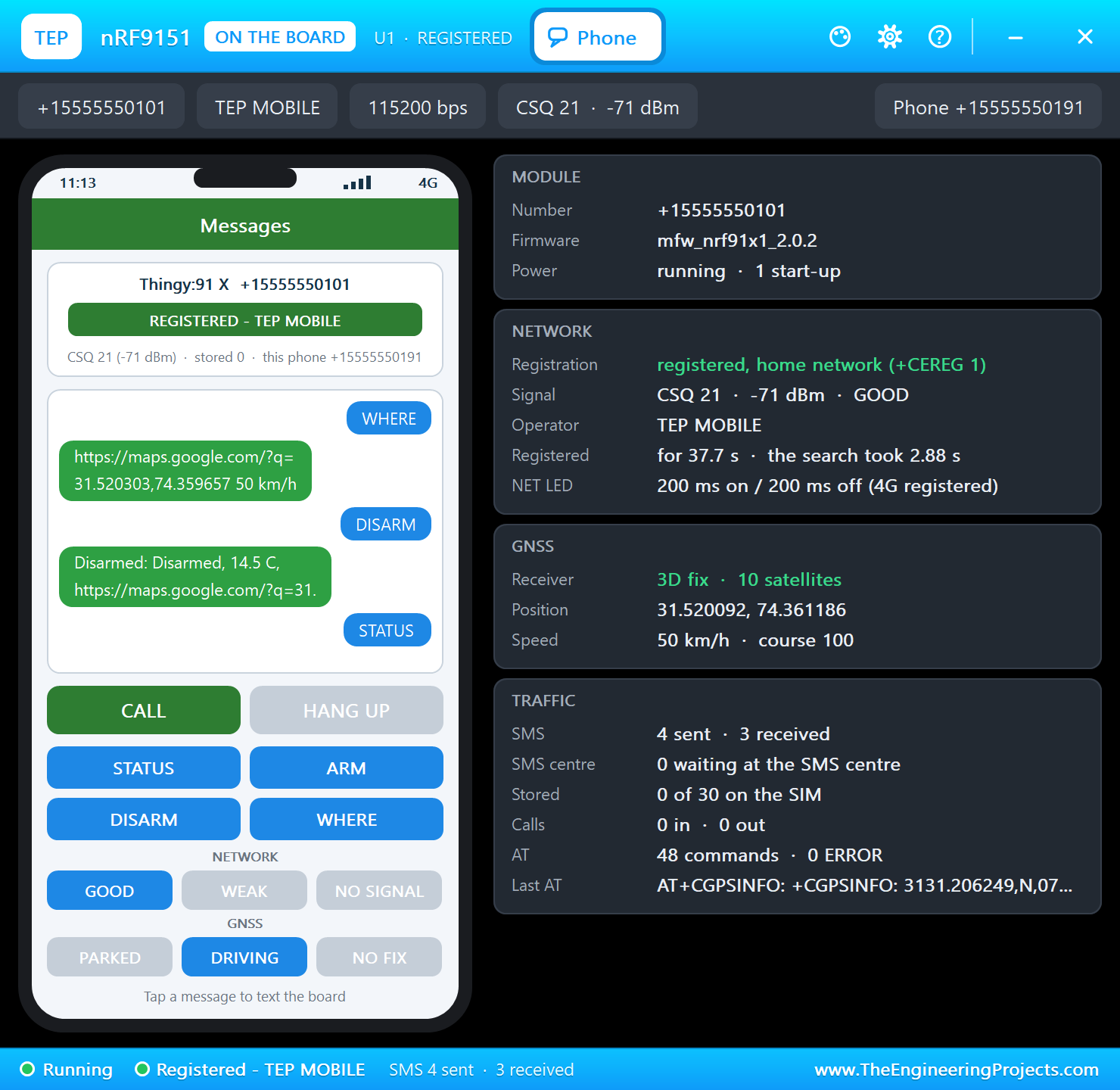
Press DISARM: the alarm stops and the LED turns blue again. STATUS sends the state, the temperature and the position:
>> BUTTON 1: ARMED
>> ALARM: the bike moves (1.68 g)
SMS to +15555550191: ALARM: your bike is moving! https://maps.google.com/?q=31.520400,74.358700 0 km/h
SMS from +15555550191: WHERE
SMS to +15555550191: https://maps.google.com/?q=31.520303,74.359657 50 km/h
SMS from +15555550191: DISARM
>> SMS: disarmed
SMS to +15555550191: Disarmed: Disarmed, 14.5 C, https://maps.google.com/?q=31.520229,74.360236 50 km/h
SMS from +15555550191: STATUS
SMS to +15555550191: Disarmed, 14.5 C, https://maps.google.com/?q=31.520146,74.360813 50 km/h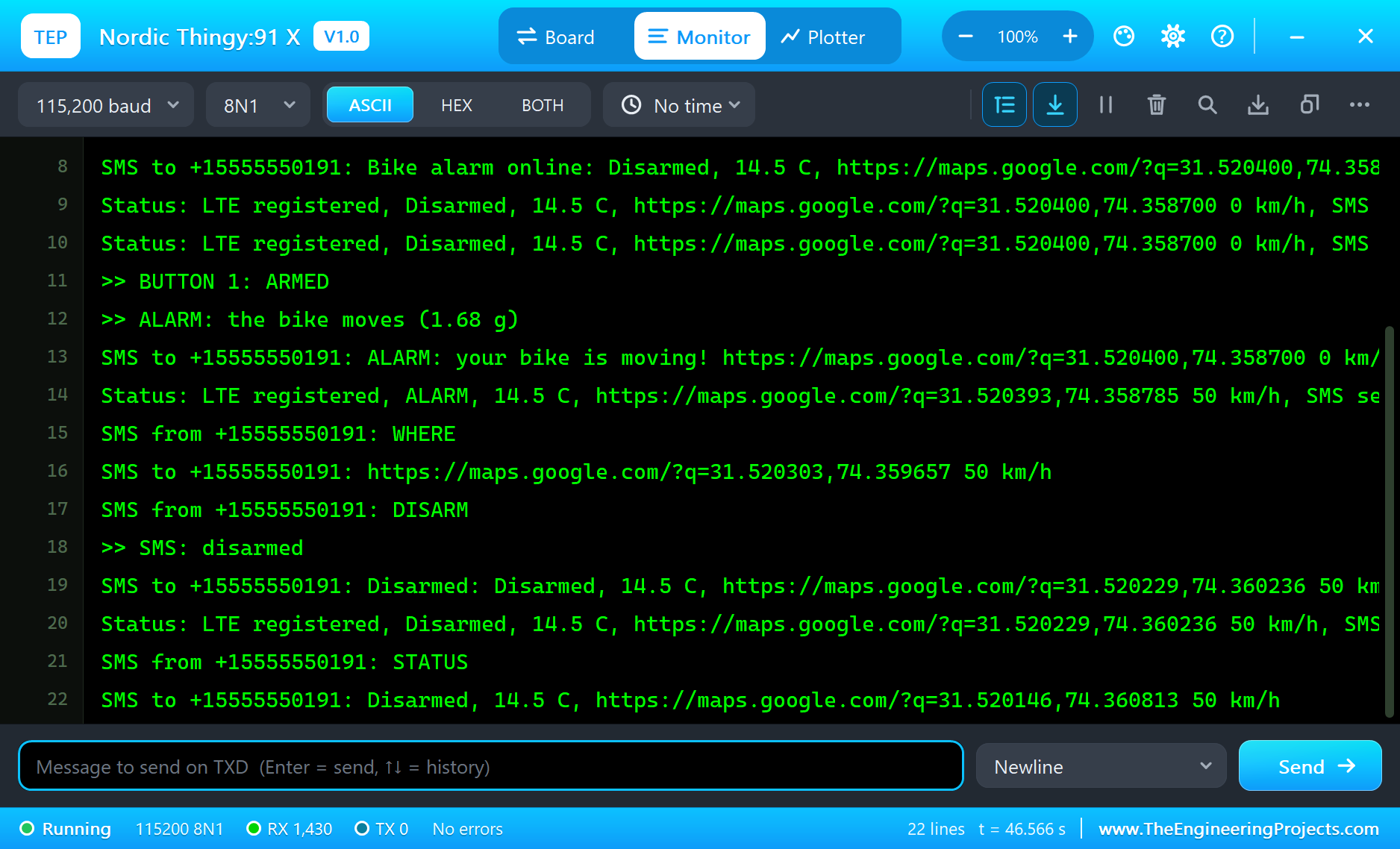
Why Remember the Bike at Rest?
A motion sensor always feels gravity: lying flat it reads about 1 g on one axis, tilted the same 1 g spreads over the others. The sketch does not care about the absolute values; it compares each reading with the one taken while the bike stood still. Any change of position or any shaking changes at least one axis, and the sum of the three changes is a simple, robust measure of "something happened".
Positions Without Floating Point
A float has only about seven significant digits, which is not enough for a position to a few metres. The sketch keeps latitude and longitude as whole numbers of millionths of a degree in a long, converts the modem's degrees-and-minutes text into that, and prints it back with exactly six decimals for the map link. The same trick is used in many real trackers.
Saving the Battery
A real bike alarm runs for weeks on its battery. On the real Thingy:91 X the modem would use power saving modes between reports, the GNSS would only run when needed and the low-power ADXL367 would wake the system on movement. The simulation keeps the logic simple and always on, so you can watch every step; the structure of the sketch is the same.
SMS or the Internet?
SMS is the simplest way for a device to reach a person: no server, no app, any phone. For a fleet of devices, an internet protocol such as MQTT or CoAP over LTE-M sends the data to a cloud service instead, which then notifies the owner. The demo uses SMS because it shows the whole chain on one sheet.
The LTE Light
The small LTE light at the top of our drawing is a TEP addition that follows the modem: it blinks while the modem searches for the network and changes its rhythm once the Thingy is registered, like the network light of a cellular module. The Phone window shows the same state in words, together with the signal, the operator and every AT command the sketch sends.
Try It Yourself
- Send a second SMS when the bike stops moving for a minute.
- Add a QUIET command that keeps the LED off while armed, so a thief does not see it.
- Raise or lower
MOVE_Gto make the alarm more or less sensitive. - Report the temperature too and warn when the battery would get too cold.
Ideas to Extend the Alarm
- Send the position every 30 s only while the bike moves faster than walking speed.
- Keep the last ten positions and send them as one SMS on request.
- Use the second button to show the battery level with the LED colour.
- Add a call: let the Thingy ring the owner's phone on an alarm.
Your Own Sketches
Write the sketch in the Arduino IDE with the board Nordic Thingy:91 X (TEP Proteus), use Sketch > Export Compiled Binary and set the part's PROGRAM property to the .hex. For more cellular projects, our development kit with the same chip and the BLE board Feather nRF52840 Express Library for Proteus work the same way.
Moving to a Real Thingy:91 X
- Install Nordic's nRF Connect SDK and the board files for the Thingy:91 X.
- Insert a SIM card with an LTE-M or NB-IoT plan.
- Start from Nordic's samples for the modem library, SMS and GNSS, and the sensor drivers.
- Move the logic of the demo across: the states, the motion check, the commands and the colours.
- Program the Thingy over USB and test it outdoors for a GNSS fix.
The logic and the AT-level behaviour stay the same; on the real device Nordic's libraries take the place of the Arduino calls.
Things to Know Before Using a Real Thingy:91 X
- The SIM: LTE-M and NB-IoT plans are not offered everywhere; check your operator.
- GNSS outdoors: a first fix needs a clear view of the sky and can take a minute.
- Power saving: PSM and eDRX save power but delay incoming SMS; plan for it.
- The battery: charge it fully before field tests and switch the device off for storage.
Properties of the Thingy:91 X
| Property | What it does |
|---|---|
| PROGRAM | the sketch: a .hex from TEP Boards for Proteus (board "Nordic Thingy:91 X") |
| MONITOR, BAUD, AUTOOPEN | the built-in serial monitor: on, its baud rate (115200), open at Run |
| TEMPERATURE, HUMIDITY, PRESSURE | the air at Run (the demo: 14.5 C, 62 %) |
Troubleshooting
- The modem never answers: set MODEM_ON HIGH and call
SerialModem.begin(115200)first; send AT until it answers OK. - No SMS arrives:
AT+CMGF=1andAT+CNMI=2,2,0,0,0make a new SMS come straight to SerialModem. - No GNSS fix: turn GNSS on with
AT+CGPS=1,1and set the GNSS scene to PARKED or DRIVING. - A sensor reads 0: call its
begin()first. - A number goes wrong above 32767: int is 16 bits in the simulation - use long.
Limitations of the Simulation
- Your sketch is one program on the nRF9151; the nRF5340's Bluetooth LE and the nRF7002's Wi-Fi locating are not modelled.
- The gas reading, the ADXL367, BUTTON 2, the battery, the expansion connector, PSM and eDRX are drawn or not modelled; SMS is text mode only.
- Your sketch gets 8 KB of RAM in the simulation, and int is 16 bits there.
- Thingy:91 X, nRF9151, nRF5340, nRF7002, nPM1300 and Nordic Semiconductor are names of Nordic Semiconductor ASA and Arduino of Arduino; the sensors' names belong to their makers; this library is not made or endorsed by them or by Labcenter.
- Tested in Proteus 8.5 in November 2026 (the demo as shipped, about 45 s of simulation). Proteus 7 is not supported.
So, that was all about the Nordic Thingy:91 X Library for Proteus. I hope it helps you try your cellular ideas in a simulation before you buy the device and a SIM - the modem, the GNSS, the sensors and the phone, all on one sheet. If you have any questions, ask in the comments and I will help you out. Till the next tutorial, take care and have fun!