Hello friends, I hope you all are doing great. Today, I am going to share the new TCS34725 Sensor Library for Proteus V1.1 . The TCS34725 from ams (TAOS) is a small RGB colour sensor : it measures the red, green, blue and clear light that comes back from an object, and it is best known on the blue breakout board with the bright white LED. With this TCS34725 Sensor Library for Proteus , you pick the object's colour with presets, sliders or a click on a colour palette, and your Arduino reads it over I2C with the same Adafruit TCS34725 library you use on real hardware. Version 1.1 replaces the first version of this post. You now get two devices : TCS34725 Simple , with a control panel on the schematic, and TCS34725 Advance , with a pop-up window and four measured sensor test tools . The board ...
Hello friends, I hope you all are doing great. Today, I am going to share the new SHT31 Sensor Library for Proteus V1.1 . The SHT31 from Sensirion is a small digital temperature and humidity sensor , best known on the purple GY-SHT31-D board. With this SHT31 Sensor Library for Proteus , you set the temperature and the humidity with presets, sliders or a click on the thermometer or the water drop, and your Arduino reads them over I2C with the same Adafruit SHT31 library you use on real hardware. Version 1.1 replaces the first version of this post. You now get two devices : SHT31 Simple , with a control panel on the schematic, and SHT31 Advance , with a pop-up window and four measured sensor test tools . The model adds the ALERT pin , a heater that really warms the sensor and the real respon ...
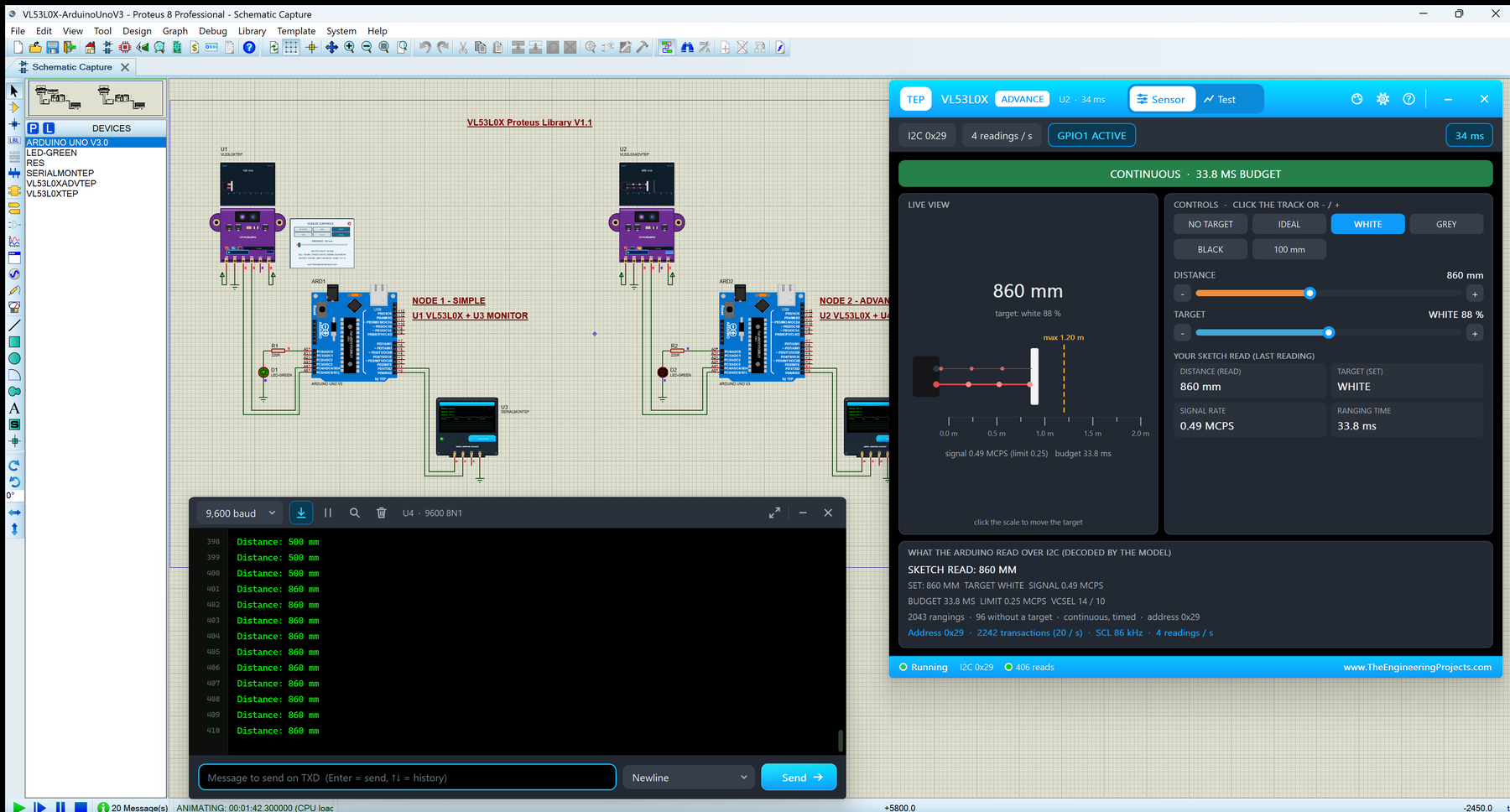
Hello friends, I hope you all are doing great. Today, I am going to share the new VL53L0X Sensor Library for Proteus V1.1 . The VL53L0X from ST is a tiny laser time-of-flight distance sensor , best known on the purple GY-530 / GY-VL53L0XV2 board. With this VL53L0X Sensor Library for Proteus , you set the distance and the kind of target with presets, a slider or a click on the distance scale, and your Arduino reads it over I2C with the same Pololu VL53L0X library you use on real hardware. Version 1.1 replaces the first version of this post. You now get two devices : VL53L0X Simple , with a control panel on the schematic, and VL53L0X Advance , with a pop-up window and four measured sensor test tools . The model takes the real ranging time from ST's formula, and white, grey and black targets ...
Hello friends, I hope you all are doing great. Today, I am going to share the new BMP280 Sensor Library for Proteus V1.1 . The BMP280 is Bosch's small digital barometer : it measures the air pressure and the temperature , and from the pressure your Arduino can work out the altitude . With this BMP280 Sensor Library for Proteus , you set the pressure and the temperature with sliders, presets or a click on an altitude bar, and your Arduino reads them over I2C with the same Adafruit BMP280 library you use on real hardware. Version 1.1 replaces the first version of this post. You now get two devices : BMP280 Simple , with a control panel on the schematic, and BMP280 Advance , with a pop-up window and four measured sensor test tools . The new BMP280 Arduino Proteus demo runs on two Arduino UNOs ...
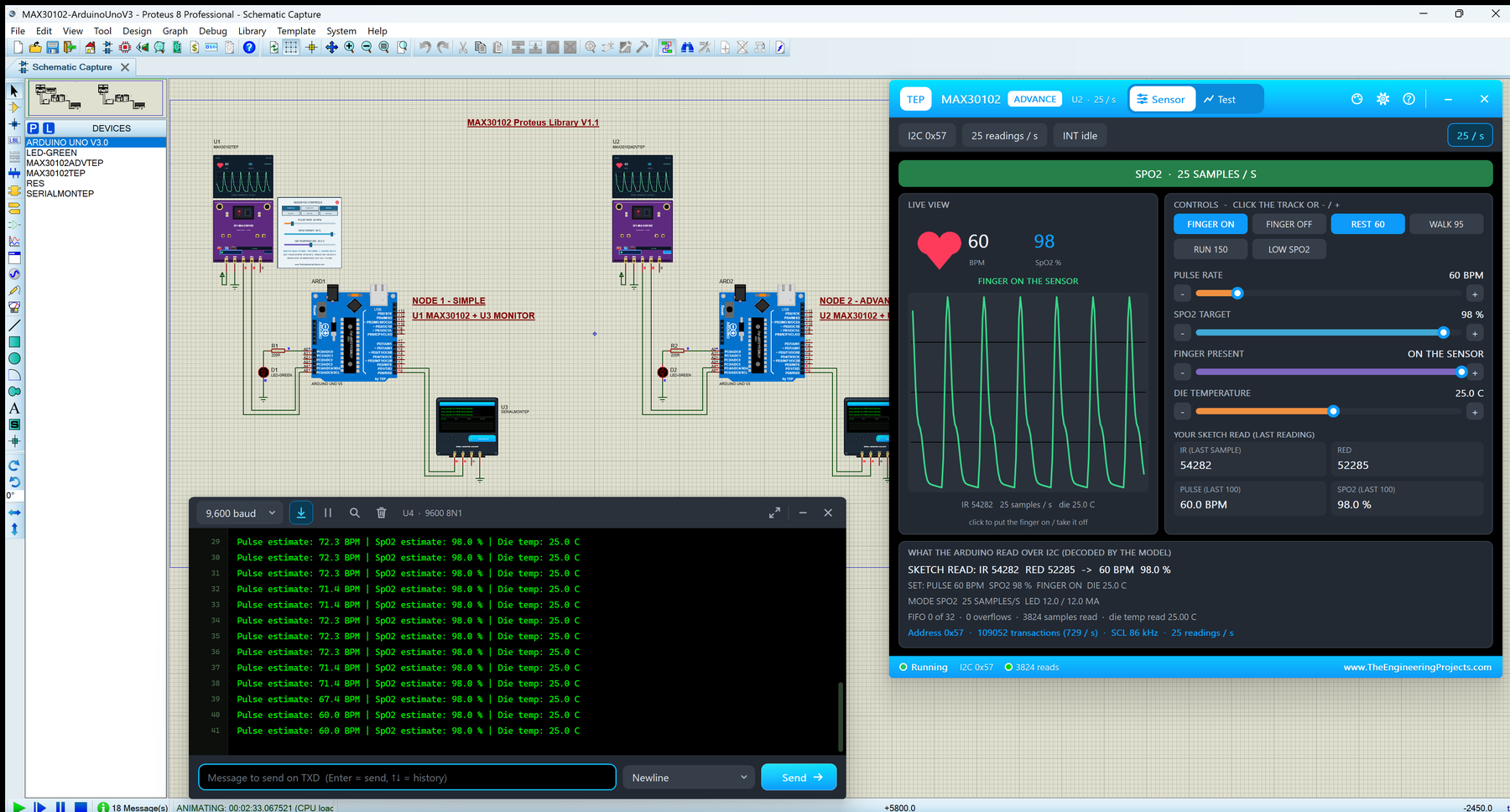
Hello friends, I hope you all are doing great. Today, I am going to share the new MAX30102 Sensor Library for Proteus V1.1 . The MAX30102 from Maxim (now Analog Devices) is a small pulse oximeter and heart-rate sensor , best known on the purple GY-MAX30102 breakout. With this MAX30102 Sensor Library for Proteus , you set the pulse rate, the SpO2 and the finger with presets and sliders, and your Arduino reads the red and infrared samples over I2C with the same SparkFun MAX3010x library you use on real hardware. Version 1.1 replaces the first version of this post. You now get two devices : MAX30102 Simple , with a control panel on the schematic, and MAX30102 Advance , with a pop-up window and four measured sensor test tools . The light is now a realistic pulse wave, and the new MAX30102 Ardu ...
Hello friends, I hope you all are doing great. Today, I am going to share the new MPU6050 Sensor Library for Proteus V1.1 . The MPU6050 is the popular 6-axis motion sensor: a 3-axis accelerometer , a 3-axis gyroscope and a temperature sensor in one small chip, best known on the blue GY-521 board. With this MPU6050 Sensor Library for Proteus , you tilt, turn and shake the sensor with presets, sliders or a click on its artificial horizon, and your Arduino reads it over I2C with the same Adafruit MPU6050 library you use on real hardware. Version 1.1 replaces the first version of this post. You now get two devices : MPU6050 Simple , with a control panel on the schematic, and MPU6050 Advance , with a pop-up window and four measured sensor test tools . The model now has the digital low-pass filt ...
Hello friends! In our previous tutorial, we installed the Arduino LilyPad library for Proteus . Now we will use that board in a small circuit with three LEDs and a pushbutton, then extend the same project to an analog level indicator. The basic behaviour is easy to observe: when the button is released, all three LEDs are on; when it is pressed, they turn off. This gives us a useful first exercise in input configuration, output arrays and the relationship between a circuit and its program. The original article described a button demonstration but supplied code that read an analog input and mapped it to an LED count. We will explain that difference and provide separate versions for the two behaviours. The original screenshots and project download are retained, with the revised wiring and cod ...
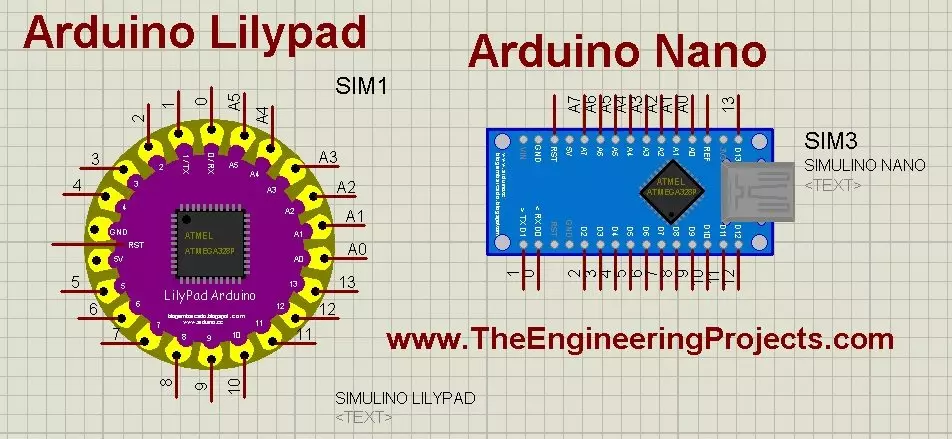
Hello friends! Today, we will install the Arduino LilyPad library for Proteus and prepare a small simulation to check the installation. This article continues our earlier Arduino library tutorial , with particular attention to the LilyPad and Nano parts included in this older library package. We will start by identifying the files, place the library in a directory that Proteus actually searches, select the board and load a compiled sketch. I will also explain the clock and processor settings, because finding a board in the component picker is only the first part of a working simulation. The original post credited this library to blogembarcado . That credit is retained: this particular archive was not created by The Engineering Projects. It is a historical library download, and the earlier ...
Hello friends! In this tutorial, we will learn how to get data from a web server using an Arduino UNO and the original Arduino WiFi Shield. We will use that data to switch two LEDs, so you can see how a command stored on a server becomes an action on a microcontroller. There are two parts to this project: a web page that changes a command file, and an Arduino client that reads the file periodically. We will discuss both parts in the same order as the original project, with clearer wiring, a defined response format and checks that prevent an incomplete response from becoming an LED command. This is a legacy-shield tutorial. The WiFi library and pin assignments described here belong to the original shield, not every board with WiFi in its name. We will first run the demonstration on a truste ...
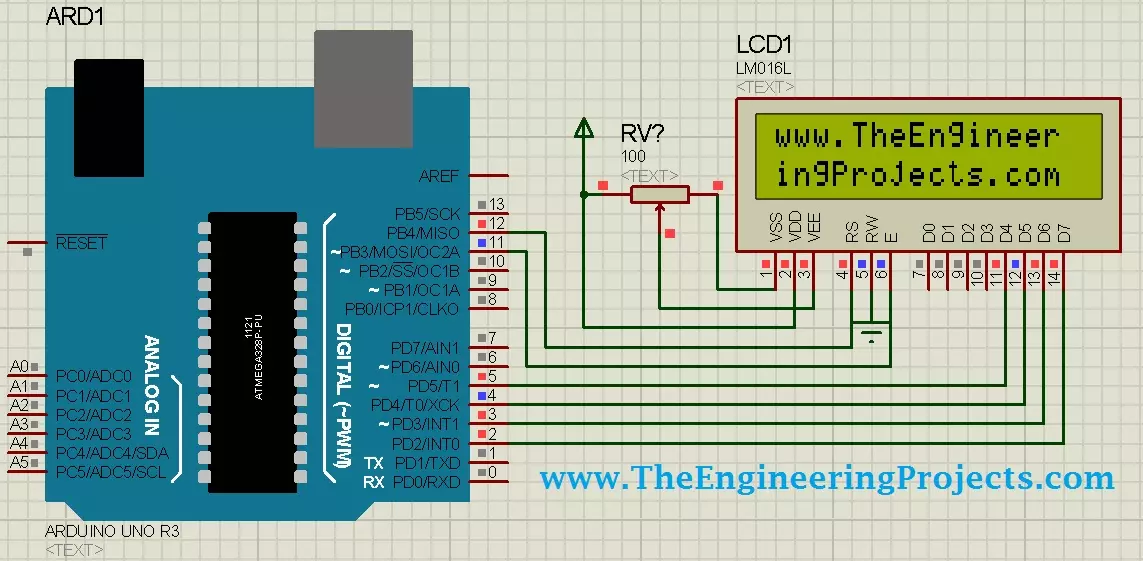
Hello friends! Today, we will design a circuit containing an Arduino UNO and a 16 × 2 character LCD in Proteus ISIS. We will connect the display, write a small Arduino sketch, compile it and load the resulting program into the simulated UNO. Our first result will be the website name displayed across two rows. This is a useful beginner project because the visible result is simple while the underlying connections teach several important ideas: control signals, a four-bit data bus, contrast adjustment and the relationship between source code and a compiled program. We will examine each part before adding changing values to the display. If Arduino components are not available in your Proteus installation, begin with our Arduino Library for Proteus tutorial . The exact device library and simula ...