Hello friends! Today, we will install the GPS Library for Proteus and use it to understand how a microcontroller receives GPS data. We will start with the library files, connect the module to a Virtual Terminal and then work through the information carried by its serial messages. Updates GPS Library for Proteus Latest version: V1.0 (December 2015, this tutorial) GPS modules: NEO-6M · NEO-7M · NEO-M8N · SIM808 Helping Tools Serial Monitor Advance : a serial terminal window for the UART of your board Serial Monitor Expert : the serial monitor with extra debugging tools LCD Library for Proteus V3.0 : 16x2, 20x4 and I2C LCDs to show your readings This original library provides a simulated GPS data source. It repeatedly transmits predefined NMEA sentences, allowing us to develop a receiver with ...
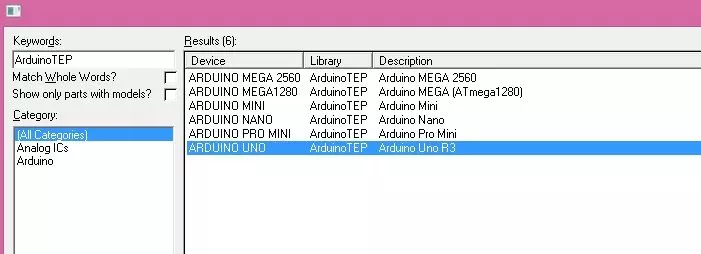
Hello friends! In this tutorial, we will install the Arduino Library for Proteus and use it to simulate a small Arduino circuit. This package brings several classic Arduino board components together, so you can choose a board that matches your project without installing each original library separately. Updates Arduino Library for Proteus Latest version: Arduino Library for Proteus V4.0 (October 2026): six boards with working LEDs, a RESET button and a built-in serial monitor Earlier versions: V3.0 (2023) · V2.0 (2021) · V1.0 (2015, this tutorial) One board only? UNO · Mega 2560 · Mega 1280 · Nano · Pro Mini · Mini (V4.0) Helping Tools Serial Monitor Advance : a serial terminal window for the UART of your board Serial Monitor Expert : the serial monitor with extra debugging tools LCD Libra ...
Hello friends! In this tutorial, we will install the Arduino Pro Mini Library for Proteus and build a simple blinking-LED simulation. We will start with the library files, prepare a program for the correct board variant and then load its HEX file into the simulated microcontroller. Updates Arduino Pro Mini Library for Proteus Latest version: Arduino Pro Mini Library for Proteus V4.0 (October 2026), with working PWR and 13 LEDs, a RESET button and a built-in serial monitor Earlier versions: V3.0 (2023) · V2.0 (2021) · V1.0 (2015, this tutorial) Other boards: UNO · Mega 2560 · Mega 1280 · Nano · Mini (V4.0) All six V4.0 boards in one package: Arduino Library for Proteus V4.0 Helping Tools Serial Monitor Advance : a serial terminal window for the UART of your board Serial Monitor Expert : the ...
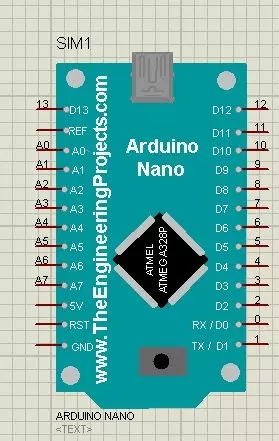
Hello friends! In this tutorial, we will install the Arduino Nano Library for Proteus, load a compiled Arduino program and run an LED-blinking simulation. We will follow the same sequence you would use for a larger project: identify the board, install its model, check the basic circuit and then add your application. Updates Arduino Nano Library for Proteus Latest version: Arduino Nano Library for Proteus V4.0 (October 2026), with working LEDs, a RESET button and a built-in serial monitor Earlier versions: V3.0 (2023) · V2.0 (2021) · V1.0 (2015, this tutorial) Other boards: UNO · Mega 2560 · Mega 1280 · Pro Mini · Mini (V4.0) All six V4.0 boards in one package: Arduino Library for Proteus V4.0 Helping Tools Serial Monitor Advance : a serial terminal window for the UART of your board Serial ...
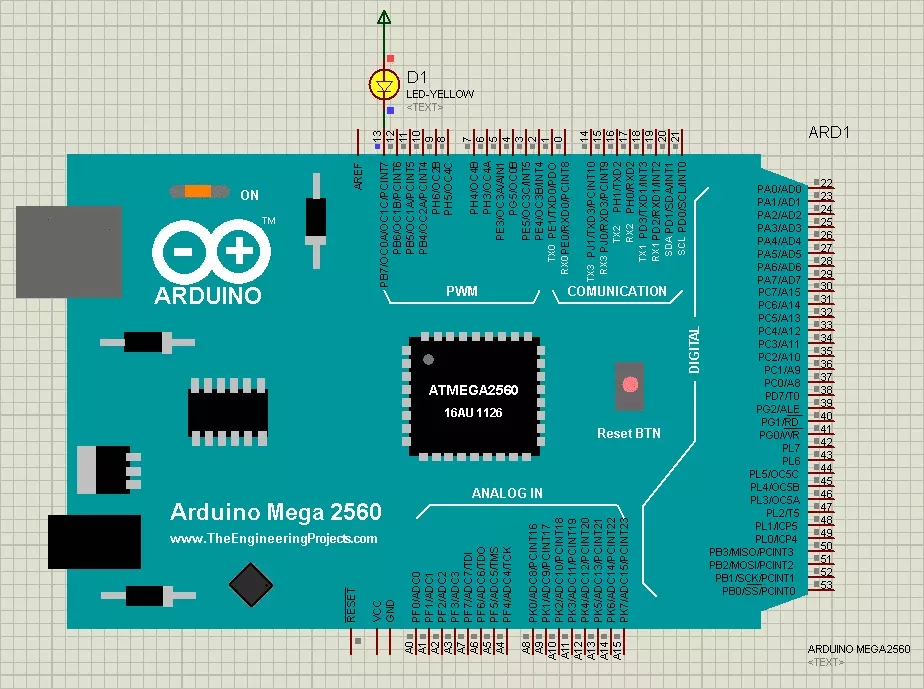
Hello friends! Today, we are going to install the original Arduino Mega 2560 Library for Proteus and run an Arduino sketch on its simulated board. We will begin with the library files, place the Mega in a schematic, load its compiled firmware and test a simple external LED circuit. Updates Arduino Mega 2560 Library for Proteus Latest version: Arduino Mega 2560 Library for Proteus V4.0 (October 2026), with working LEDs, a RESET button and a built-in serial monitor Earlier versions: V3.0 (2023) · V2.0 (2021) · V1.0 (2015, this tutorial) Other boards: UNO · Mega 1280 · Nano · Pro Mini · Mini (V4.0) All six V4.0 boards in one package: Arduino Library for Proteus V4.0 Helping Tools Serial Monitor Advance : a serial terminal window for the UART of your board Serial Monitor Expert : the serial mo ...
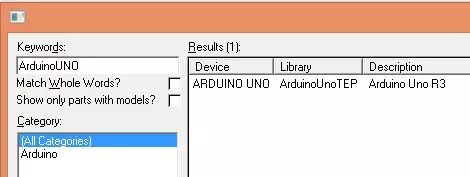
Hello friends! Today, I am sharing the original Arduino UNO Library for Proteus and explaining how to install it, load a compiled Arduino program and run a simple LED simulation. This library gives us a recognizable UNO board inside the schematic, making it easier to connect circuits using the board's familiar pin labels. Updates Arduino UNO Library for Proteus Latest version: Arduino UNO Library for Proteus V4.0 (October 2026), with working LEDs, a RESET button and a built-in serial monitor Earlier versions: V3.0 (2023) · V2.0 (2021) · V1.0 (2015, this tutorial) Other boards: Mega 2560 · Mega 1280 · Nano · Pro Mini · Mini (V4.0) All six V4.0 boards in one package: Arduino Library for Proteus V4.0 Helping Tools Serial Monitor Advance : a serial terminal window for the UART of your board Se ...
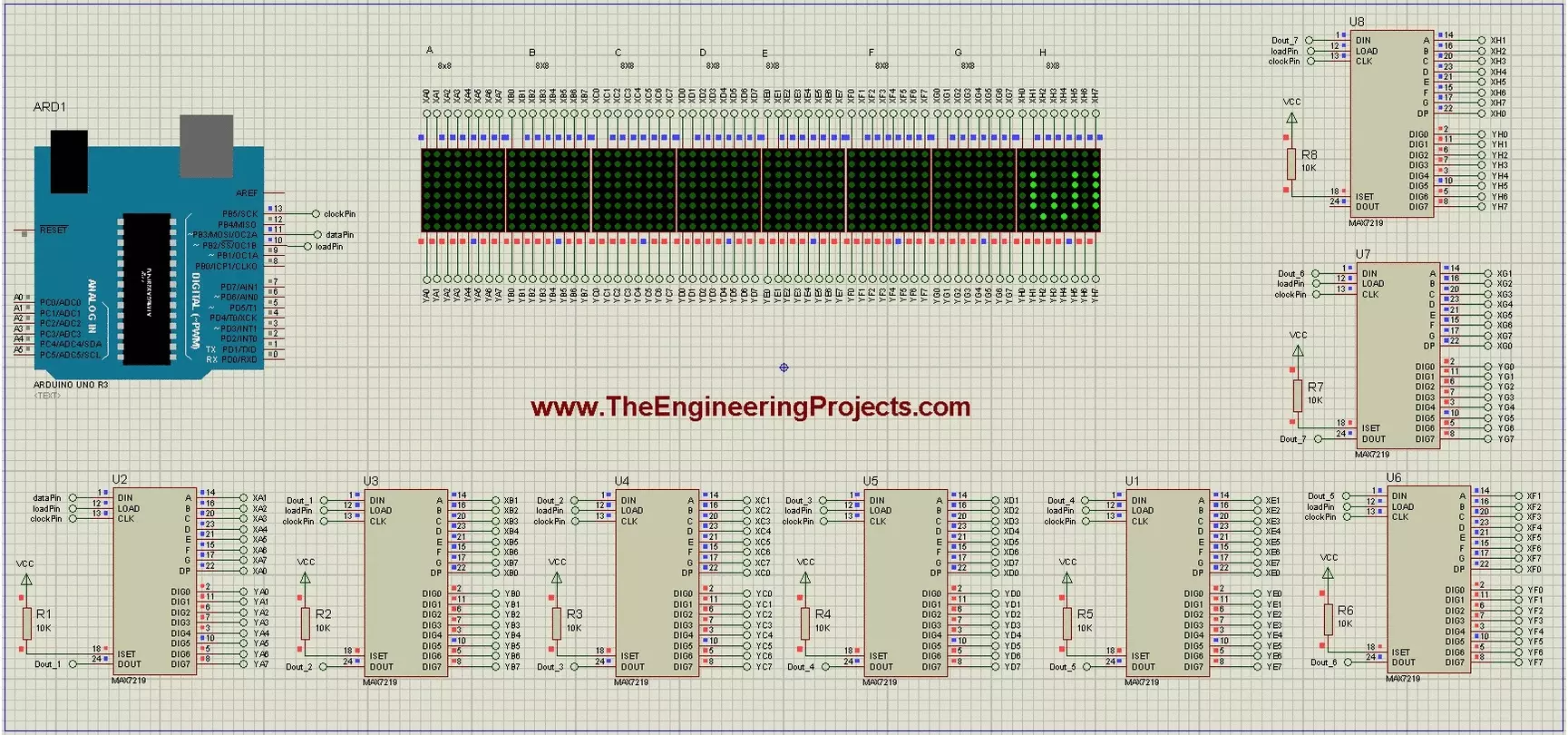
Hello friends! Today we will build a scrolling-text display using Arduino and eight 8x8 LED matrices. Each matrix has its own MAX7219 driver, and the drivers share a serial connection so Arduino can control the complete display through three signal lines. The original project demonstrates the text in Proteus and includes a useful circuit drawing and animation. We will retain those illustrations while explaining the driver correctly, checking the matrix orientation and using a current text-animation library interface. Our display is eight pixels high and sixty-four pixels wide. We will first understand one module, then connect the chain, display a short message and adjust the scroll timing. Power distribution and hardware mapping matter just as much as the sketch when moving from a simulato ...
Hello friends! In this tutorial, we will interface a matrix keypad with Arduino Uno and show each pressed key on a 20x4 LCD in Proteus. We will begin with the keypad's internal connections, then build the circuit and write a sketch that keeps the displayed text within a defined area. A keypad is useful when a project needs several related buttons, such as digits for a calculator or commands for a menu. A matrix arrangement reduces the number of controller connections compared with giving every button its own dedicated input. Our example uses twelve keys arranged in four rows and three columns. We will preserve the original circuit's pin assignments, explain how the Keypad library scans them, and check common mistakes such as reversed connector order, repeated characters and LCD overflow. F ...
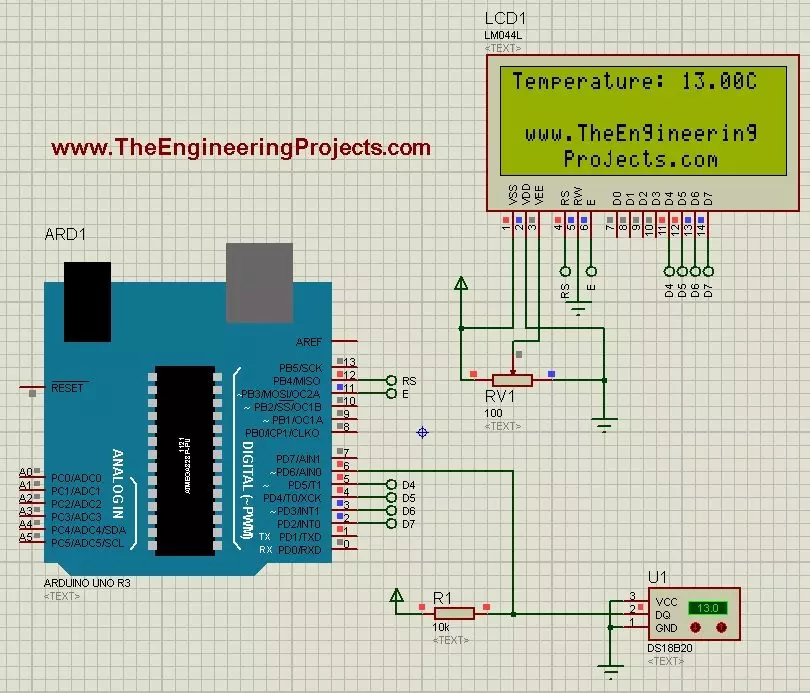
Hello friends! Today we will use the DS18B20 temperature sensor with Arduino Uno in Proteus and display its reading on a character LCD. The sensor is sometimes shortened to 18B20 in project descriptions, but DS18B20 is the part name we will use when selecting the device and checking its specifications. We will begin with the sensor connections, add a 20-column by 4-row LCD, and write a sketch that requests a temperature conversion before displaying the result. We will also handle a missing sensor explicitly instead of presenting an error value as though it were a real temperature. The Proteus model lets us change the simulated temperature using its controls. It does not measure the room around your computer. This makes it useful for checking the program and display workflow before building ...
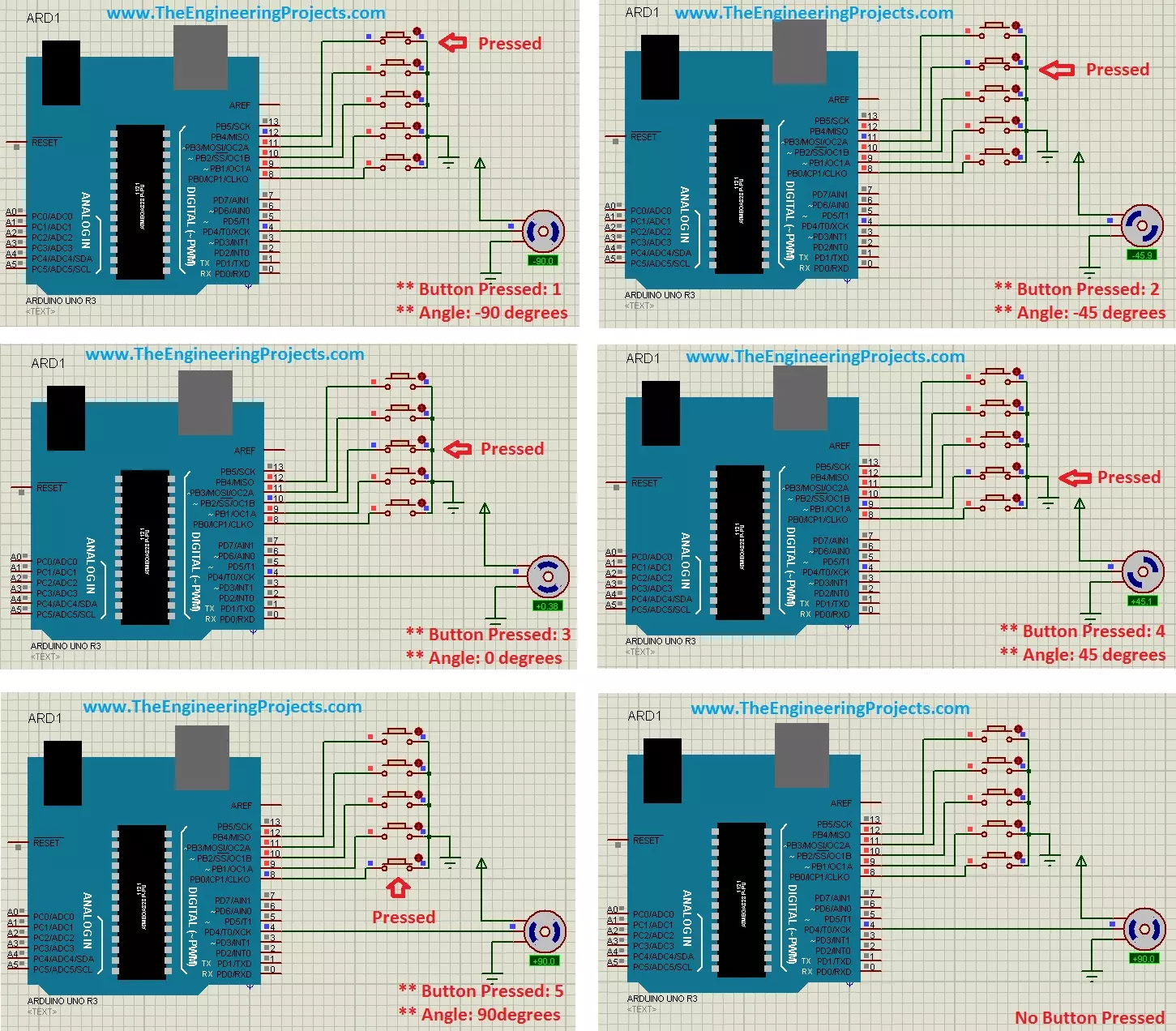
Hello friends! In this tutorial, we will control a servo motor with Arduino in Proteus. We will begin with a simple sweep, understand the signal that commands the position, and then add five push buttons so we can select individual positions. Libraries Libraries used in this tutorial Arduino UNO Library for Proteus: V1.0 (2015, used in this tutorial) · latest version: V4.0 (October 2026) Helping Tools Serial Monitor Advance : a serial terminal window for the UART of your board Serial Monitor Expert : the serial monitor with extra debugging tools LCD Library for Proteus V3.0 : 16x2, 20x4 and I2C LCDs to show your readings A positional hobby servo is convenient because its motor, gearbox and position controller are assembled in one unit. Arduino supplies a command signal while the servo's in ...