Hello friends, I hope you all are doing great. Today, I am going to share a list of Microcontroller Board Libraries for Proteus. Every embedded project starts with a microcontroller board, and for most students that board is an Arduino. Proteus can simulate the bare ATmega chips, but a bare chip doesn't look like the board on your desk, and it makes your circuit diagram harder to follow. That's why the Arduino Library for Proteus was the very first library our team ever designed, back in 2015.
Microcontroller Board Libraries for Proteus
Latest list: October 2026 (this list)
Arduino boards: UNO · Mega 2560 · Mega 1280 · Nano · Pro Mini · Mini (V4.0)
ESP32 boards and modules: ESP32 DevKit V1 · ESP32-DevKitC V4 · ESP32-S3 DevKitC-1 · ESP32-C3 SuperMini · ESP32-C6 DevKitC-1 · TTGO T-Display · T-Display S3 · XIAO ESP32-C3 · XIAO ESP32-S3 · ESP32 Feather V2 · QT Py ESP32-S3 · ESP32-C5 DevKitC-1 · Olimex ESP32-POE · FireBeetle 2 ESP32-E · T-Call SIM800L · T-SIM7600 · T-Beam Supreme · M5StickC PLUS2 · ESP32-2432S028 CYD · M5Stack AtomS3 · M5Stack Core2 · LilyGO T-Deck · LOLIN S2 Mini · Heltec WiFi LoRa 32 V3 · LilyGO T-Beam · ESP32-CAM · ESP32-WROOM-32 · AirLift WiFi Shield · AirLift ESP32 Breakout · WT32-ETH01
ESP8266 modules: ESP-01 · ESP-01S · ESP-07 · ESP-07S · ESP-12E · ESP-12F · ESP-01 Adapter · WiFi Shield · NodeMCU · NodeMCU V2 · D1 Mini · D1 R2
Raspberry Pi boards: Pico · Pico W · Pico 2 W · Pico 2 · Pico W MicroPython · Pi Model B · Pi 1 B+ · Pi 2 Model B · Pi 3 Model B · Pi 3 Model B+ · Pi 3 Model A+ · Pi 4 Model B · Pi 5 · Pi Zero W · Pi Zero 2 W · Pi 400 · Pi 500 · Pi CM4 · Pi 2 · Pi 3 · Pi 4 · Zero W
Helping Tools
- Serial Monitor Advance: a serial terminal window for the UART of your board
- Serial Monitor Expert: the serial monitor with extra debugging tools
- LCD Library for Proteus V3.0: 16x2, 20x4 and I2C LCDs to show your readings
Since then, we have designed four generations of Arduino boards for Proteus, plus libraries for the Raspberry Pi family, the ESP32 and the NodeMCU. The newest one, the Arduino Library for Proteus V4.0 from October 2026, has boards whose LEDs work like the real ones and a serial monitor built into every board. In this list, I have collected all of them, with the newest versions at the top, and I will tell you honestly what each one can and can't do in a simulation, so you know which board to pick for your project and for your project report.
The boards are the base of every project, and our new 2026 libraries, such as the GSM, Wi-Fi, LoRa and sensor modules, all come with Arduino examples that run on these boards. Our new TEP Serial Monitor also works with every one of them, and the V4.0 boards even have it built in. If you are new to Proteus libraries, read How to Add New Library in Proteus 8 first. So, let's get started with the Microcontroller Board Libraries for Proteus:
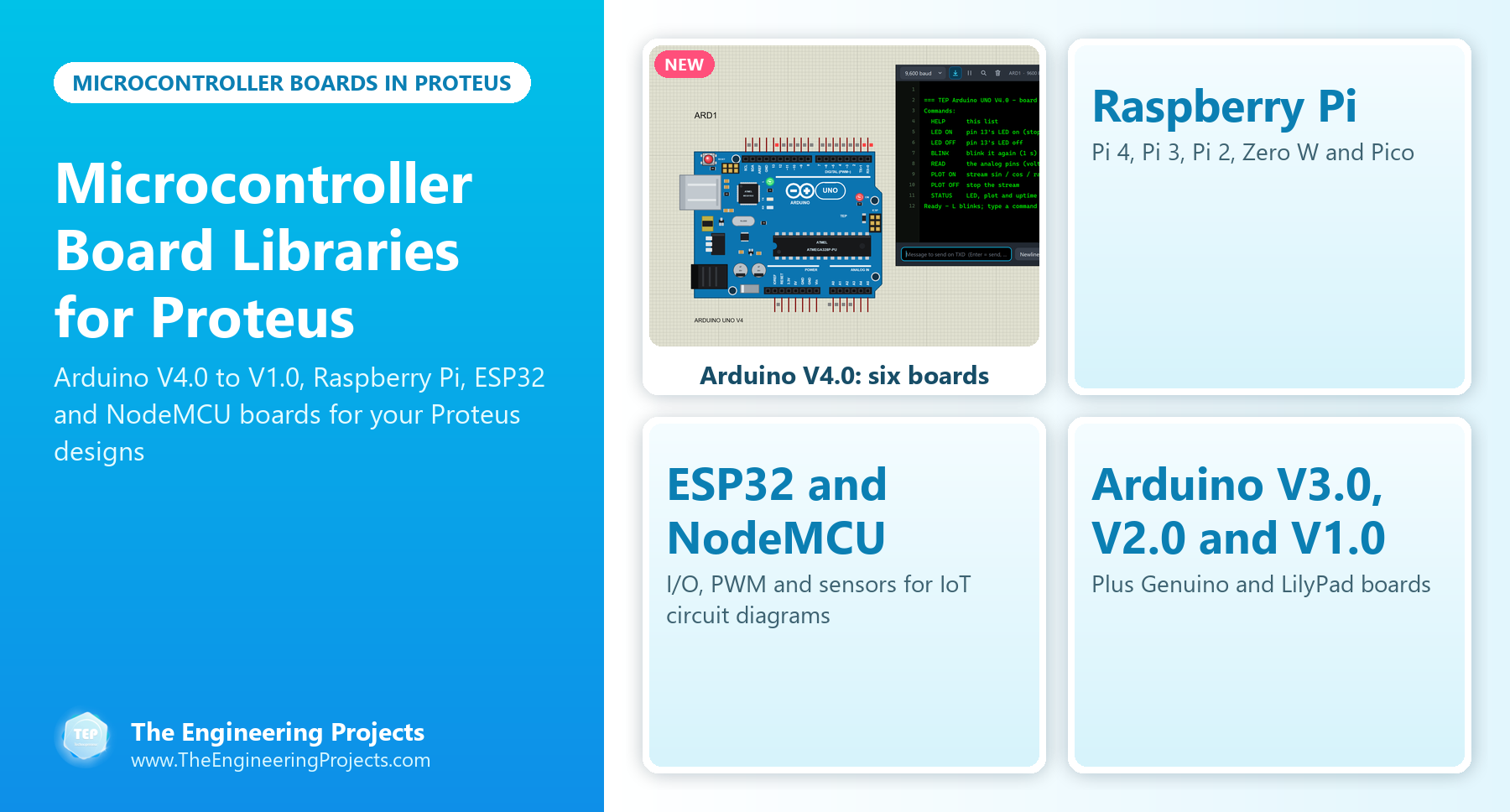
Board Libraries at a Glance
Here is a quick overview of the board libraries in this list:
| Family | Libraries | What runs on them in Proteus |
|---|---|---|
| Arduino V4.0 (2026) | Complete library (UNO, Mega 2560, Mega 1280, Nano, Pro Mini, Mini), with a tutorial for each board | Your Arduino sketch (HEX file), with working LEDs, RESET and a built-in serial monitor |
| Arduino V3.0 (2023) | Complete library (UNO, Mega 1280, Mega 2560, Mini, Pro Mini, Nano), with a tutorial for each board | Your Arduino sketch (HEX file) |
| Raspberry Pi (2023) | Pi 4, Pi 3, Pi 2, Zero W and Pico | Arduino firmware (HEX file), not Python |
| ESP32 and NodeMCU (2023) | One library each | Basic I/O, PWM and sensor code; no Wi-Fi or Bluetooth |
| Arduino V2.0 (2021) | Complete library and single boards | Your Arduino sketch (HEX file) |
| Arduino V1.0 (2015) and Genuino (2016) | Complete libraries | Your Arduino sketch (HEX file) |
| Arduino LilyPad (2014) | A shared library by another developer | Your Arduino sketch (HEX file) |
Arduino Boards V4.0 (Latest)
V4.0 is the fourth generation of our Arduino boards. Every board is drawn again in its real orientation and colour, and your sketch still runs on Proteus's own AVR model, as in V3.0. Around the chip, the board now behaves like the real one: the ON (or PWR), L and TX / RX LEDs light up, the RESET button restarts the sketch after the bootloader's three L flashes, and the 5V and 3.3V pins are real supplies you can power parts from. Each board also has our serial monitor built in, with Board, Monitor and Plotter tabs, so you don't have to wire a Virtual Terminal to D0 / D1. All six boards are in one library, and each board also has its own tutorial with its own demo project.
1. Arduino Library for Proteus V4.0
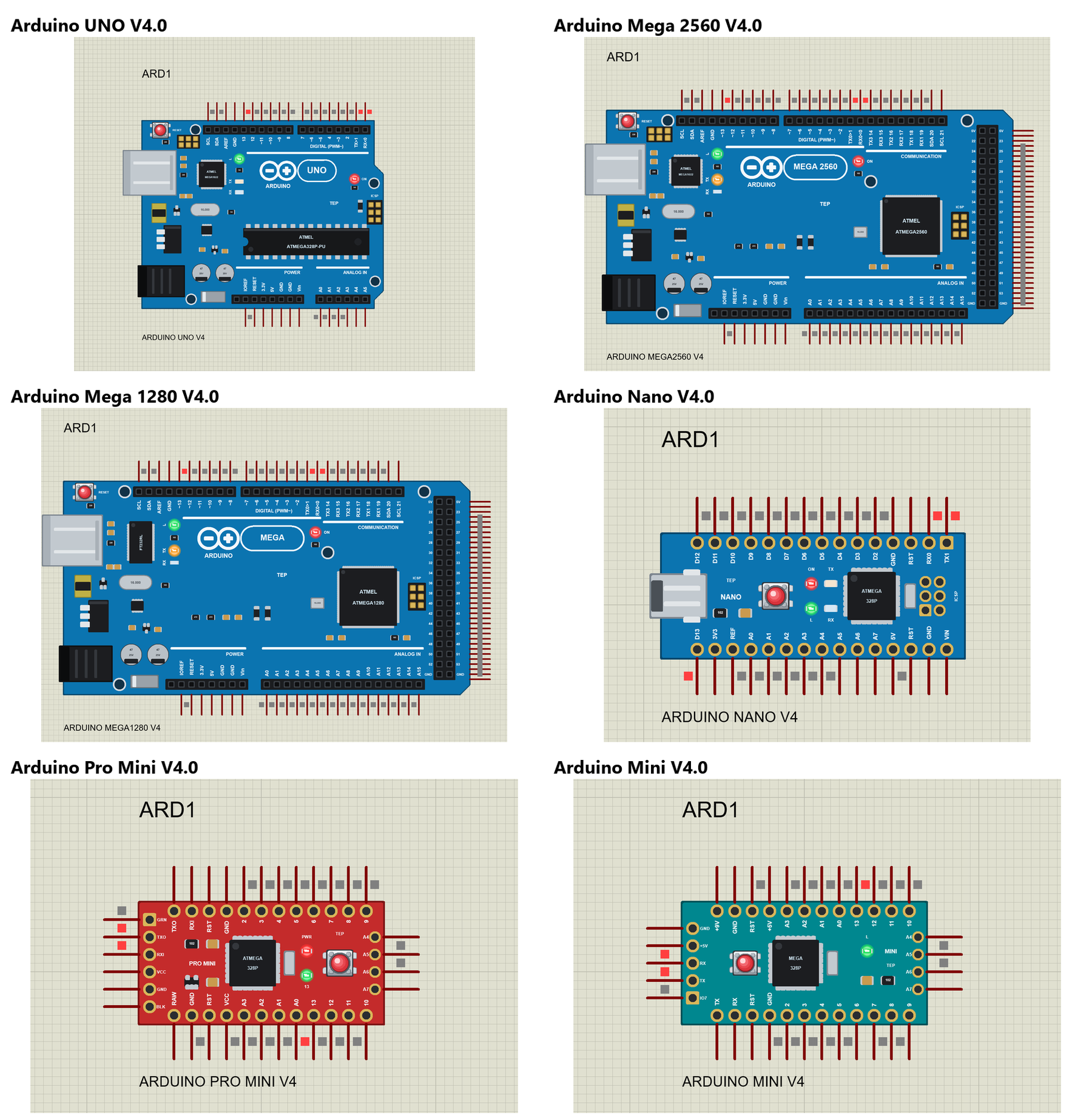
The Arduino Library for Proteus V4.0 is our latest Arduino library: six boards in one package, the Arduino UNO, Mega 2560, Mega 1280, Nano, Pro Mini and Mini. Its zip has a ready demo project for every board, all running the same demo sketch, which you control with commands such as LED ON, READ and PLOT ON typed into the built-in monitor. V4.0 can stay installed together with V3.0, because its files and device names are different. This is the library I recommend for every new project. Read the complete tutorial: Arduino Library for Proteus V4.0
2. Arduino UNO Library for Proteus V4.0
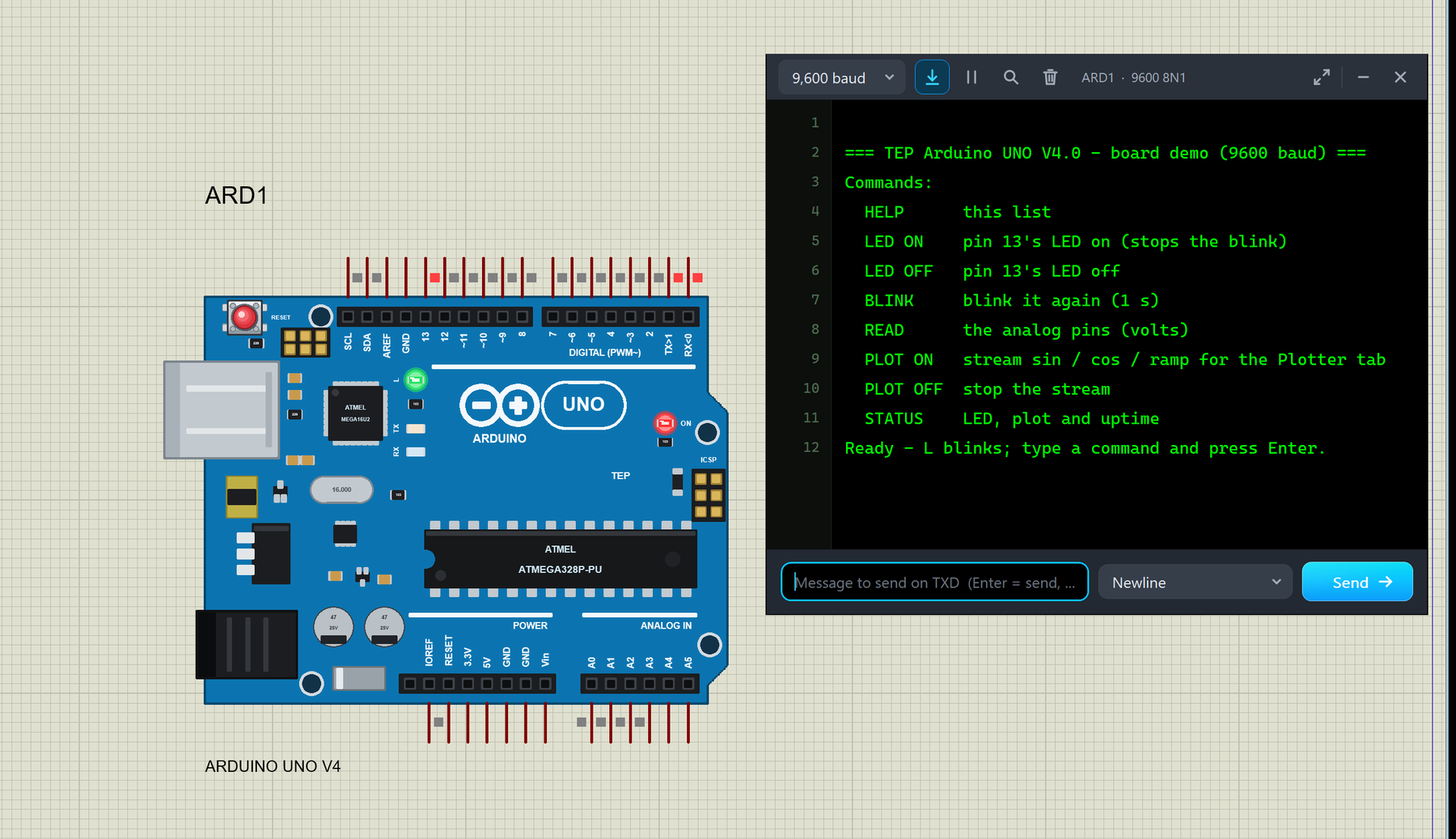
The blue Arduino UNO R3, drawn at its real size and layout. Its L LED hangs on pin 13 through the R3's op-amp buffer, as on the real board, so it glows dimly while D13 floats, and the TX / RX LEDs flash with the serial traffic on D0 / D1. Click its USB port to open the built-in monitor. Read the complete tutorial: Arduino UNO Library for Proteus V4.0
3. Arduino Mega 2560 Library for Proteus V4.0
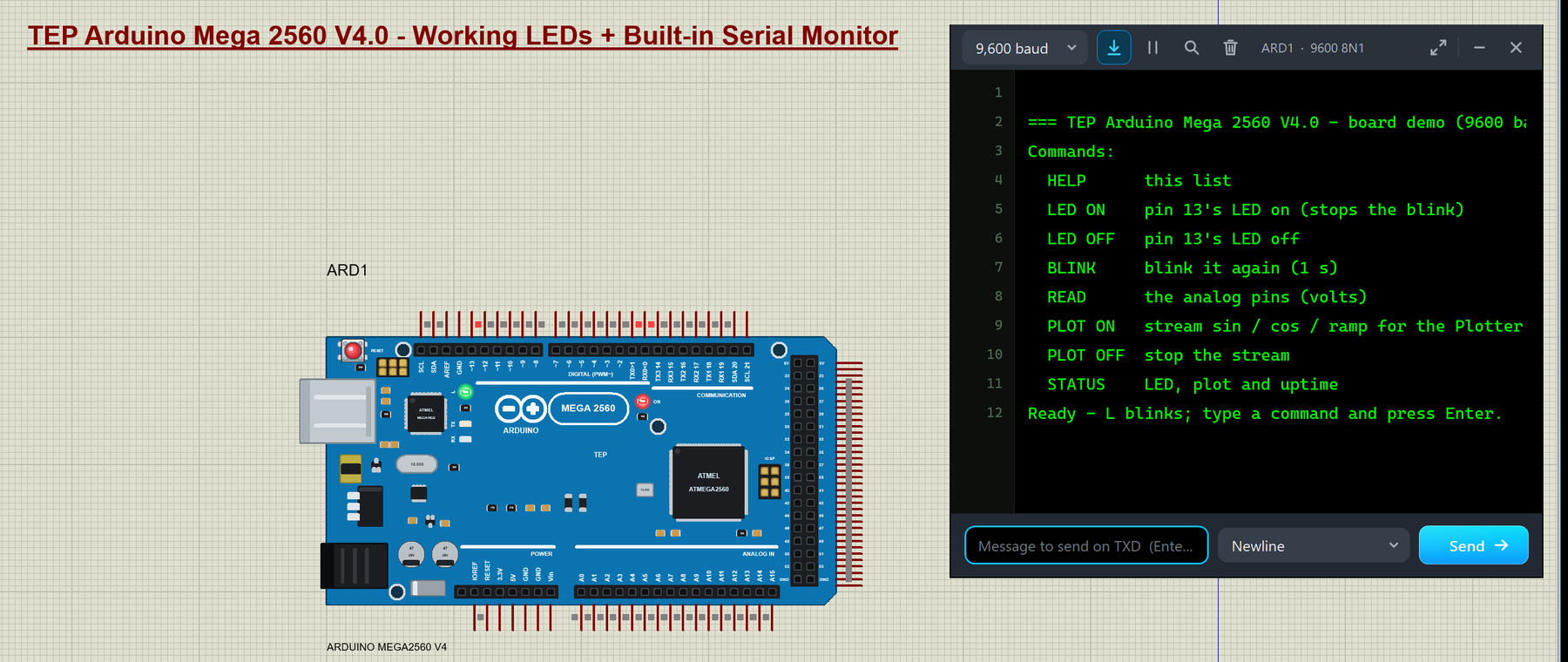
The Arduino Mega 2560, with 54 digital and 16 analog pins and the same buffered L LED as the UNO. Its 2x18 header is drawn as the real one, and its 36 pins leave the board as one comb, 50 thou apart, so you can wire every pin. While it runs, the Board tab of the monitor shows the state of all 54 digital and 16 analog pins. Read the complete tutorial: Arduino Mega 2560 Library for Proteus V4.0
4. Arduino Mega 1280 Library for Proteus V4.0
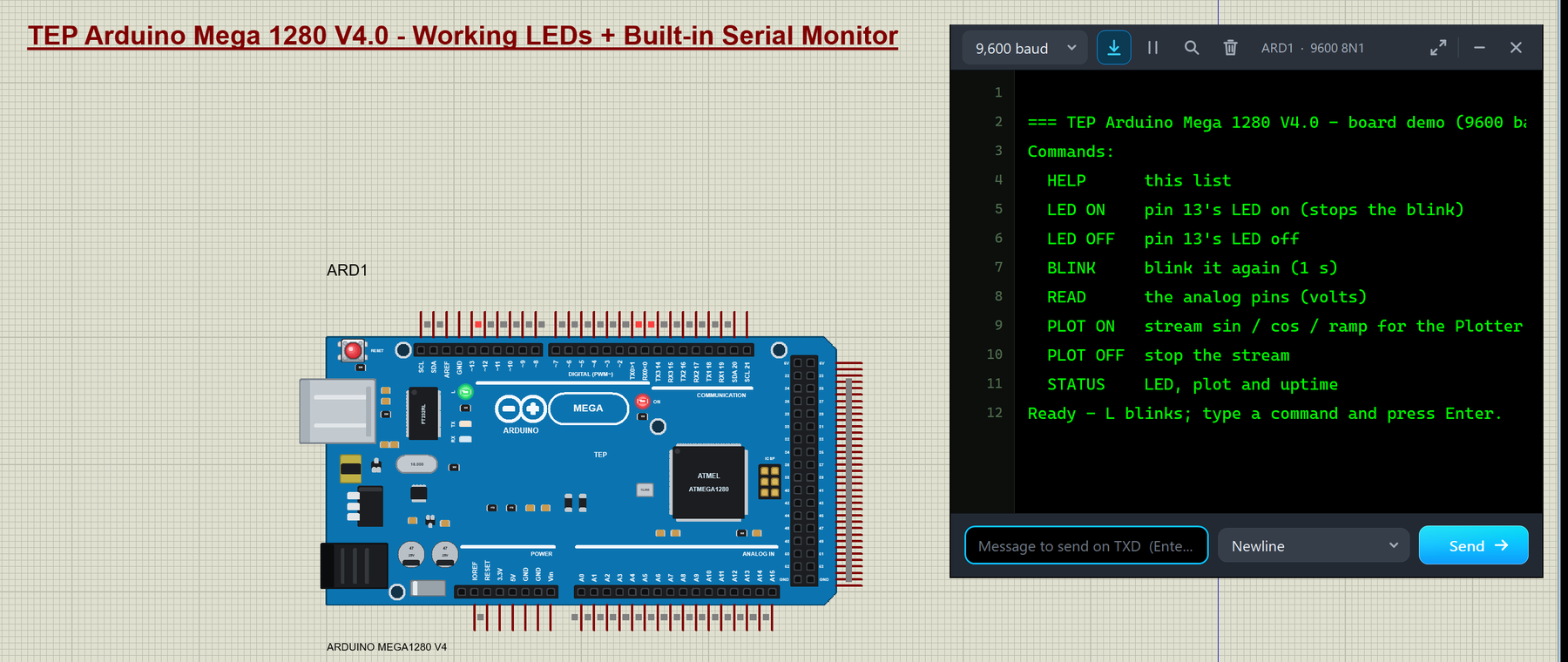
The first Arduino Mega, with the ATmega1280 and the FT232RL USB chip. It has the same 85 pins as the Mega 2560, but its L LED hangs straight on pin 13, because the original Mega has no buffer in front of it. Read the complete tutorial: Arduino Mega 1280 Library for Proteus V4.0
5. Arduino Nano Library for Proteus V4.0
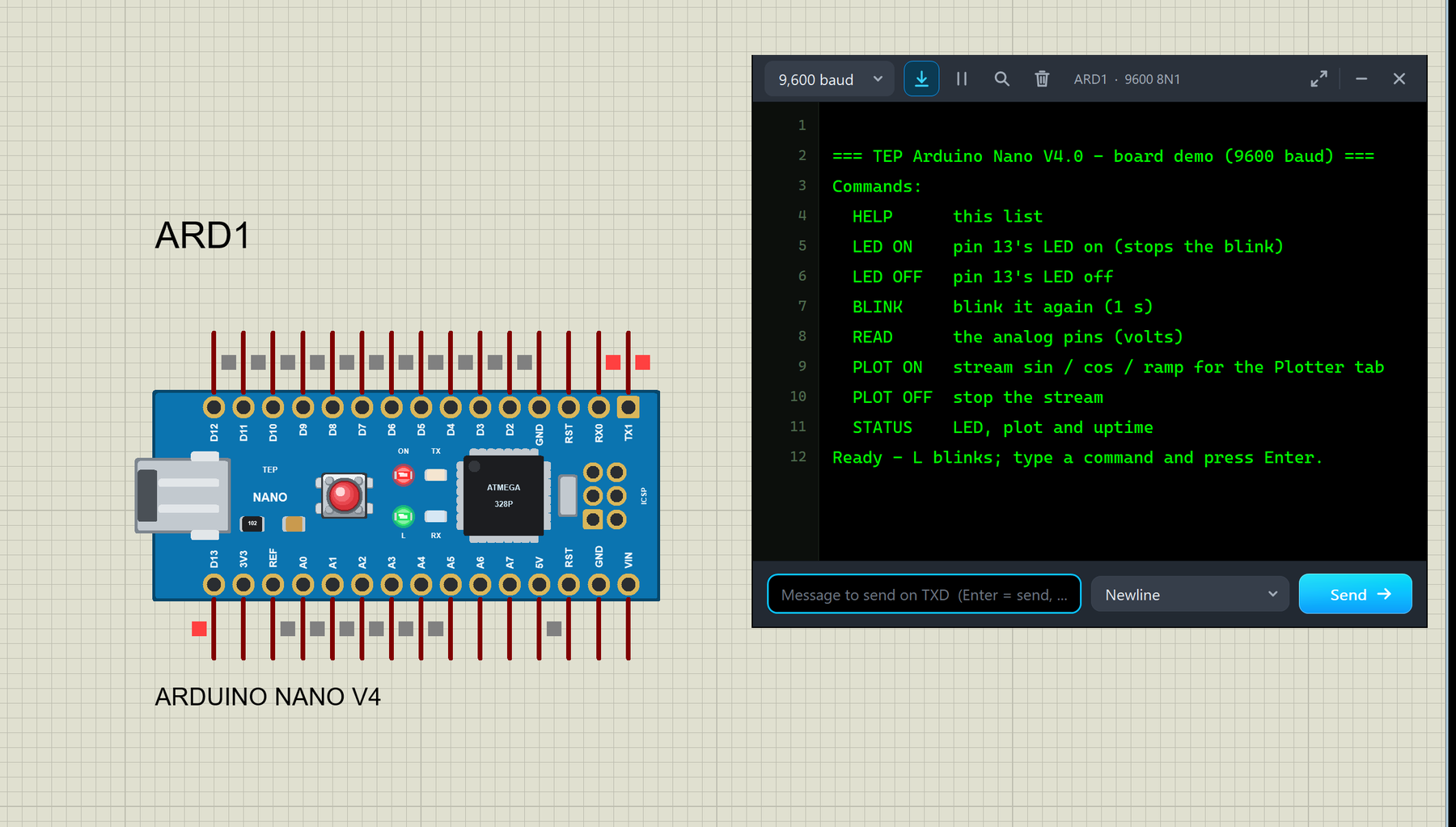
The small Arduino Nano, lying with its mini-USB socket on the left. Its A6 and A7 pins are analog inputs now (in V3.0 they had no electrical type), and its pin ends sit on the 100 thou grid of Proteus. Read the complete tutorial: Arduino Nano Library for Proteus V4.0
6. Arduino Pro Mini Library for Proteus V4.0
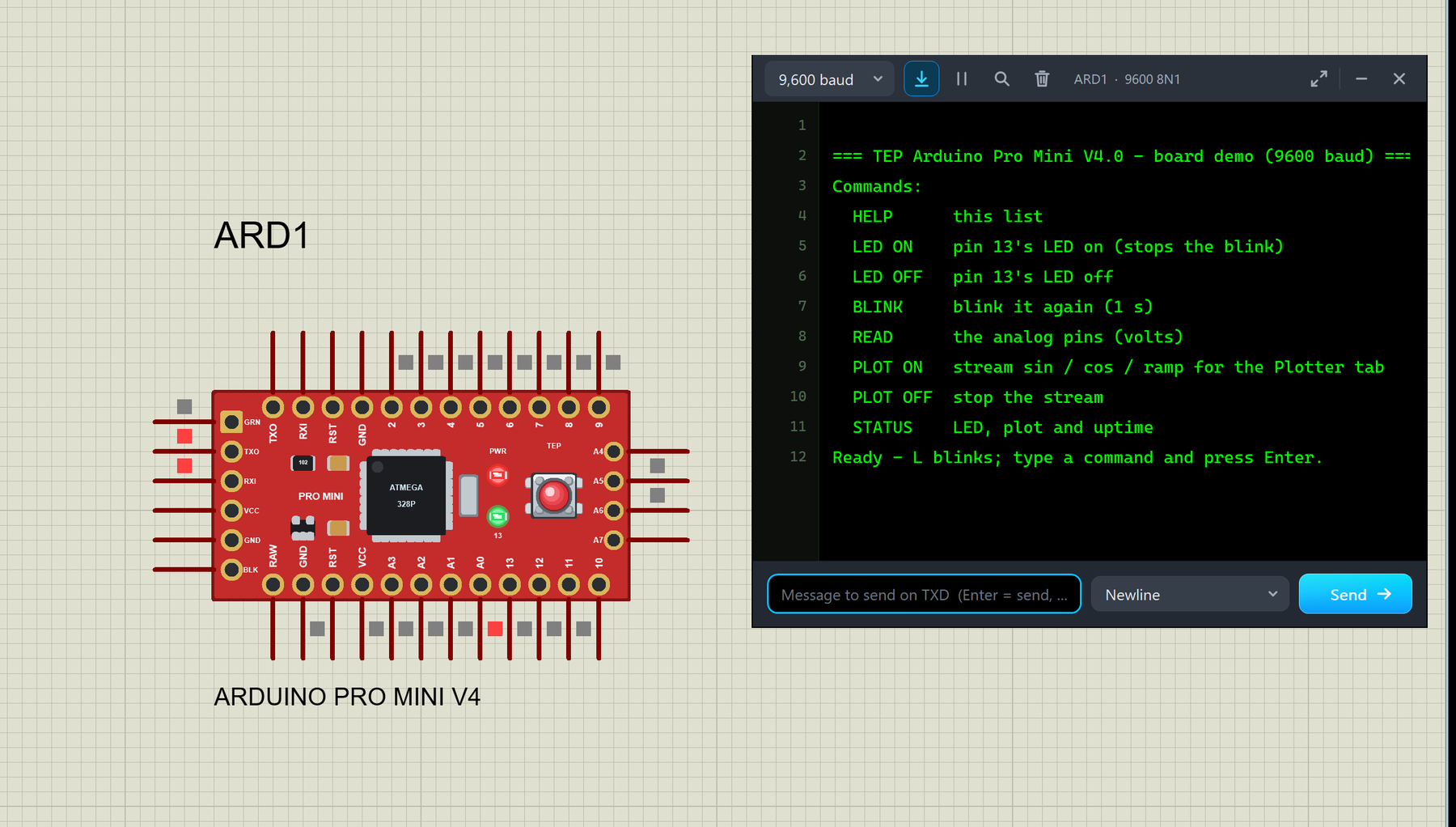
The red Arduino Pro Mini (5 V, 16 MHz), with its PWR and 13 LEDs; the real board has no TX / RX LEDs, so neither does ours. Its 6-pin FTDI header sits on the left end, and its GRN (DTR) pin resets the chip on a falling edge, like the auto-reset from an FTDI adapter. V3.0 drew an AREF pin that the real board doesn't have; V4.0 doesn't. Read the complete tutorial: Arduino Pro Mini Library for Proteus V4.0
7. Arduino Mini Library for Proteus V4.0
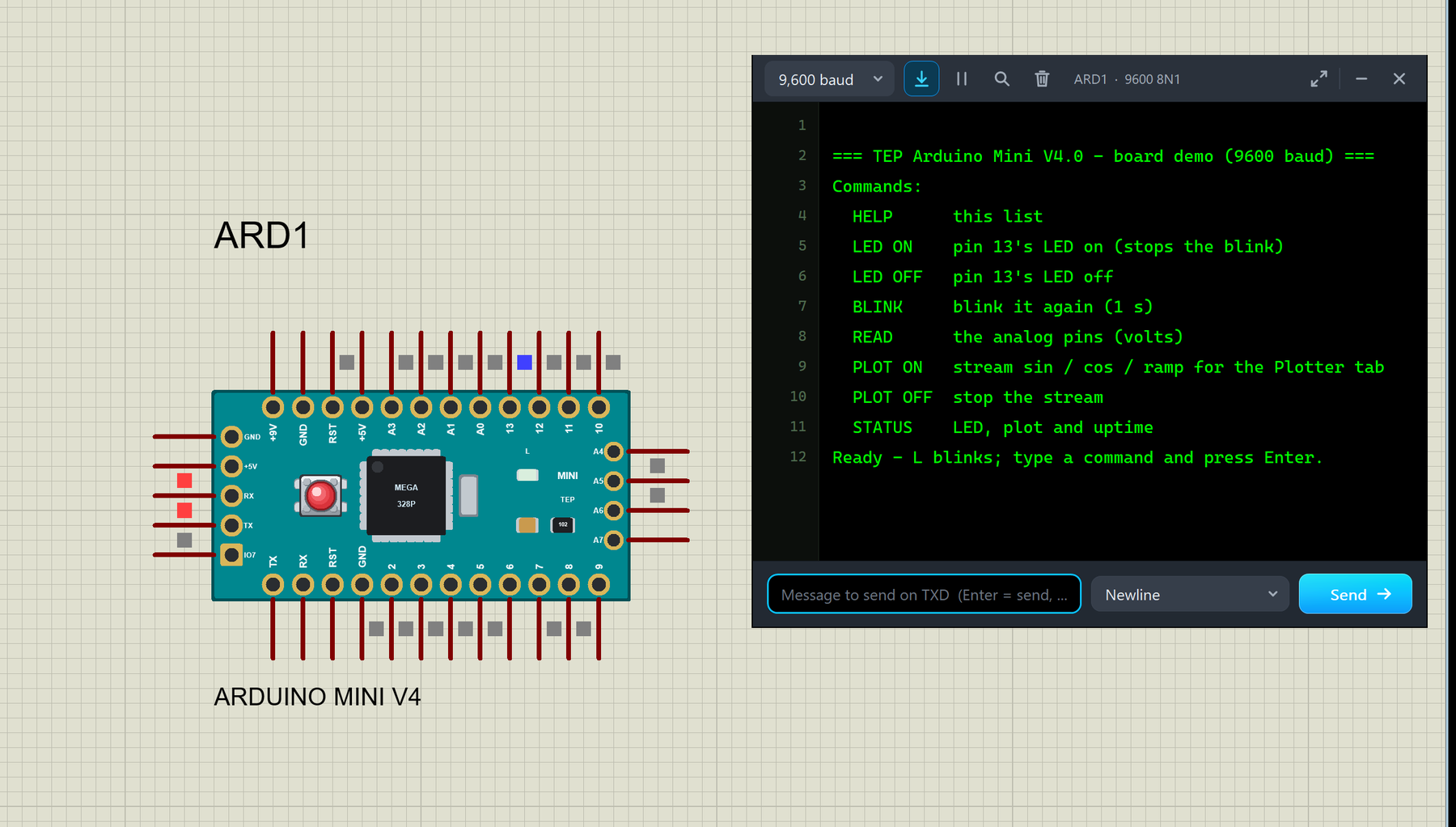
The teal Arduino Mini 05, the smallest board of the family. It has no USB chip, so its only LED is L on pin 13, and you open the built-in monitor by clicking its programming pads on the left end. Like the Pro Mini, it lost the AREF pin that V3.0 drew, as the real Mini has none. Read the complete tutorial: Arduino Mini Library for Proteus V4.0
Arduino Boards V3.0
8. Arduino Library for Proteus V3.0
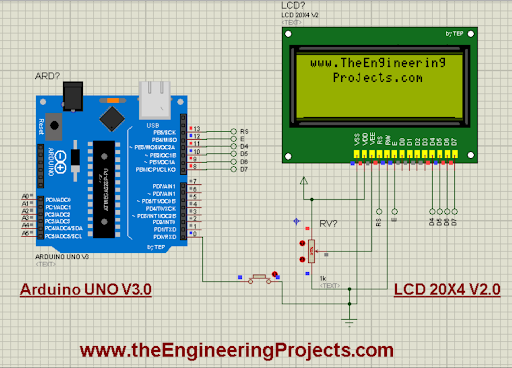
The Arduino Library for Proteus V3.0, from 2023, was our latest Arduino library until V4.0, with a more realistic design and better performance than V1.0 and V2.0. It has six boards in one package: Arduino UNO, Mega 1280, Mega 2560, Mini, Pro Mini and Nano. Its tutorial also builds an LCD example with our LCD Library V2.0. Several of our module libraries include its Arduino UNO, so keep it installed if you use them. Each V3.0 board also has its own tutorial: the UNO below, the Nano, Pro Mini, Mini, Mega 1280 and Mega 2560. Read the complete tutorial: Arduino Library for Proteus V3.0
9. Arduino UNO Library for Proteus V3.0
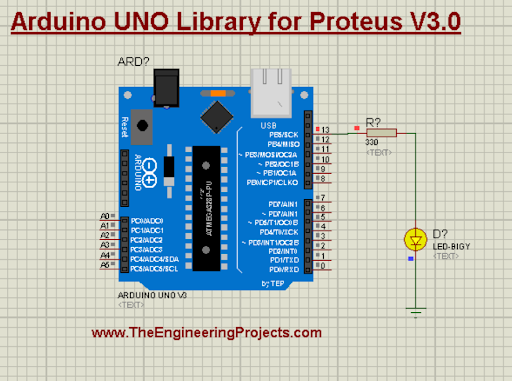
If you only need the Arduino UNO in its V3.0 design, this library has just that board. The UNO is based on the ATmega328P, with 14 digital and 6 analog I/O pins, and it is the board of most of our examples. Read the complete tutorial: Arduino UNO Library for Proteus V3.0
Raspberry Pi Boards
Before we look at these boards, here is an important note from their tutorials: our Raspberry Pi libraries are designed for the exterior of the boards, and they can't run Python code. Just for fun, our team added Arduino firmware to them, so you can load an Arduino HEX file into them and blink an LED; we call them "Arduino Pi". Use them for circuit diagrams and project presentations.
10. Raspberry Pi 4 Library for Proteus
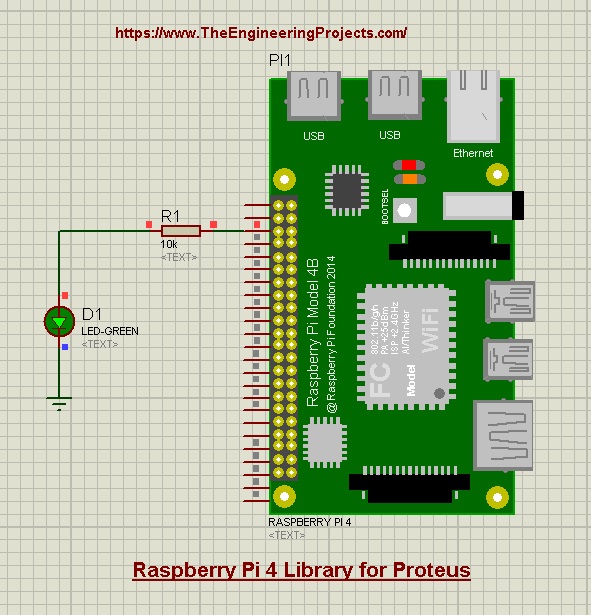
The Raspberry Pi 4 library adds the latest full-size Pi to your Proteus designs, with an LED example that runs Arduino code. Read the complete tutorial: Raspberry Pi 4 Library for Proteus
11. Raspberry Pi 3 Library for Proteus
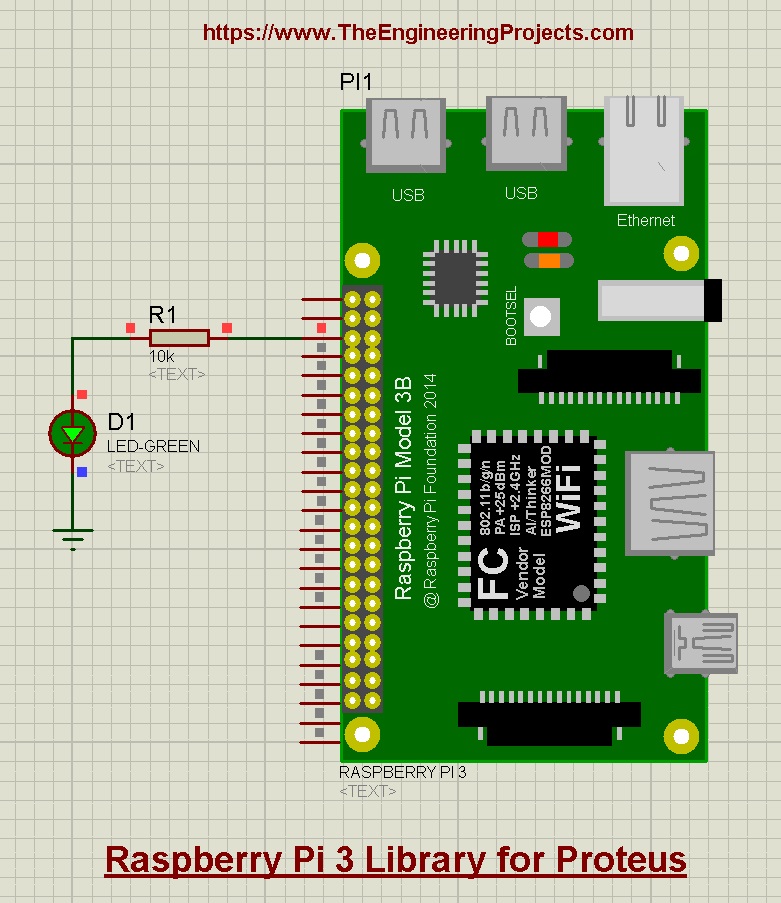
The Raspberry Pi 3 library has only the Pi 3 board in it, designed for circuit drawings, with the same Arduino-code example. Read the complete tutorial: Raspberry Pi 3 Library for Proteus
12. Raspberry Pi 2 Library for Proteus
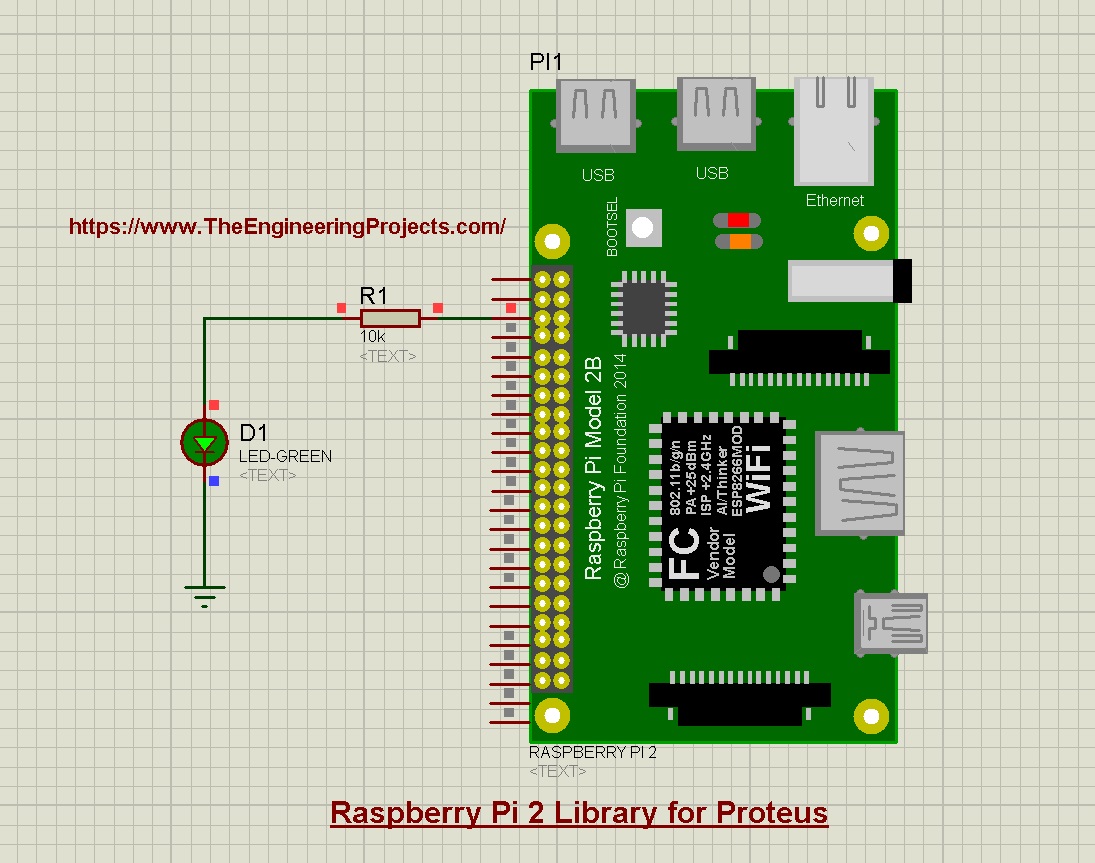
The Raspberry Pi 2 library completes the full-size family for older project designs. Read the complete tutorial: Raspberry Pi 2 Library for Proteus
13. Raspberry Pi Zero W Library for Proteus
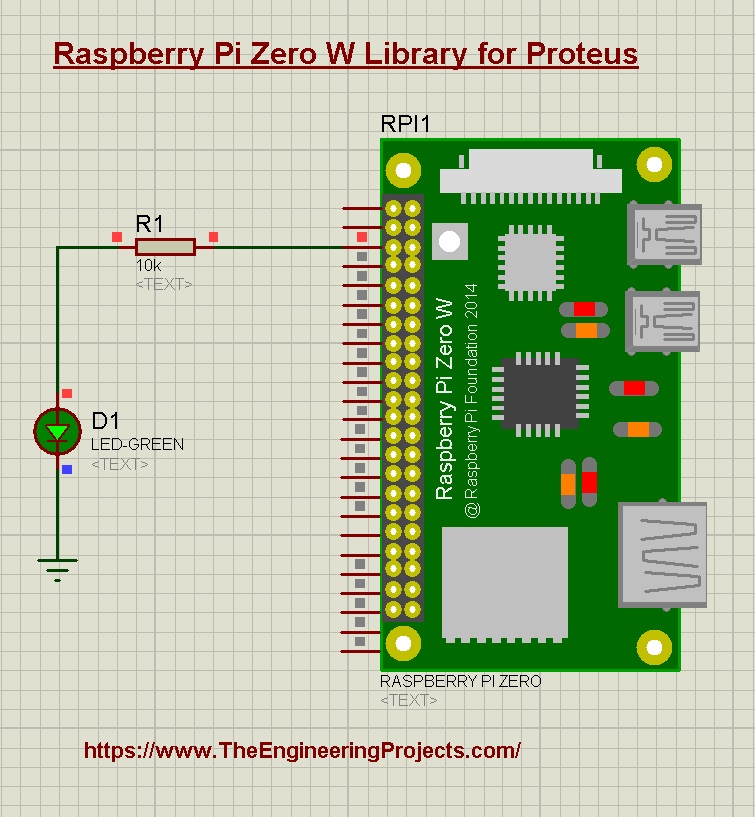
The small Raspberry Pi Zero W, for compact project designs and presentations. Read the complete tutorial: Raspberry Pi Zero W Library for Proteus
14. Raspberry Pi Pico Library for Proteus
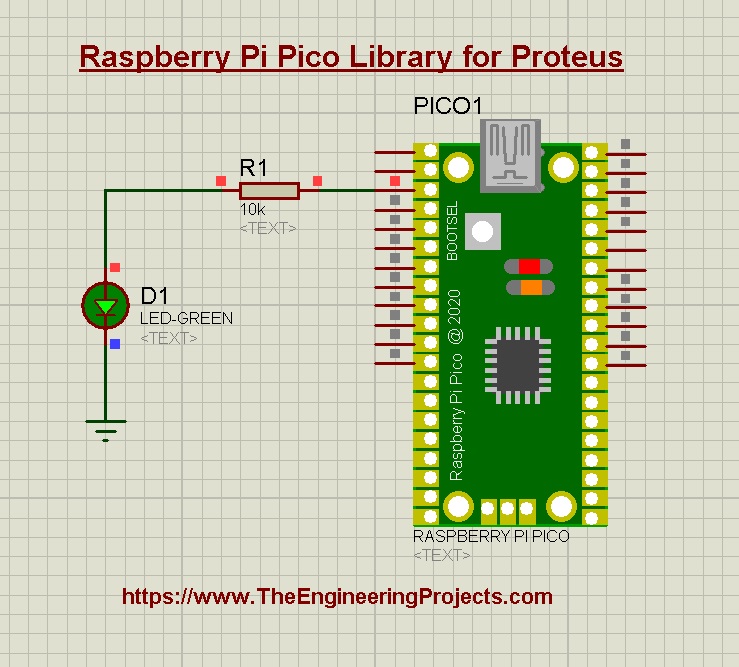
The Raspberry Pi Pico is a microcontroller board, not a computer. Our library was the first of our Pi libraries, with an LED example that runs Arduino code. Read the complete tutorial: Raspberry Pi Pico Library for Proteus
ESP32 and NodeMCU Boards
15. ESP32 Library for Proteus
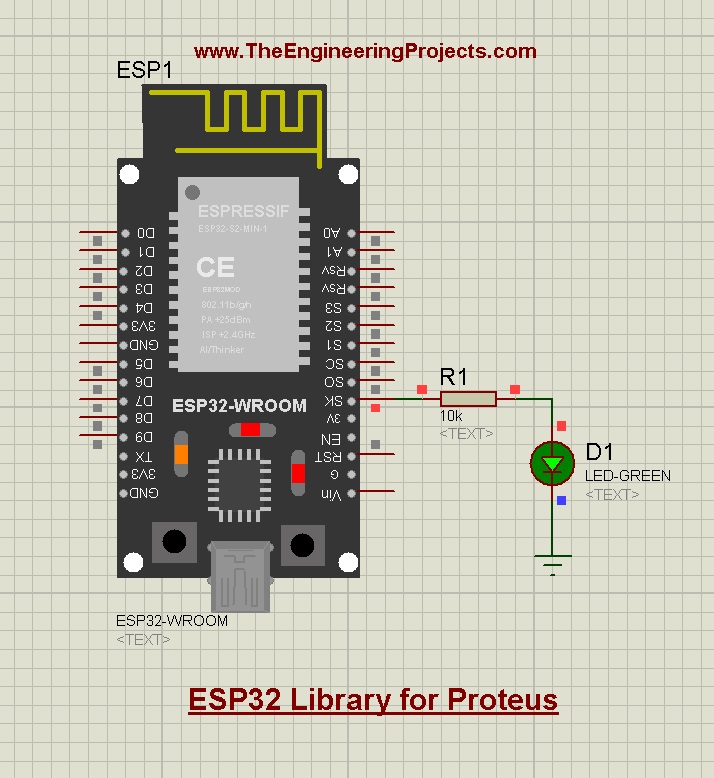
The ESP32 is the favourite board for IoT projects. Proteus can't simulate its Wi-Fi or Bluetooth radio, so our library simulates its input and output side: digital pins, PWM and the sensors and modules you connect to it, with an LED example and its HEX file. For a Wi-Fi simulation, use an Arduino with our ESP-01 Wi-Fi library. Read the complete tutorial: ESP32 Library for Proteus
16. NodeMCU Library for Proteus
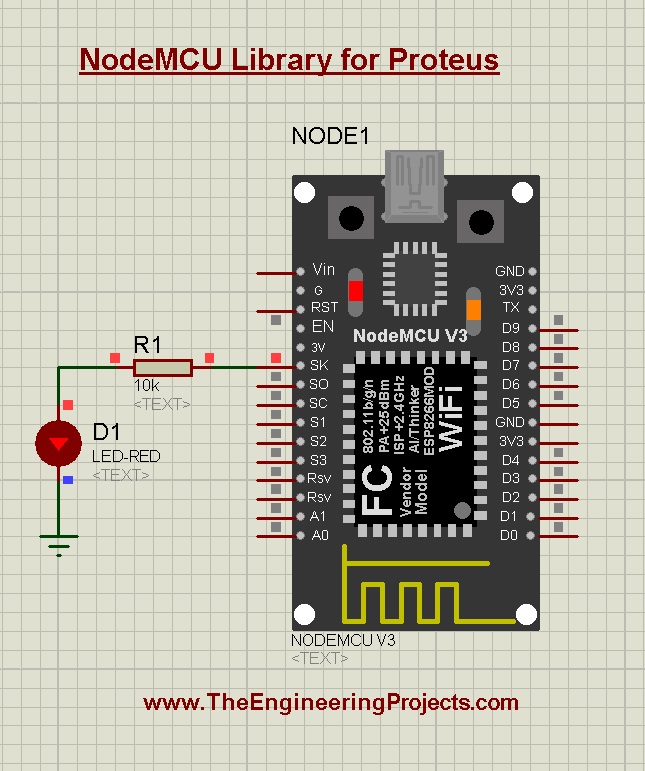
The NodeMCU library was the first NodeMCU model for Proteus. Like the ESP32 library, it simulates the basic functions of the board: I/O control, PWM and sensor interfacing, for code tests and circuit diagrams. Read the complete tutorial: NodeMCU Library for Proteus
Arduino Boards V2.0
17. Arduino Library for Proteus V2.0
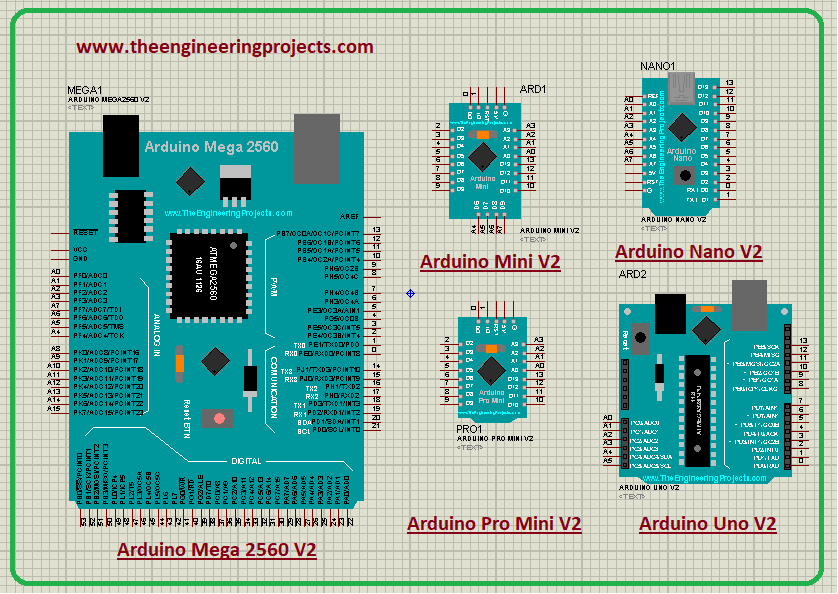
Our second complete Arduino library, from 2021. The V2.0 boards are more compact than the V1.0 boards, and many bugs were removed. Read the complete tutorial: Arduino Library for Proteus V2.0
18. Arduino UNO Library for Proteus V2.0
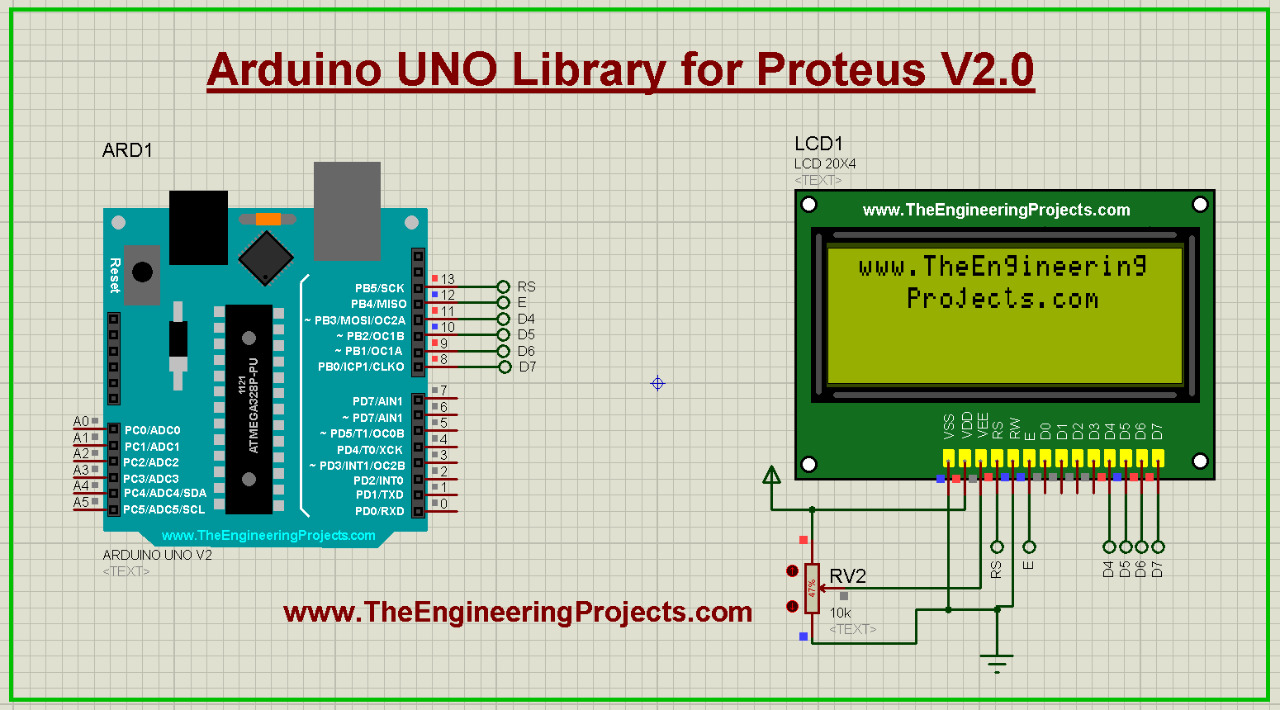
The Arduino UNO alone, in its V2.0 design. Read the complete tutorial: Arduino UNO Library for Proteus V2.0
19. Arduino Nano Library for Proteus V2.0
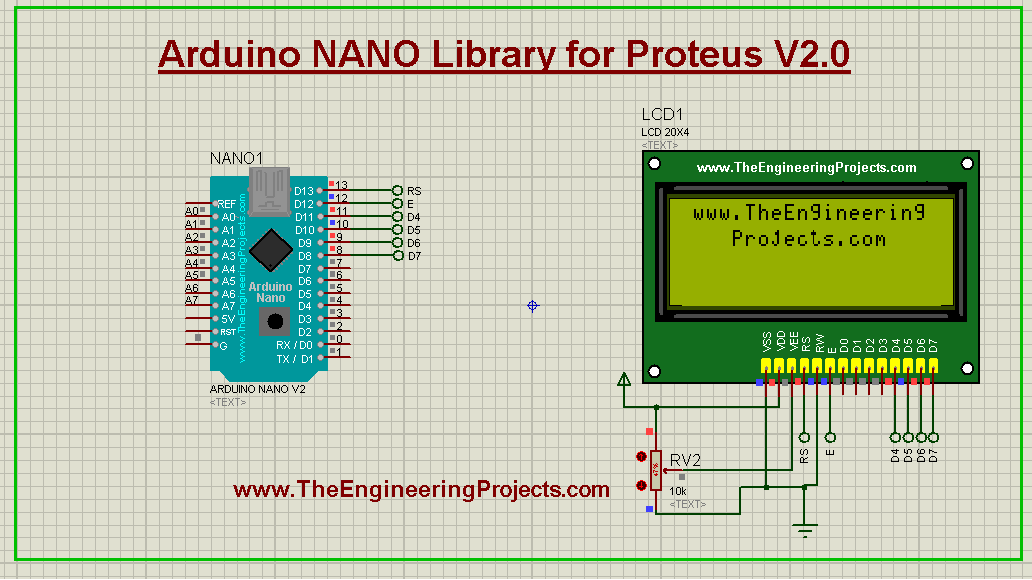
The small Arduino Nano, the breadboard-friendly board of compact projects. Read the complete tutorial: Arduino Nano Library for Proteus V2.0
20. Arduino Mega 2560 Library for Proteus V2.0
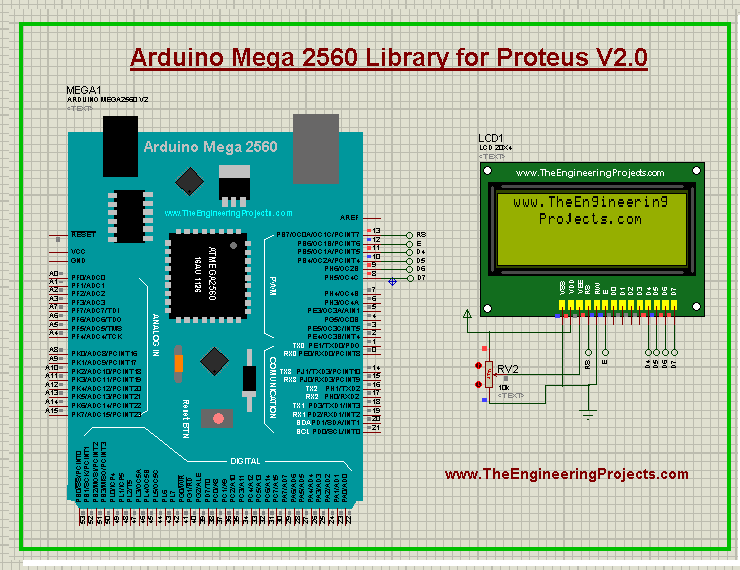
The Arduino Mega 2560, with many more pins and serial ports for big projects. Read the complete tutorial: Arduino Mega 2560 Library for Proteus V2.0
21. Arduino Mega 1280 Library for Proteus V2.0
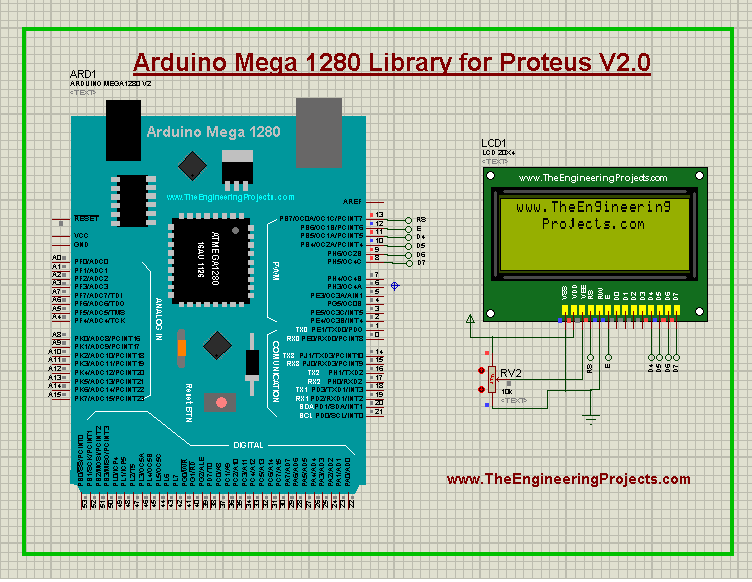
The older Arduino Mega 1280, for projects that still use it. Read the complete tutorial: Arduino Mega 1280 Library for Proteus V2.0
22. Arduino Pro Mini Library for Proteus V2.0
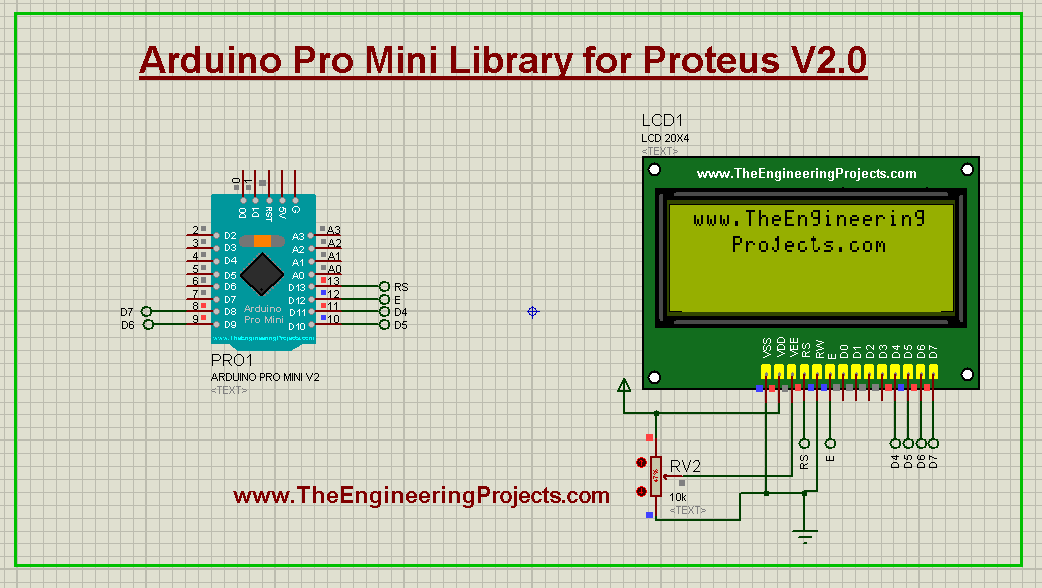
The Arduino Pro Mini, a tiny board for wearables and space-limited designs. Read the complete tutorial: Arduino Pro Mini Library for Proteus V2.0
23. Arduino Mini Library for Proteus V2.0
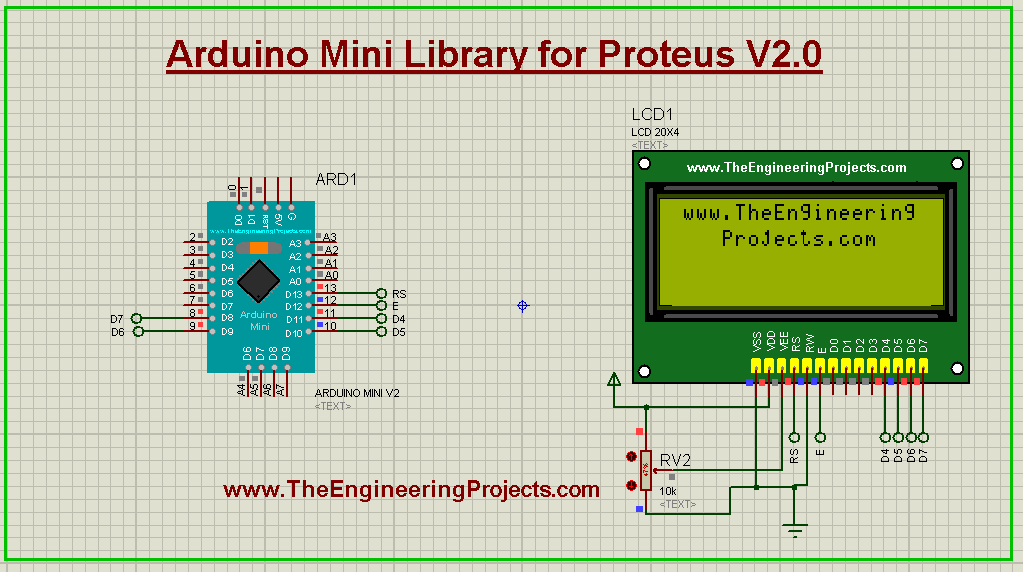
The Arduino Mini in its V2.0 design. Read the complete tutorial: Arduino Mini Library for Proteus V2.0
Our First Arduino Boards
24. Arduino Library for Proteus
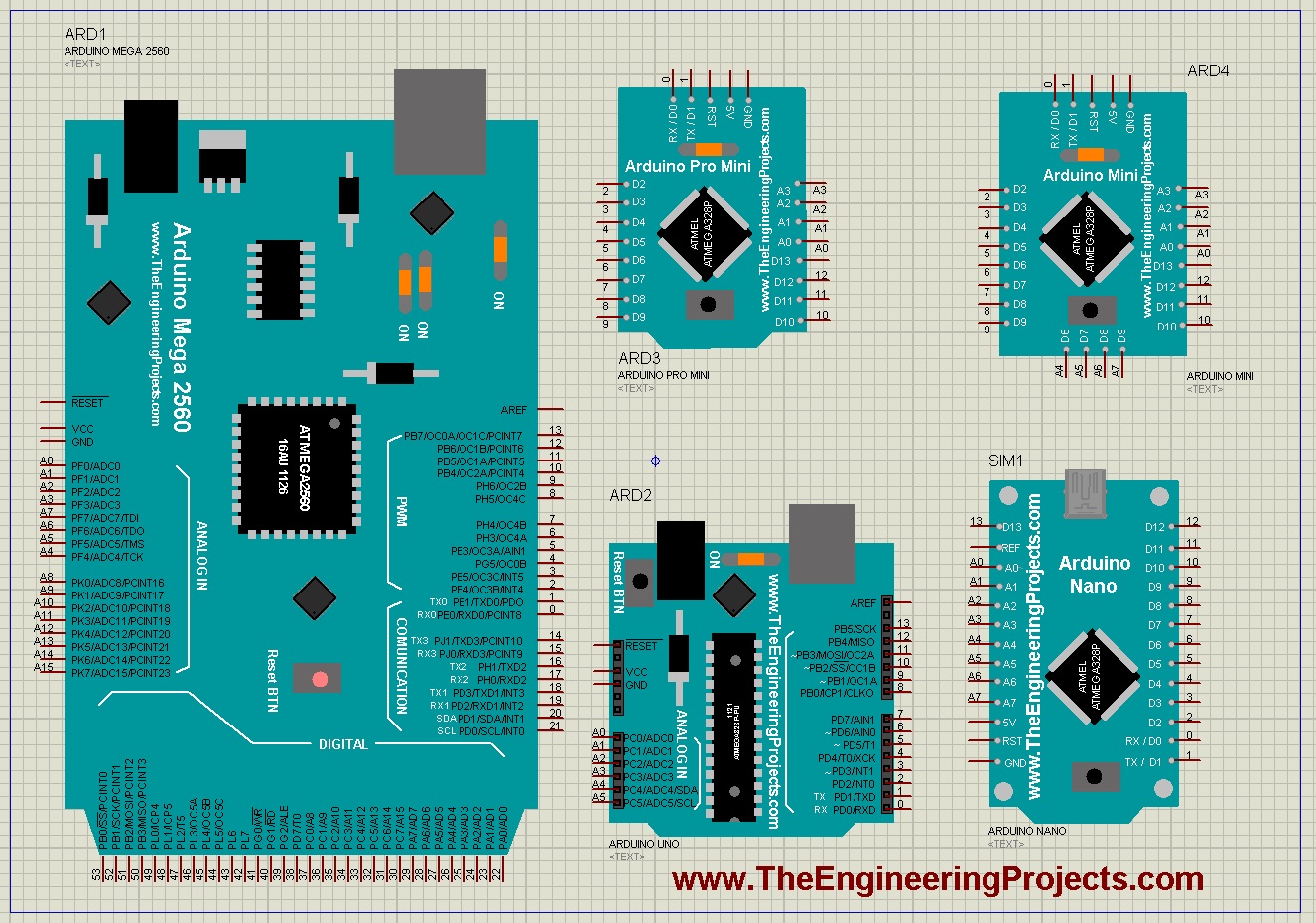
This is where everything started: our first Arduino Library for Proteus, from 2015, with the UNO, Mega 2560, Mega 1280, Mini, Pro Mini and Nano. If your old project uses these boards, it still works. Read the complete tutorial: Arduino Library for Proteus
25. Genuino Library for Proteus
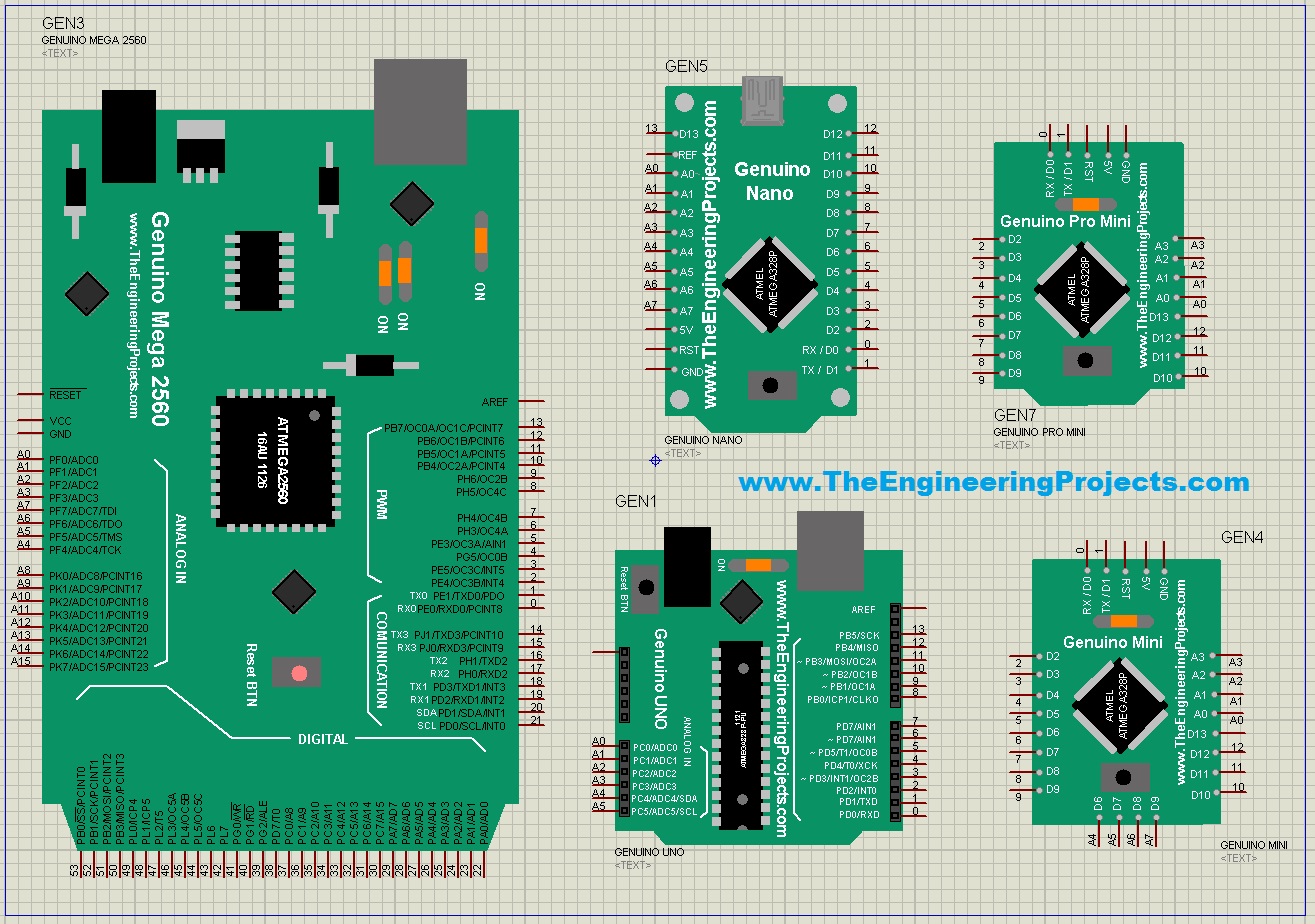
The Genuino boards are the same as the Arduino boards, with a different colour and look, and so is our Genuino library: the functionality is exactly the same as our Arduino library. Read the complete tutorial: Genuino Library for Proteus
26. Arduino Lilypad Library for Proteus
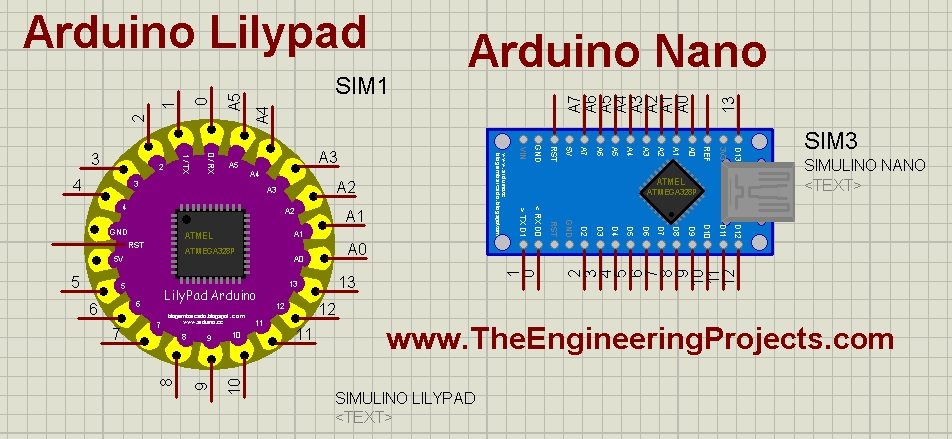
The LilyPad is the round Arduino for wearable and e-textile projects. This library was not designed by our team: it was created by blogembarcado, and we shared it because it supports the LilyPad, the Nano, the UNO, the UNO SMD and the Mega. All credit goes to its creator. You should also read Arduino Lilypad Simulation in Proteus. Read the complete tutorial: Arduino Lilypad Library for Proteus
Which Board Library Should You Use?
- A new Arduino project: the Arduino Library for Proteus V4.0, with working LEDs and the built-in serial monitor; its board tutorials show each board on its own.
- An older project file: keep the version it was made with, so its boards still match. The V4.0 pins sit in new places, so a V3.0 design doesn't swap to V4.0 pin for pin: place the V4.0 board and wire it again.
- A Raspberry Pi or ESP32 project: use their libraries for the circuit diagram and the presentation, and remember their limits in the simulation.
- An IoT project that needs Wi-Fi in the simulation: an Arduino UNO V3.0 with our ESP-01 library, as in its demo.
Whichever board you choose, the simulation runs the compiled HEX file of your sketch: compile it in the Arduino IDE, then select it in the board's properties in Proteus (Upload Hex File on the V4.0 boards). Read How to Get the HEX File from the Arduino Software for the details, and our Download Proteus Library of Arduino Modules page for the downloads of our earlier Arduino boards in one place.
More Lists of Proteus Libraries
We have grouped our Proteus libraries into several lists, so you can quickly find the right ones for your project:
- 30 New Proteus Libraries for Engineering Students (2026)
- GSM Libraries for Proteus
- GPS Libraries for Proteus
- RF Module Libraries for Proteus
- LoRa and RF Libraries for Proteus
- Wi-Fi and Bluetooth Libraries for Proteus
- List of Wireless Modules for Proteus
- Top IoT Libraries for Proteus
- RFID and NFC Libraries for Proteus
- List of Embedded Sensors in Proteus
- I2C Sensor Libraries for Proteus
- Environmental Sensor Libraries for Proteus
- Motion and Distance Sensor Libraries for Proteus
- Smart Agriculture Sensor Libraries for Proteus
- Medical Sensor Libraries for Proteus
- Must-Have Proteus Libraries for Arduino Simulation
Conclusion
So, that was all about the Microcontroller Board Libraries for Proteus. I hope this list helps you choose the right board for your simulation, and that you enjoy combining these boards with our new module and sensor libraries. You can find all of them in our Proteus Libraries tutorial series. If you have any questions, please ask in the comments or in the Proteus Libraries category of our forum. Till the next tutorial, take care and have fun!